
Frankie
Design a people-centered experience focused around digital media while utilizing the sum of your acquired skills in a final experience design-driven thesis project.
This project focused on working with real people to identify a problem and craft a solution using the principles of Visual Communication Design, Interaction Design, and User Experience Design. Emphasis was placed on designing a digital product or service experience that impacts or improves real people's lives.
Justification
Have you ever walked out of the house, driven to work or school, and then remembered you left something important behind? Have you ever walked into a grocery store only to realize you couldn't remember what you needed to buy? What about forgetting a loved one's birthday? Wouldn't it be nice if there was something or someone who could know more about your life and play the role of your personal assistant? What if, right before you grabbed the door knob, someone said, "Morning, don't forget your laptop and files." Or, while you were cooking in the kitchen, items were automatically re-ordered as they ran out or expired. This paper will explore current solutions related to intelligent digital personal assistants. It will also delve into a solution that could help effortlessly assist in daily tasks like a personal assistant.

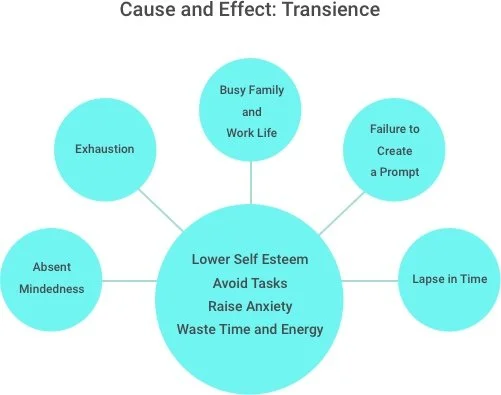
Memory Failure: Transience
Forgetfulness is most commonly attributed to one of two types of memory failure. The first is transience. The tendency to lose access to information as time passes (Milkman, Katherine L. 2012). The second is absent-mindedness. The tendency to engage in "inattentive or shallow processing that contributes to weak memories of ongoing events or forgetting to do things in the future" (Schacter, 1999).
This paper focuses on transience as related to planning and organization in all work and home life aspects. Several things can cause forgetfulness in a day, such as a busy family life, the failure to plan or create a prompt, exhaustion, or procrastination. A typical day can include chaos and stress if necessary materials or appointments are forgotten. Forgetfulness can cause a person to waste time and energy repeating tasks over and over again. For example, wasting time going to the grocery store only to forget one item needed for a recipe causes another trip before dinner can be finished.
Not only can forgetfulness impact time, but it can also impact confidence and responsibility. A case study showed that there is an impact on behavior when low self-confidence in an individual's ability to remember and negative patterns caused by forgetfulness affect a person's day-to-day life. In some cases, this may lead to a decreased effort in trying to remember and the individual avoiding everyday tasks that involve memory. Anxiety is also spiked when memory is challenged, leading to lower memory performance, furthering the individual's belief that they have a memory problem (Ponds RW, KJ Commissaris, and J Jolles. 1997).
Cognitive Reminders
Cognitively reminding a person is one of the best ways to ensure they complete a task. In a test to remind individuals of an appointment, a simple sticky note increased compliance by 16% (Milkman, Katherine L. 2012). "There are several mechanisms through which the sequence of events initiated by the sticky note may increase goal attainment. One mechanism is cognitive: by associating a future cue (the date written on the sticky note) with a plan of action (attending the appointment), individuals who have formed implementation intentions are more likely to remember to follow through on their plan" (Milkman, Katherine L. 2012). "Psychological studies have shown that the memorability of an experience is influenced greatly by the cognitive operations engaged during initial encoding of that experience" (Wagner AD, DL Schacter, M Rotte, W Koutstaal, A Maril, AM Dale, BR Rosen, and RL Buckner. 1998). A person can effortlessly remember tasks and items throughout their day through cognitive reminders via an intelligent screen in a home, phone, computer, or car.
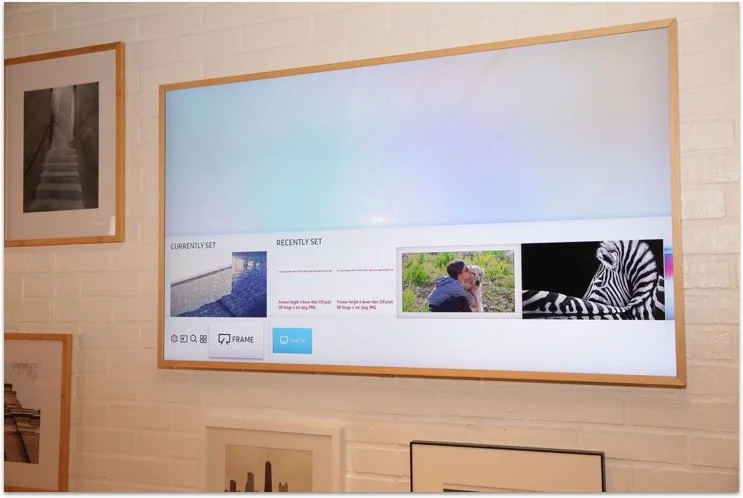
Samsung The Frame, a concept LED TV styled to look like a picture on the wall (image description)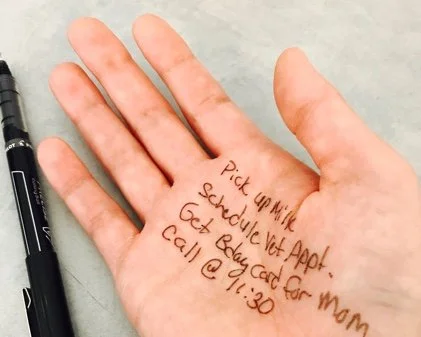
With technological advances such as Google Now and OLED screens, cognitive reminders can be anywhere and added at any time without the cumbersome step of entering reminders in multiple areas or planning cues weeks in advance. Anyone can have a personal assistant by using OLED screens in a home and intelligent digital personal assistant software (Siri, Cortona, Google Now). The assistant will sync with all your devices and be able to map your schedule intuitively. In this way, a person's quality of life will improve by reducing anxiety, increasing confidence, and improving daily functions. The assistant could remind an individual to go to a doctor's appointment. If medications are purchased, the assistant knows through credit card information and can remind the individual to take their medication when suggested. These are only a few examples of what this creation could do.
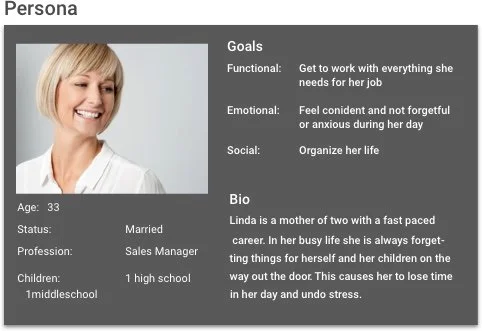
Demographic
This software could benefit professionals aged 25 - 35 who own a home and have children. It would have the highest impact on married individuals with children but also have high-pressure careers, such as couples who need assistance in their busy lives but do not require the full attention of a personal assistant. Married households have now become dominantly double-incomed. In 2012, 47.5% of all Americans and 70% of Canadian married couples were dual-career (Coleman, Jackie, and John Coleman. 2012). Individuals with children would also benefit, as they would be kept up to date on events for their children. The software could also help the child complete tasks and remember things for the day. Individuals who own a home are also critical customers in that they are more likely to install smart home technology when renovating or upgrading their homes (iControl Networks, 2015).
Currently, family security is the main driver for smart home adoption, but 40% of U.S. consumers aged 25 - 34 expressed a higher excitement around the possibility of greater productivity and the ability to manage work-life balance (iControl Networks, 2015). The desire for effortless life management is something that people want. Smart speakers are already a popular solution using basic voice-controlled home management. According to the investment bank Morgan Stanley, the Amazon Echo sold 11 million devices by December 1, 2016, showing that people are willing and eager to learn to use new technology that will improve and change the way they manage their homes. The age range that we are focusing on would also be current enough to embrace and learn new technologies.
Current Solutions
Cognitively reminding a person is one of the best ways to ensure they complete a task; in a test done to remind individuals of an appointment, a simple sticky note increased compliance by 16% (Milkman, Katherine L. 2012). "There are several mechanisms through which the sequence of events initiated by the sticky note may increase goal attainment. One mechanism is cognitive: by associating a future cue (the date written on the sticky note) with a plan of action (attending the appointment), individuals who have formed implementation intentions are more likely to remember to follow through on their plan" (Milkman, Katherine L. 2012). "Psychological studies have shown that the memorability of an experience is influenced greatly by the cognitive operations engaged during initial encoding of that experience" (Wagner AD, DL Schacter, M Rotte, W Koutstaal, A Maril, AM Dale, BR Rosen, and RL Buckner. 1998). A person can effortlessly remember tasks and items throughout their day through cognitive reminders via an intelligent screen in a home, phone, computer, or car.

Hypothesis
There can be a better solution with the technology of smart homes, smartphones, digital calendars, intelligent digital personal assistants, and smart syncing capabilities (the Internet of Things). The solution could be a program that syncs to all devices, learning patterns, and habits and then assists in life. This invention would require the installation of OLED screens in critical places to help in the office, kitchen, and foyer. Thin and wireless, the screens would not affect a home's aesthetic or take up extra space. When a person is helped with daily tasks, unexpected scenarios decrease, causing a less chaotic life, lowered anxiety, and a more efficient lifestyle.
Landscape Analysis
Below are ten examples of current solutions related to my research question. How might I use AI and the Internet of Things to assist users with daily tasks, creating a more organized and healthy lifestyle?
Example One: Hub
Overview + Relevance to this project
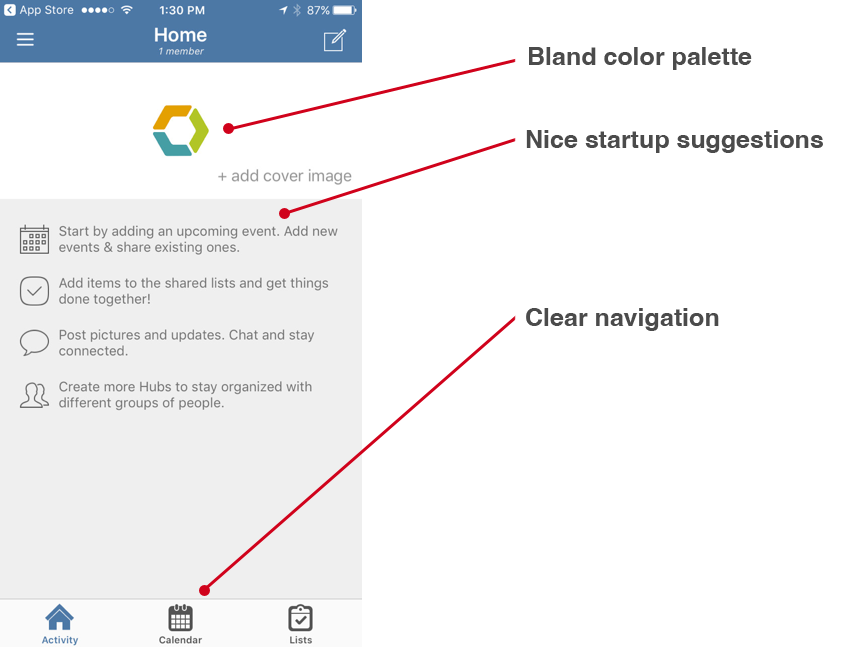
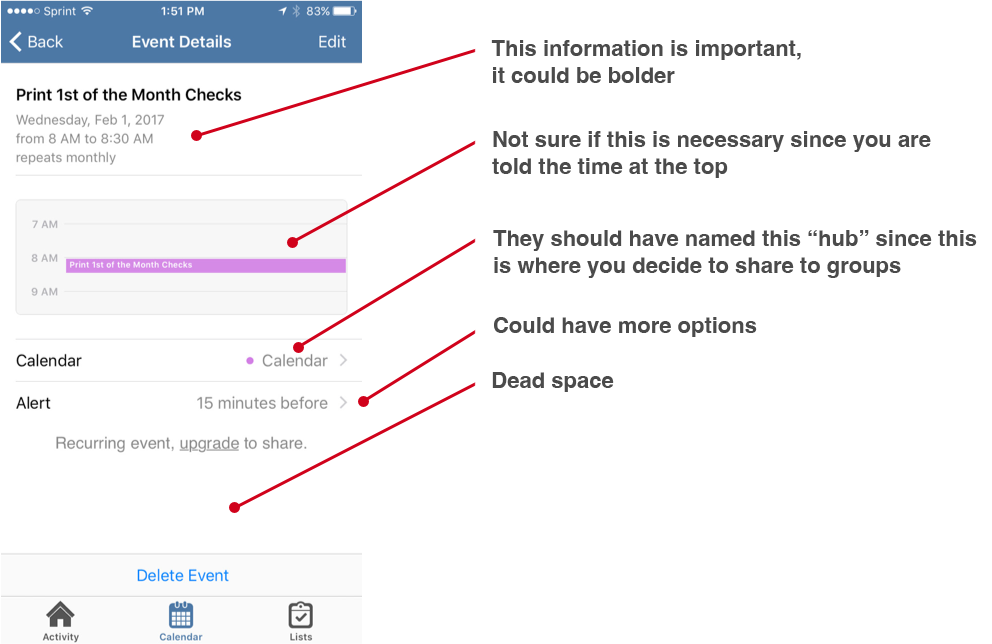
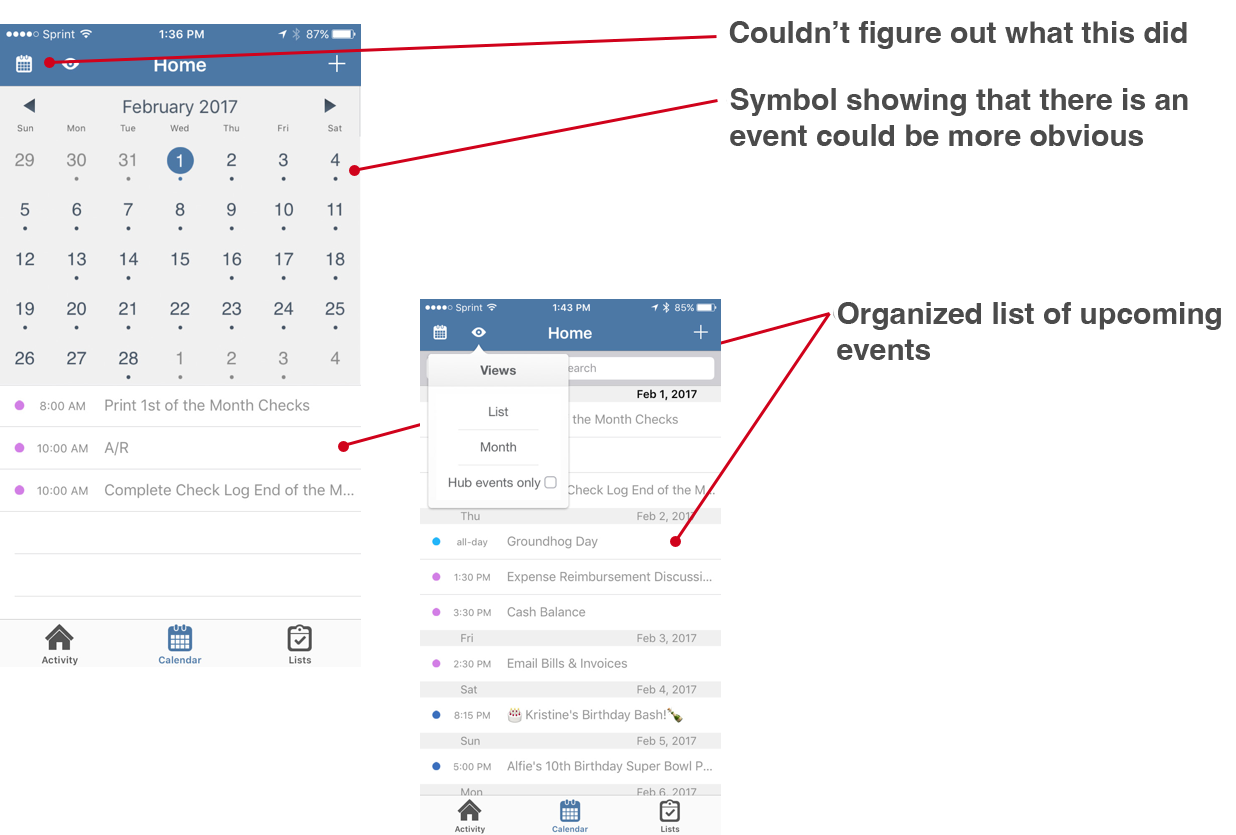
Hub keeps your home and family organized. Share calendars, lists, tasks, notes and more. Includes the ability to create groups specifically for relevant participants.
Experience Concept
Good: Easy to sign up and start using. Uses existing appointments from personal calendar.
Bad: Limited functionality. Needs more features.
Functionality
Good: Easy to add members and hubs for different groups of people. Syncs nicely with third party calendars.
Bad: Makes you pay for extra space.
Visual Design
Good: Simple design that is easy to use. Colors are nice.
Bad: Could use stronger hierarchy with color and font.
Example Two: Cozi
Overview + Relevance to this project
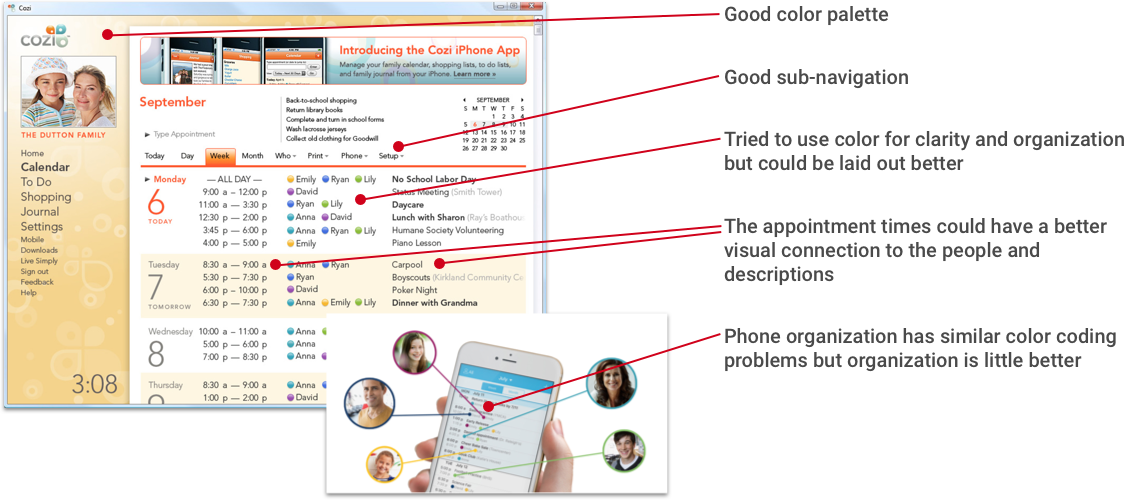
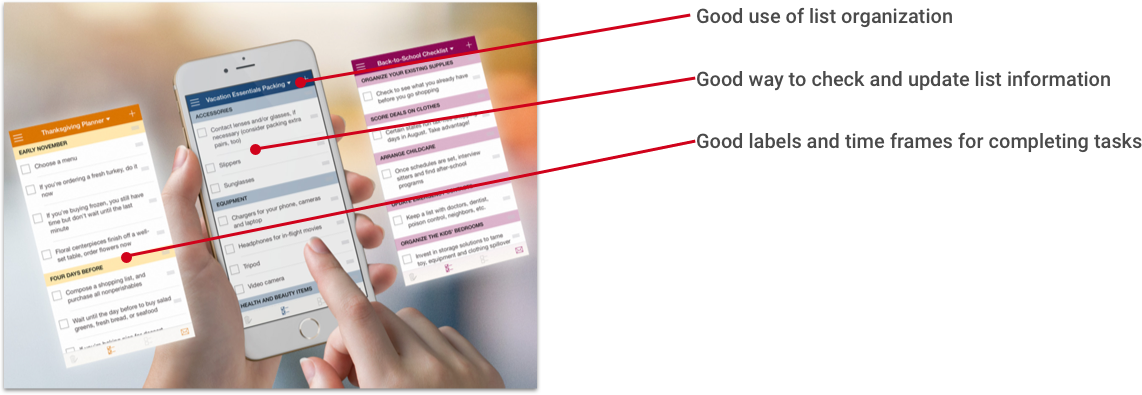
Cozi is a family organizer. It helps coordinate and communicate everyone's schedules and activities, track grocery lists, manage to-do lists, plan for dinner, and keep everyone on the same page. It is excellent at reminding parents and children of what is scheduled so they can be prepared.
Experience Concept
Good: Users can easily add members, tasks, and items to the calendar/list. It also gives multiple options, such as shared calendars, grocery lists, to-do lists, family message centers, and family journals.
Bad: Information is overwhelming.
Functionality
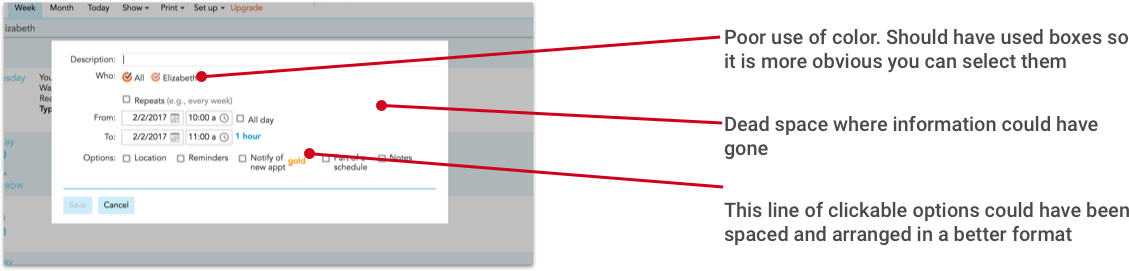
Good: I like that you only need to setup one account. Has good sharing functions. Sends weekly emails for weeks upcoming agenda. Allows you to use the calendar for your personal appointments and as a family calendar.
Bad: I couldn't figure out why the password for the desktop wouldn't work for the mobile. The reviews find that having one password for all members is a security problem. The calendar section could be cleaner/better organized. Does not share well with third party calendars.
Example Three: Doxo
Overview + Relevance to this project
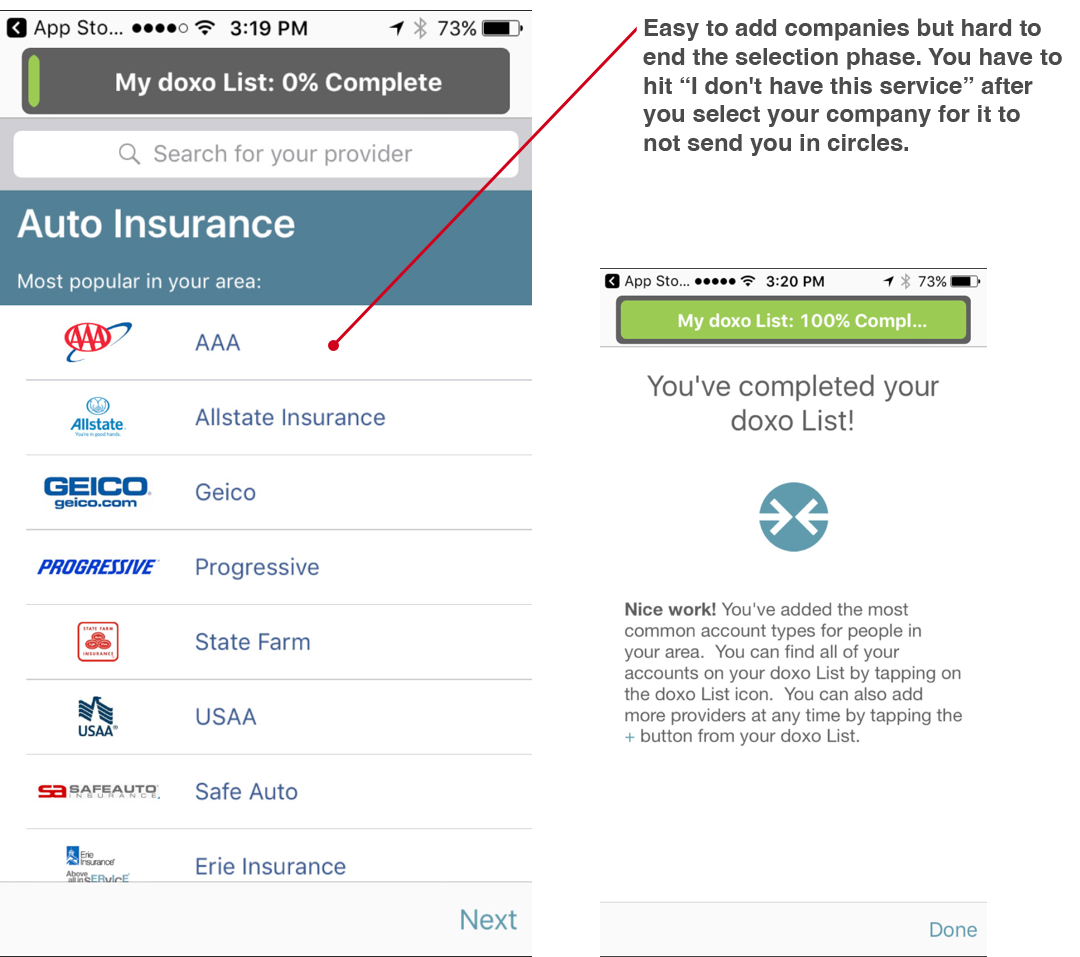
Doxo is a mobile app that allows you to organize all your accounts, manage your account information, and track your payments on the go. It also allows you to save important documents, like a virtual file cabinet
Experience Concept
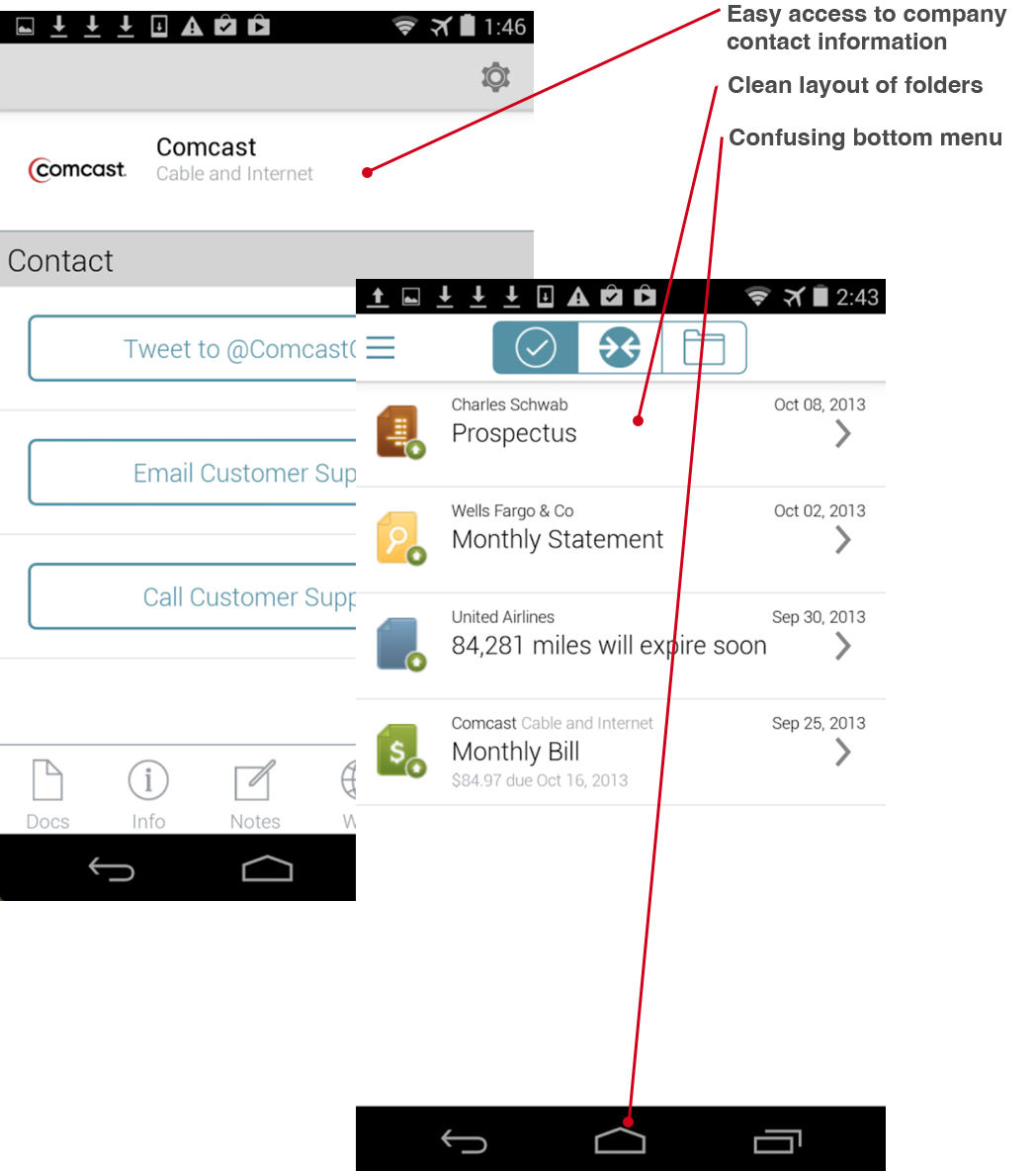
Good: You can get to all your accounts in one place and also save statements. Virtual filing cabinet.
Bad: Not easy to connect to some providers. Fees aren't shown until the end of the process.
Functionality
Good: Easy to pick and add companies to your list. You can scan important documents to your account.
Bad: Uses good security measures. Bill payment takes longer than it should.
Visual Design
Good: Folder function helps keep information organized.
Bad: Generic icons; overall design is bland and formulaic.
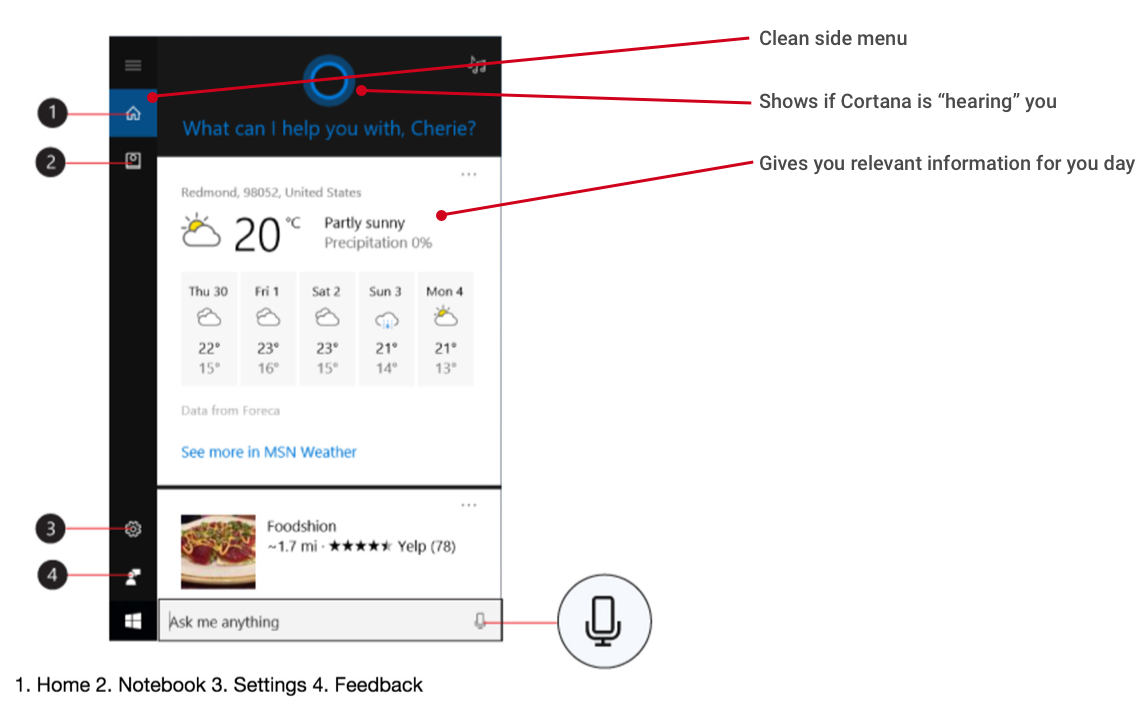
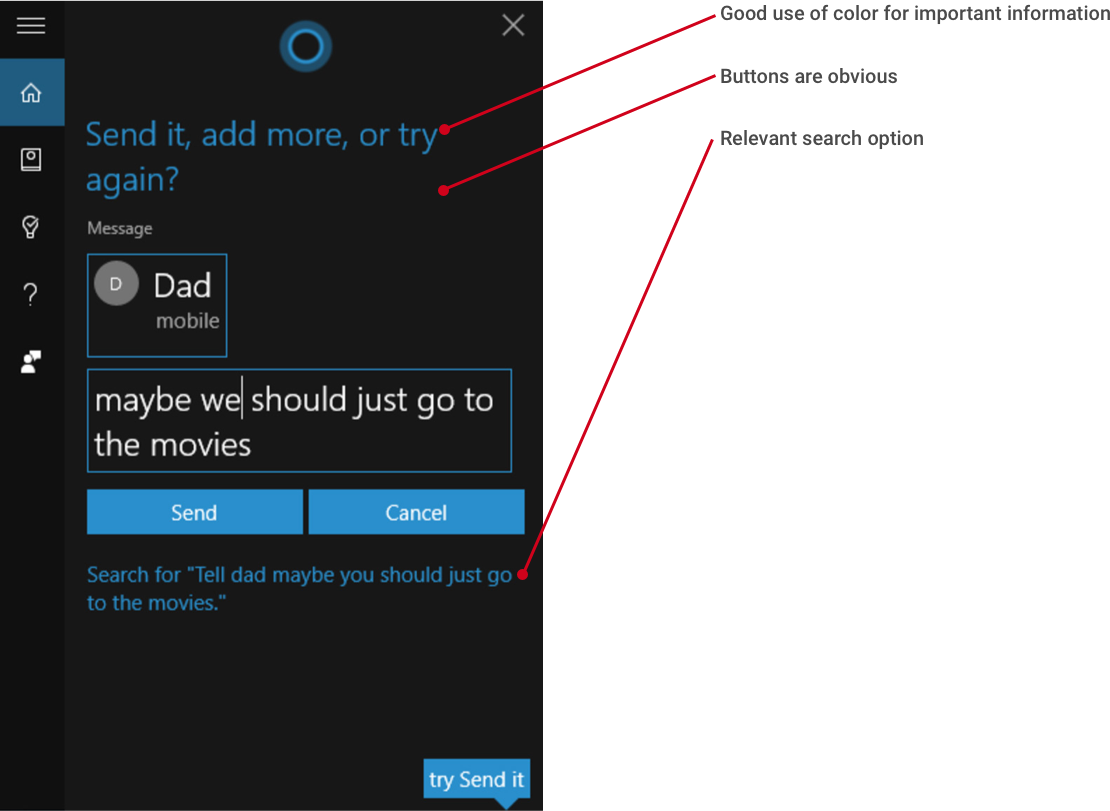
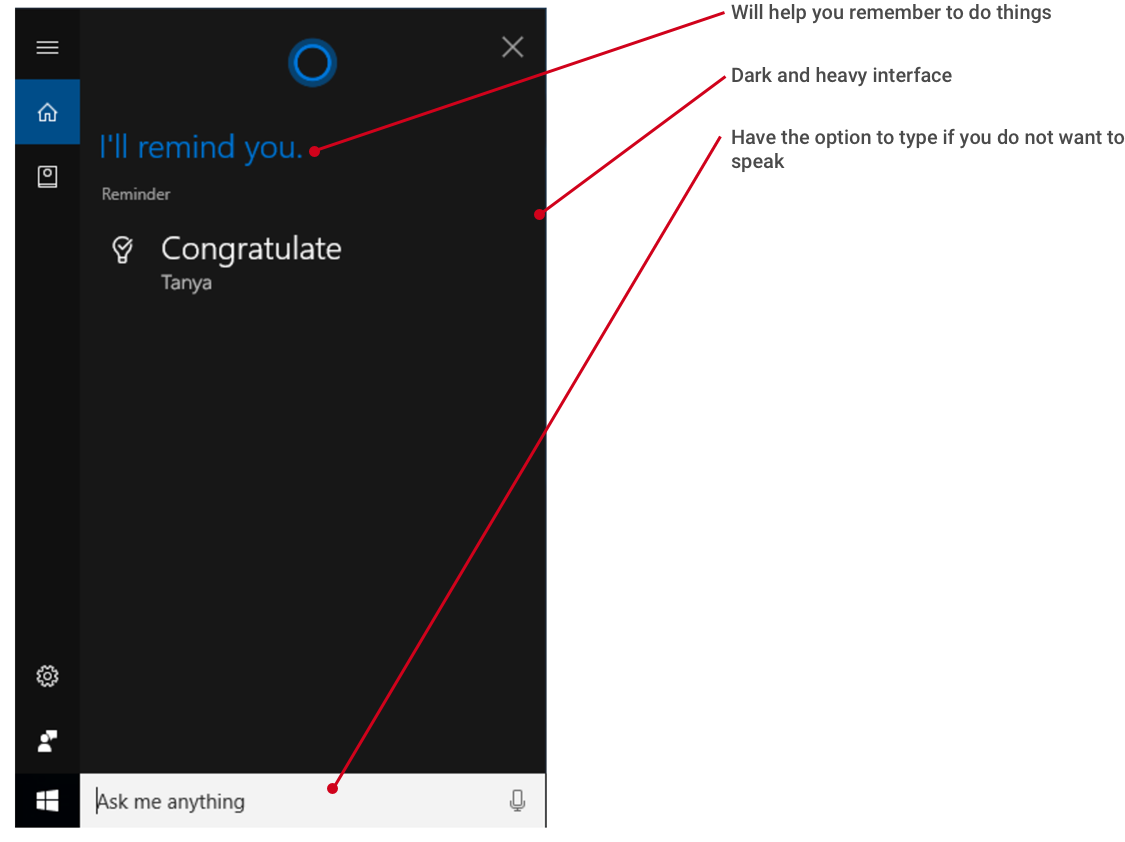
Example Four: Cortana
https://support.microsoft.com/en-us/help/17214/windows-10-what-is
Overview + Relevance to this project
Cortana is a virtual assistant. The more you use Cortana, the more personalized your experience will be.
Experience Concept
Good: It can create and help you get things done by just talking to it.
Bad: There is a learning curve. This can cause the experience to be frustrating.
Functionality
Good: Cortana continually learns about its user so it can eventually anticipate needs.
Bad: For Android and PC only. I could see how using this at first would be frustrating as Cortana learns your voice and you learn her commands. It does not have access to all your devices. It can only reach you by phone and computer.
Visual Design
Good: Good use of typography and color for hierarchy. Design is very clean and easy to see information.
Bad: Not much use of color. Very dark and heavy interface.
Example Five: AboutOne
Overview + Relevance to this project
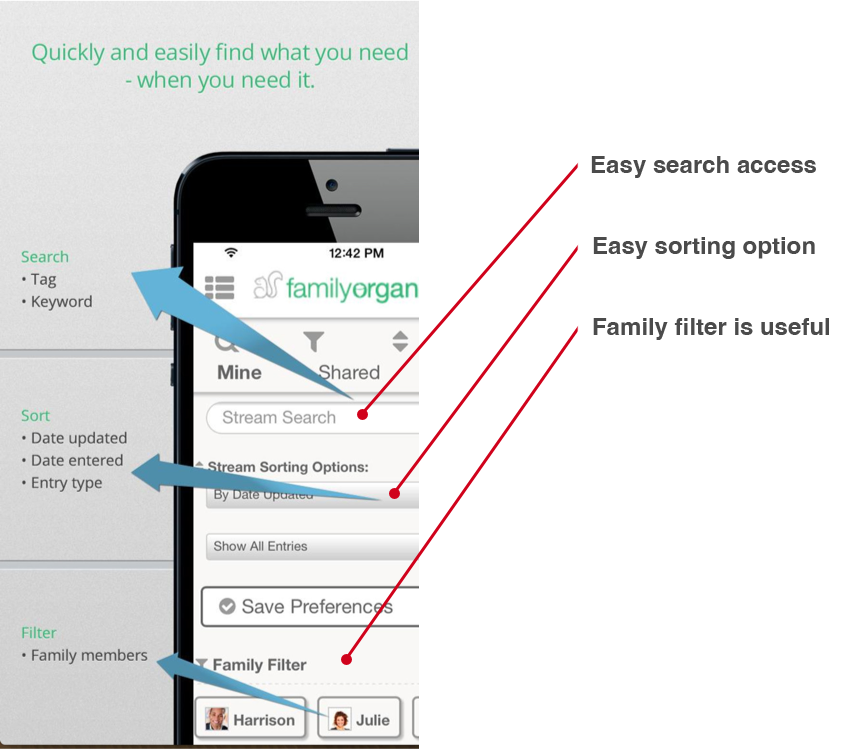
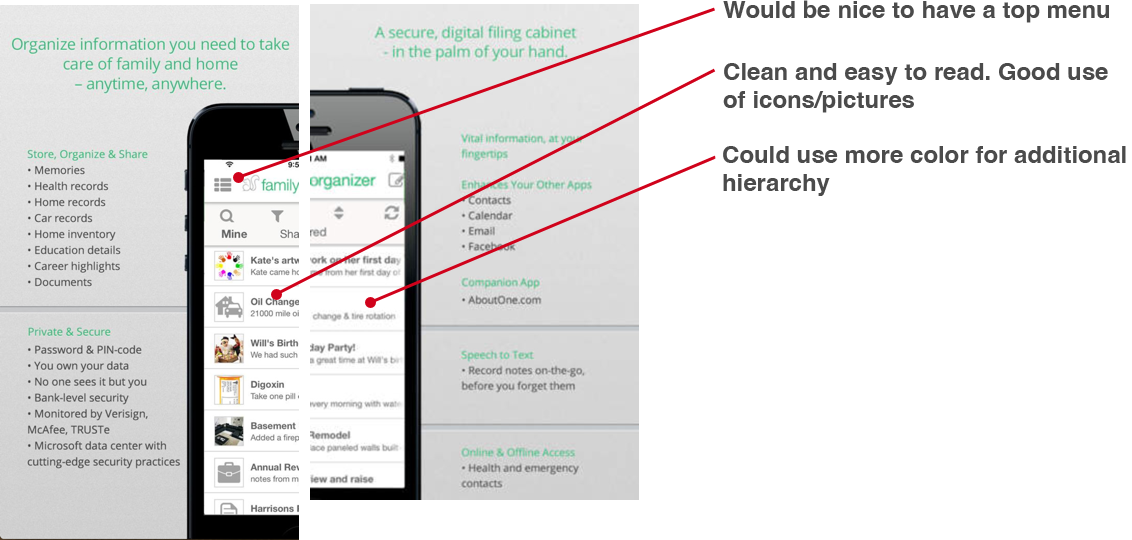
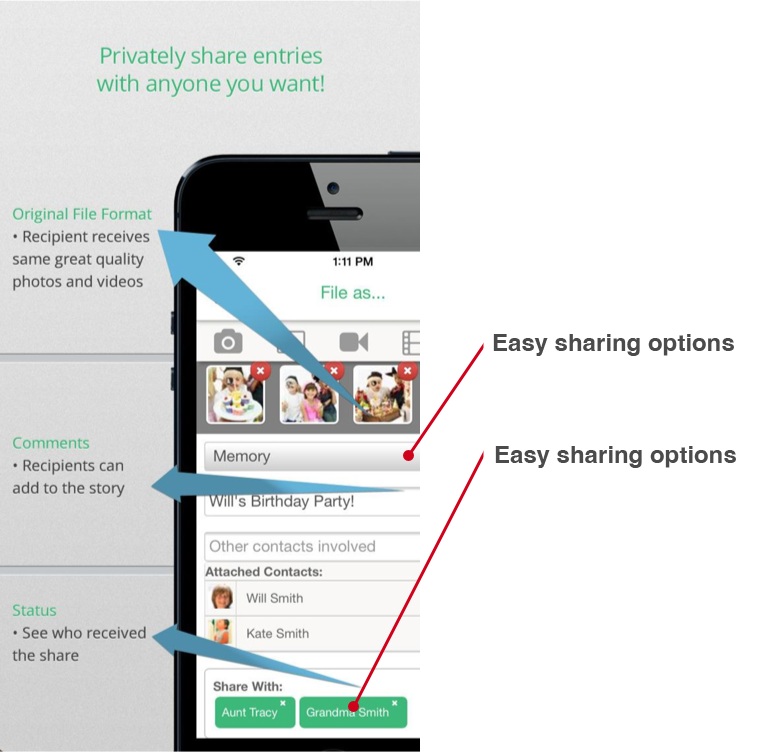
This app is the first to combine Google Calendar and iPhone with the power and flexibility of AboutOne to store, manage, and access your family records whenever and wherever you need them.
Experience Concept
Good: You can stay connected with family, pay bills, and store important information all in one software.
Bad: In Beta so information is lacking, and you can't fully setup an account.
Functionality
Good: Combination of file storage and family calendar. Good security and free. Also links to bill payments. This combines many functions in one app.
Bad: Still in Beta.
Visual Design
Good: Information looks well organized.
Bad: Could use more color for hierarchy.
Example Six: Famjama
Overview + Relevance to this project
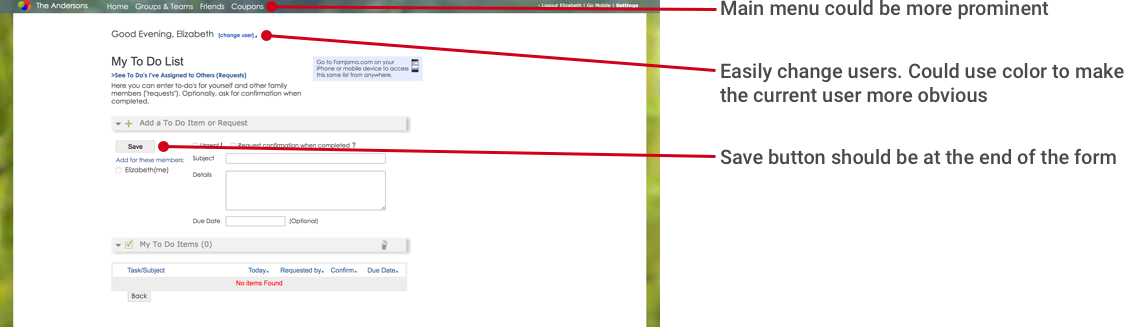
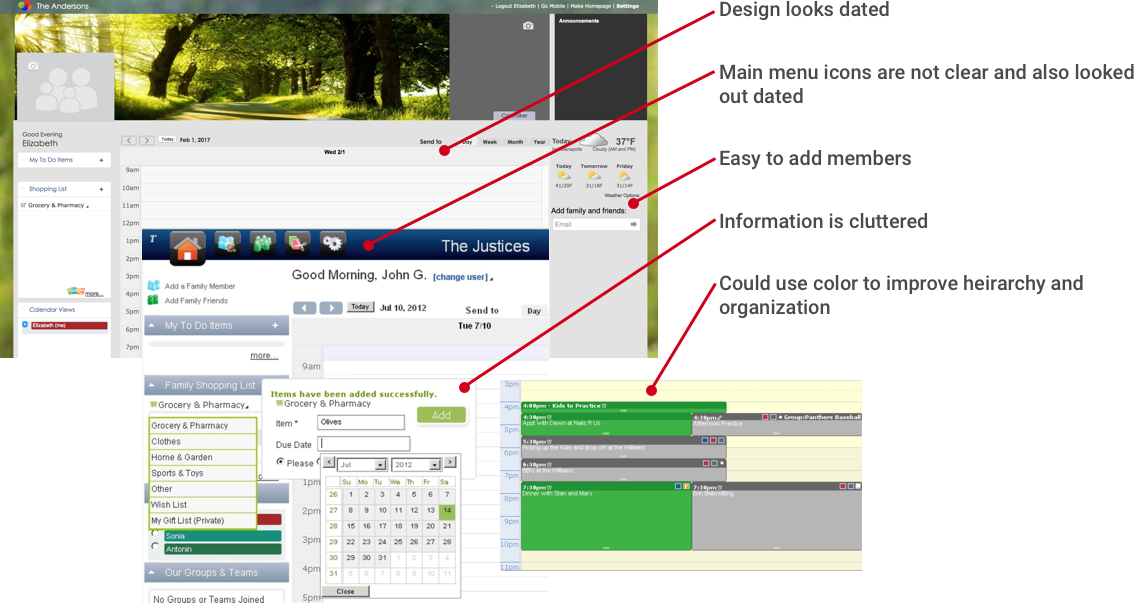
Online family schedule with a family calendar, chore lists, grocery coupons, shopping lists, and more. It allows you to add members of your family and create levels of authority for editing and planning purposes.
Experience Concept
Good: Easy to create an account and customize your page.
Bad: Not easy to use. There are many drop down menus that don’t make sense.
Functionality
Good: Allows the creator to categorize members and give levels of authority. It will suggest coupons for shopping lists.
Bad: I never received a confirmation email even though my email was correct. No document storage. No individual profile. Could not find the mobile app.
Visual Design
Good: Appeals to more general demographic.
Bad: Color palette could be better. The combination of color and shapes makes it feel like an archaic program.
Example Seven: Google Calendar
https://developers.google.com/google-apps/calendar/
Overview + Relevance to this project
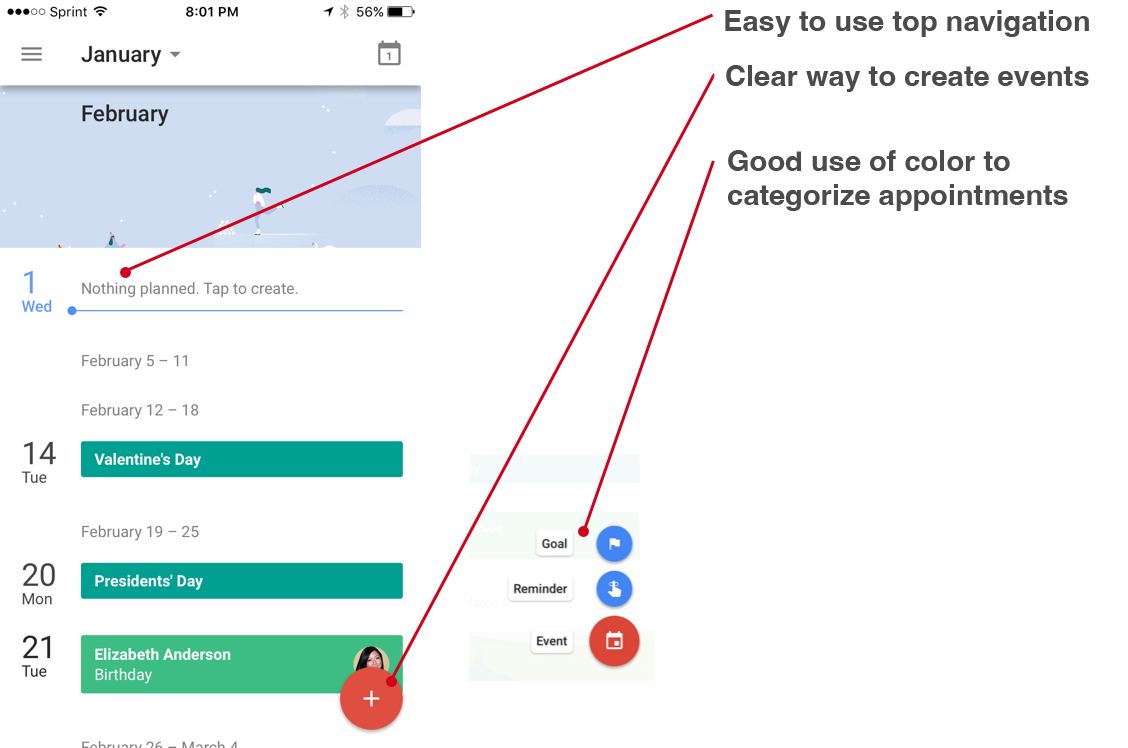
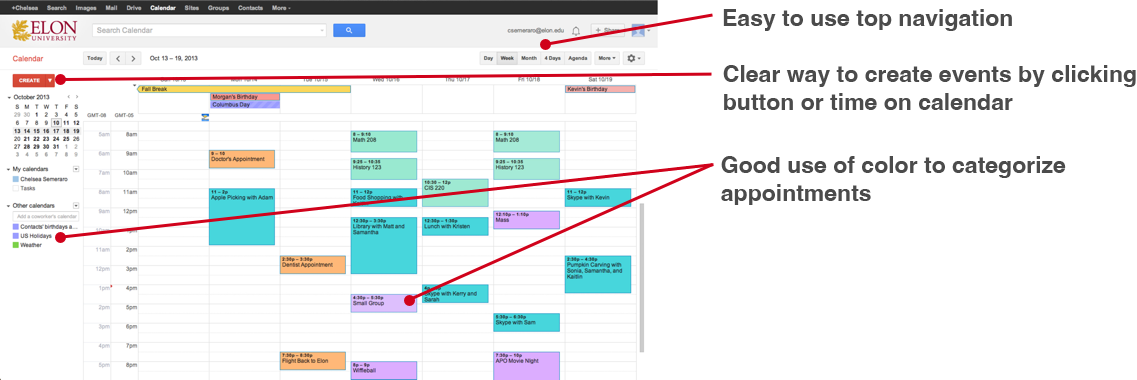
Google Calendar is an easy-to-use calendar app. It allows you to share events and helps you find the best time to meet.
Experience Concept
Good: Comes free with a Gmail account and is easy to use.
Bad: Not the best if you use IOS.
Functionality
Good: Works seamlessly within the Google/Android ecosystem. If you're on specific sites where it detects the presence of events, the icon changes to an orange "+". Clicking that icon lets you add the event to your Google Calendar and shows you a map (if there's a location it could detect.) Smart Google scheduling saves time.
Bad: Compatibility is lacking for non-Google Calendar users. It will not allow you to add calendar events from non-primary email. Works best with Android phones.
Visual Design
Good: Information is clean and easy to find.
Bad: Color palette matches their brand colors but could be updated to look more modern. Colors get a little too dominant on the mobile app.
Example Eight: Pypestream
https://www.pypestream.com/industries/
Overview + Relevance to this project
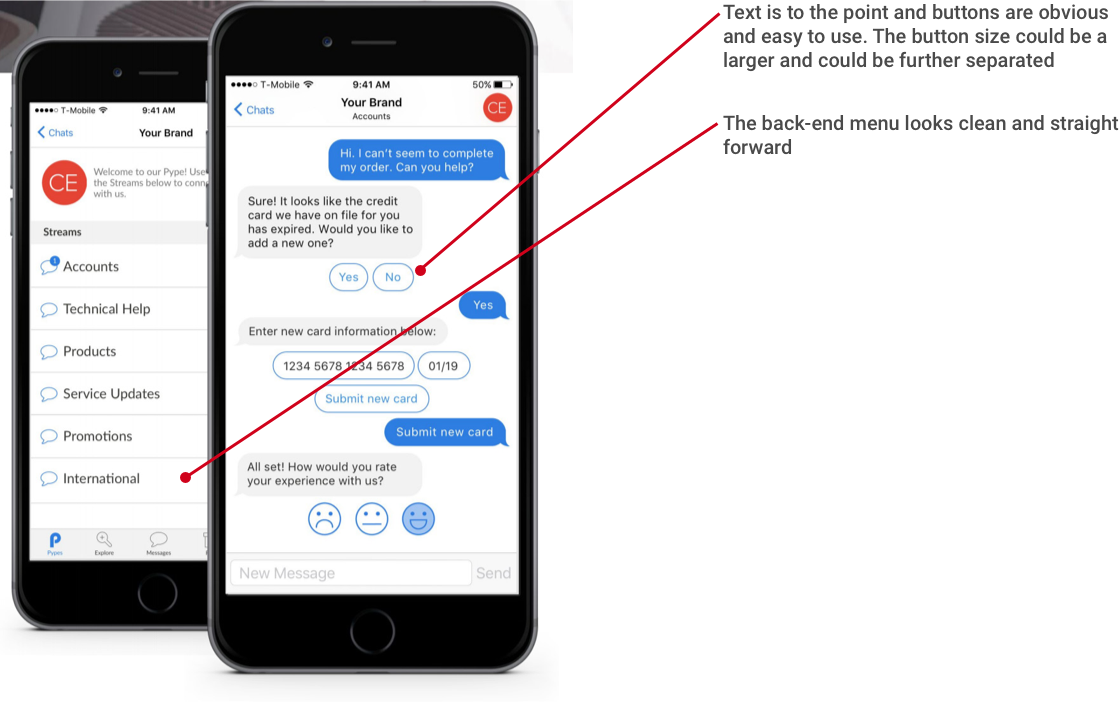
Pypestream is a secure mobile messaging platform designed to connect with your customers through intelligent automation.
Experience Concept
Good: There is no way for me to experience this platform firsthand
Functionality
Good: All inquiries are routed to dedicated chatbots using Natural Language Processing and keyword phrasing. Customers enjoy faster issue resolution.
Example Nine: x.ai
https://x.ai/
https://x.ai/how-it-works
Overview + Relevance to this project
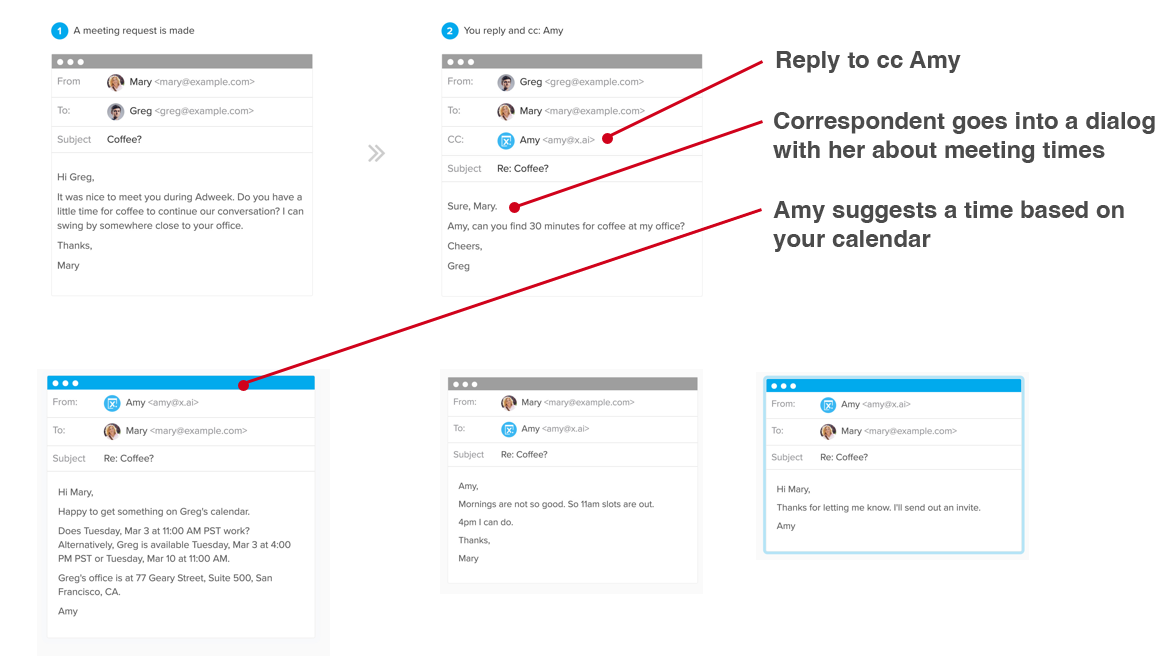
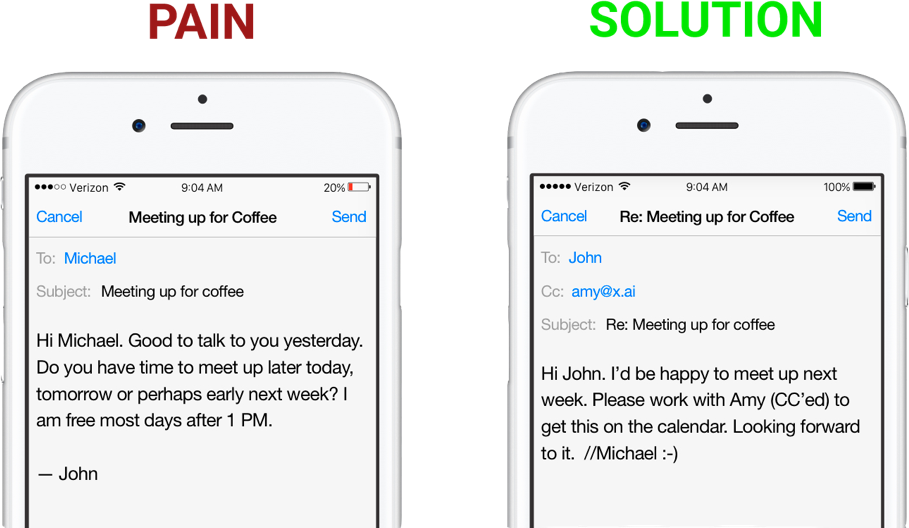
x.ai uses Amy, an AI-powered personal assistant, to work with others to set up meetings on your schedule. "You interact with me as you would to any other person - and I'll do all the tedious email ping pong that comes along with scheduling a meeting."
Experience Concept
Good: All you do is cc Amy and she takes over from there.
Bad: It does not show the back-end of this software, so I am unsure if the user has anything to do with installation or if the company does all the dirty work.
Functionality
Good: It seems to be easy to use. Just cc Amy and she works with your calendar through email to setup meetings.
Example Nine: x.ai
https://www.amazon.com/Amazon-Echo-Bluetooth-Speaker-with-WiFi-Alexa/dp/B00X4WHP5E
https://en.wikipedia.org/wiki/Amazon_Echo
Overview + Relevance to this project
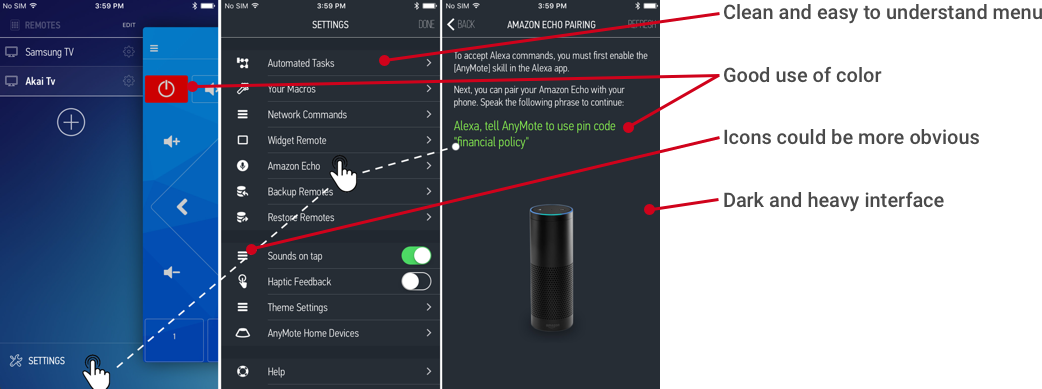
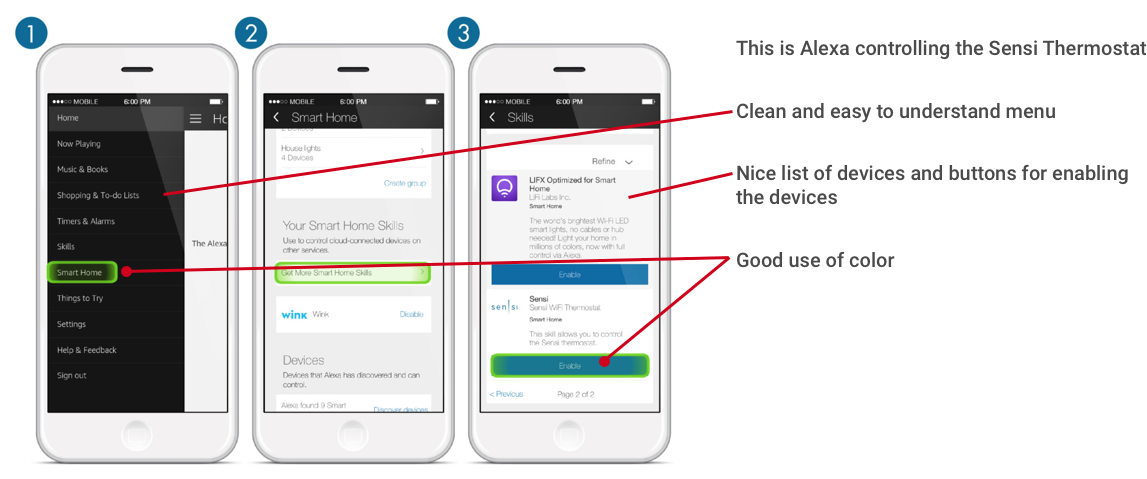
The Amazon Echo is capable of voice interaction, music playback, making to-do lists, setting alarms, streaming podcasts, and providing weather, traffic and other real time information. It can also control several smart devices using itself as a home automation hub.
Experience Concept
Bad: There is no way for me to experience this platform first hand
Functionality
Good: Follows your voice throughout rooms, intuitive, easily controls smart devices throughout your home, successful in using voice commands and puts items on your to do list/reminds you to do things.
Bad: There are a lot of complaints about the device not connecting to WIFI, playing music, answering simple questions and that the app is buggy and unreliable.
Visual Design
Good: Clean easy to use menus, good hierarchy and use of color.
Bad: Very dark and heavy interface.
Design Criteria
After a thorough investigation of the competitive landscape, I have determined that my solution must include the following criteria:
Experience Concept
Conceptually, my solution will..
Lower anxiety and raise self confidence with cognitive reminders.
Relieve time stress while AI takes care of simple tasks.
Lower stress by automatically securing house.
Improve mood by syncing kitchen and dietary criteria resulting in a healthier lifestyle.
Functionality
Functionally, my solution will enable Tom to...
Have AI save and add items to buy for household/kitchen.
Have AI learn habits and customize house/closet/kitchen for lifestyle needs.
Use AI to add and remind about important events/tasks
Flag an event that Tom might be interested in
Alert when an event is due or a list item is needed
Visual design
The design of my solution will...
Be organized and easy to use
Sans serif fonts for a modern, light and less cluttered read.
Have a vibrant upbeat color palette as to not weigh down a large portion of the users wall.
Will allow customization by user.
Use color and typographical hierarchy to avoid cluttered information
Prototyping
The prototyping process is critical to a people-centered digital design process. We know that a design will fail if it does not meet the goals or expectations of our users.
Low Fidelity Testing
Overview
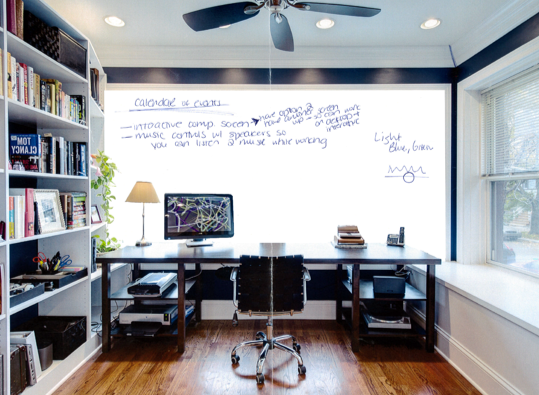
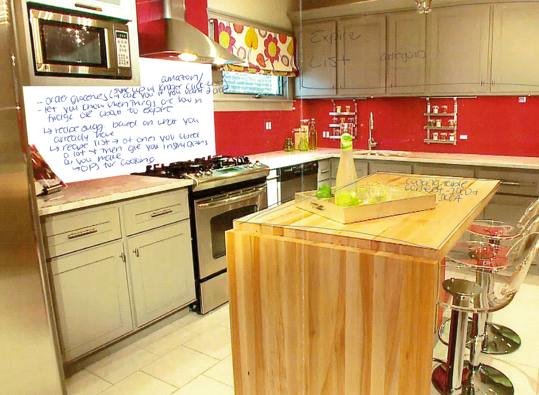
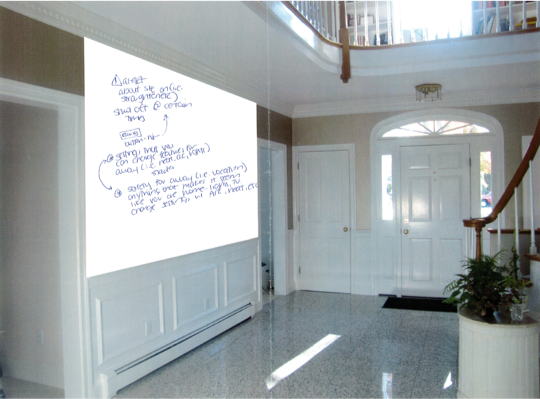
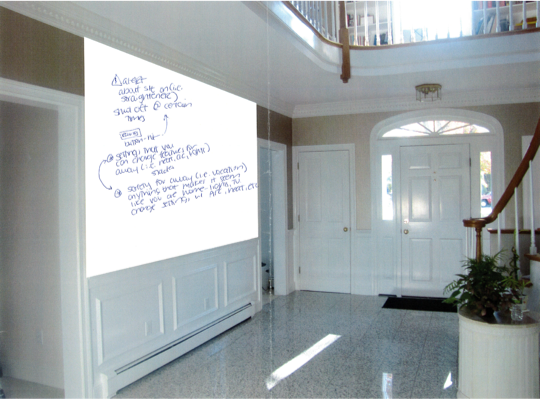
Met with six people who fit the demographic disucssed in the justification. Gave them blank screens in key areas of the house and asked them to co-design what they would find essential or desirable in this space.
Home Office
Insight
Multiple screens
Calendar of events
Art or panel image
App integration
Split screens into four panels
Gender ambiguous
Kitchen
Insight
Alert when items are low or expire
Order groceries - sync with Kroger click list, Amazon
Grocery list/budget
Auto populate grocery list
Recipe suggestions based on what you have
Available ingredients
Import/file sharing for family recipes
Meal plan and auto order groceries to make meals
Appliance control
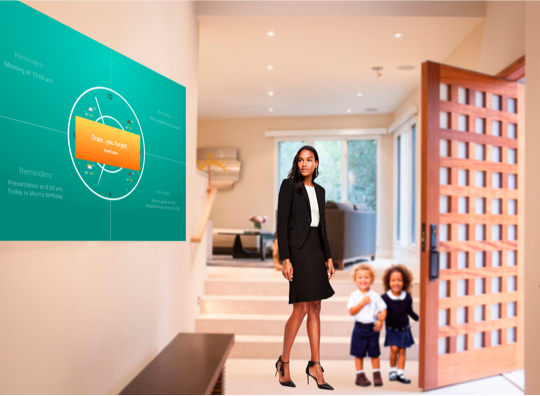
Foyer
Insight
Options for away and stay
Alert you of items forgotten, lost or appliance left on
Settings for different times throughout the day
Show date, time, weather
Set alarm
Relationship management
Art/photo integration
Medium Fidelity Testing I
Overview
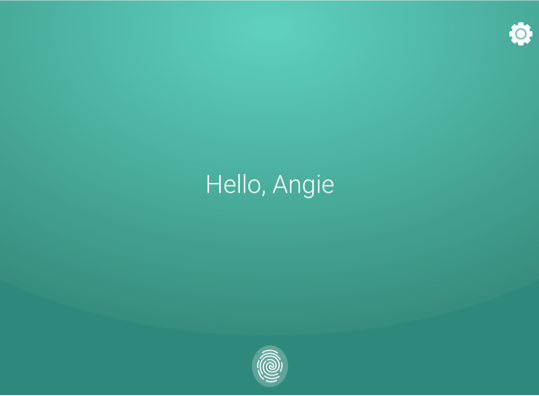
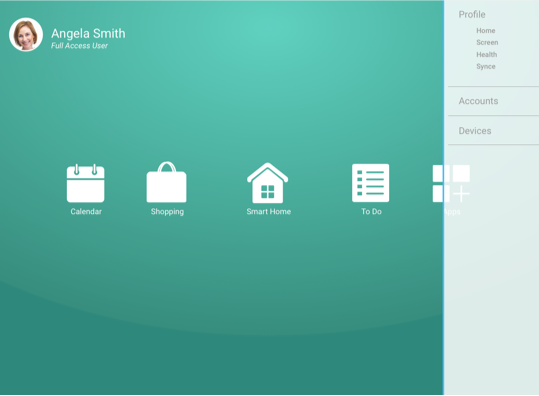
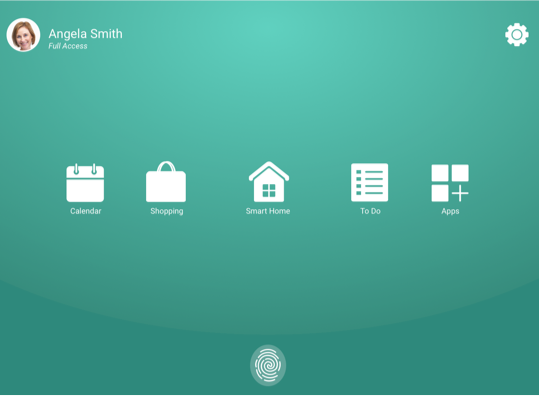
Discussed the screens and scenarios with four students and a professor. Asked them to co-design/critique the mid fidelity mockups.
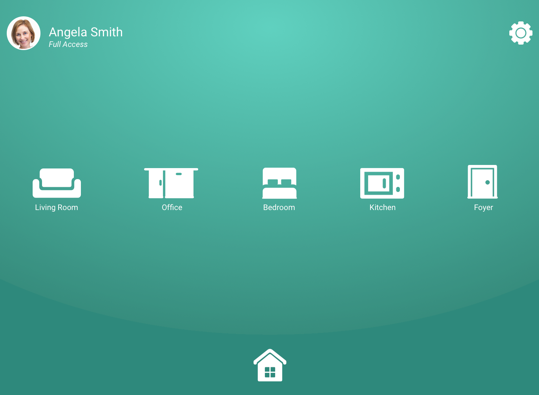
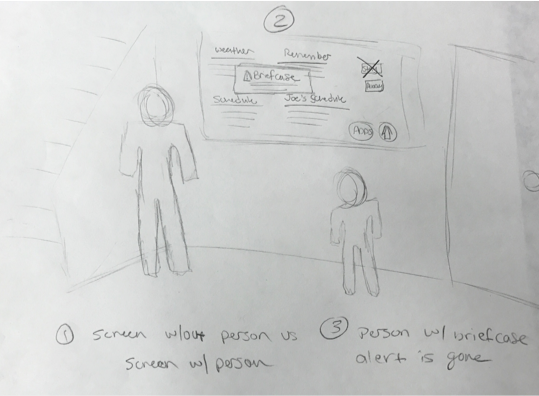
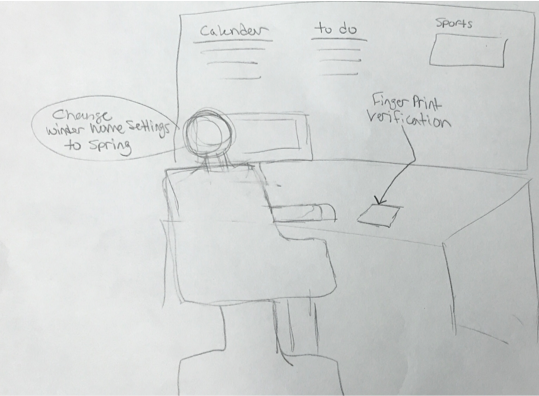
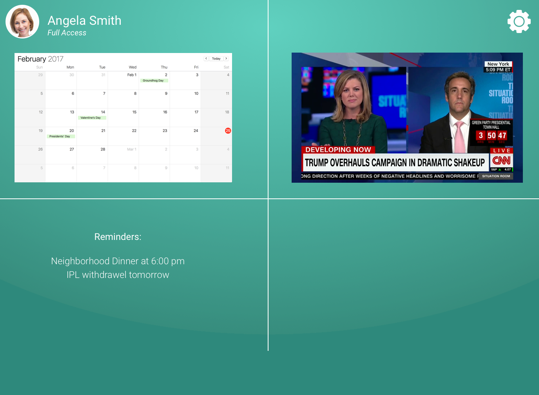
Insight
Make it the best it can be without realistic limitaions
No need for "stay" and "away" buttons, the AI will know that you are home or not home
Work on interface design
Insight
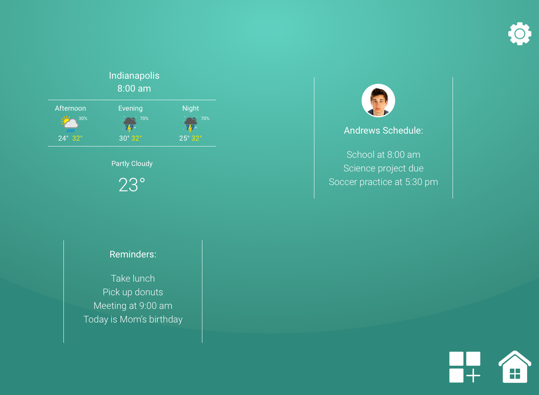
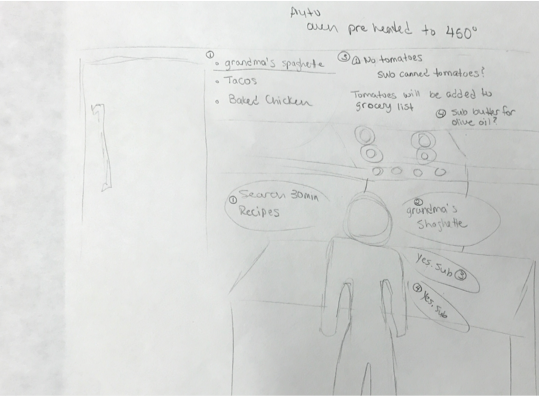
Frame through key stories
No need for back-end screens
Work on interface design
Show what the user will see
Medium Fidelity Testing II
Overview
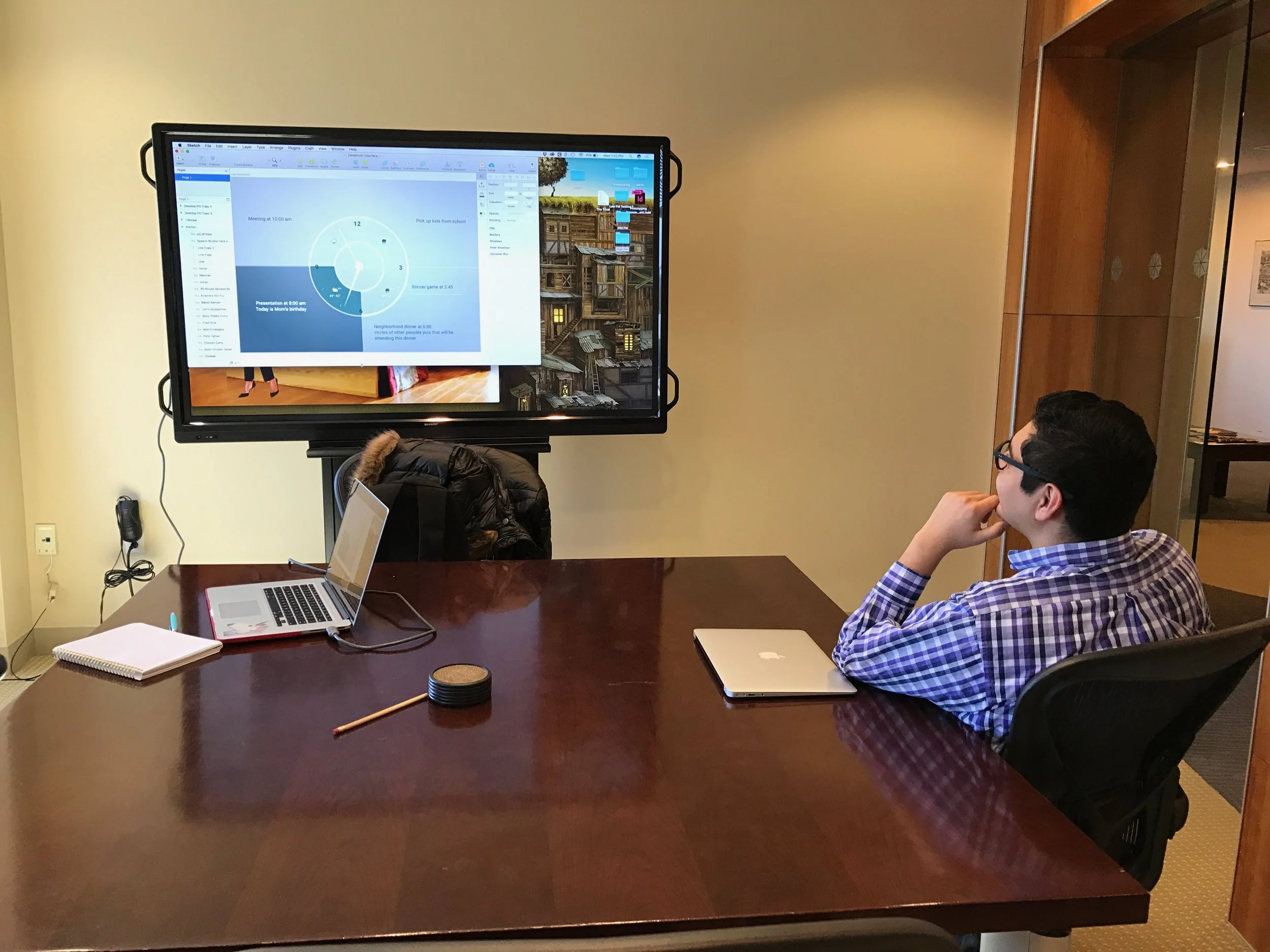
Discussed the scenario mockups with three people (individually) in my demographic. Walked through the scenario mockups and had them co-design the experience.
Insight
AI starts when you wake up, suggestions of what to wear before you get dressed
Suggests outfit to wear based on weather and appointments
Features to make it mimic room style
All voice interactive
Interactive with mirror surfaces
Features to make it mimic room style
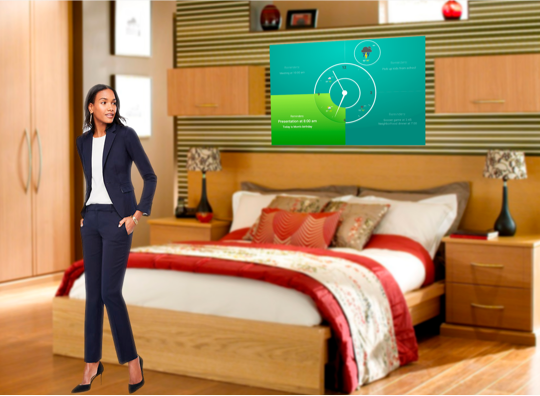
Insight
Make sections light and dark to identify night and day
Locks doors
Adjusts temperature when gone and before you get home
Insight
Picture of recipe
Video of what you need to do step by step
Oven countdown should sync with the steps so items don't get cold or sit too long
If you run out of ingredients just have it auto re-order
Remove and sub ingredients for dietary needs
I don't have to think about living a healthier life I'm just living a healthier life
Gif of what to do and pic of what it looks like at the stage you are at
High Fidelity Testing
Overview
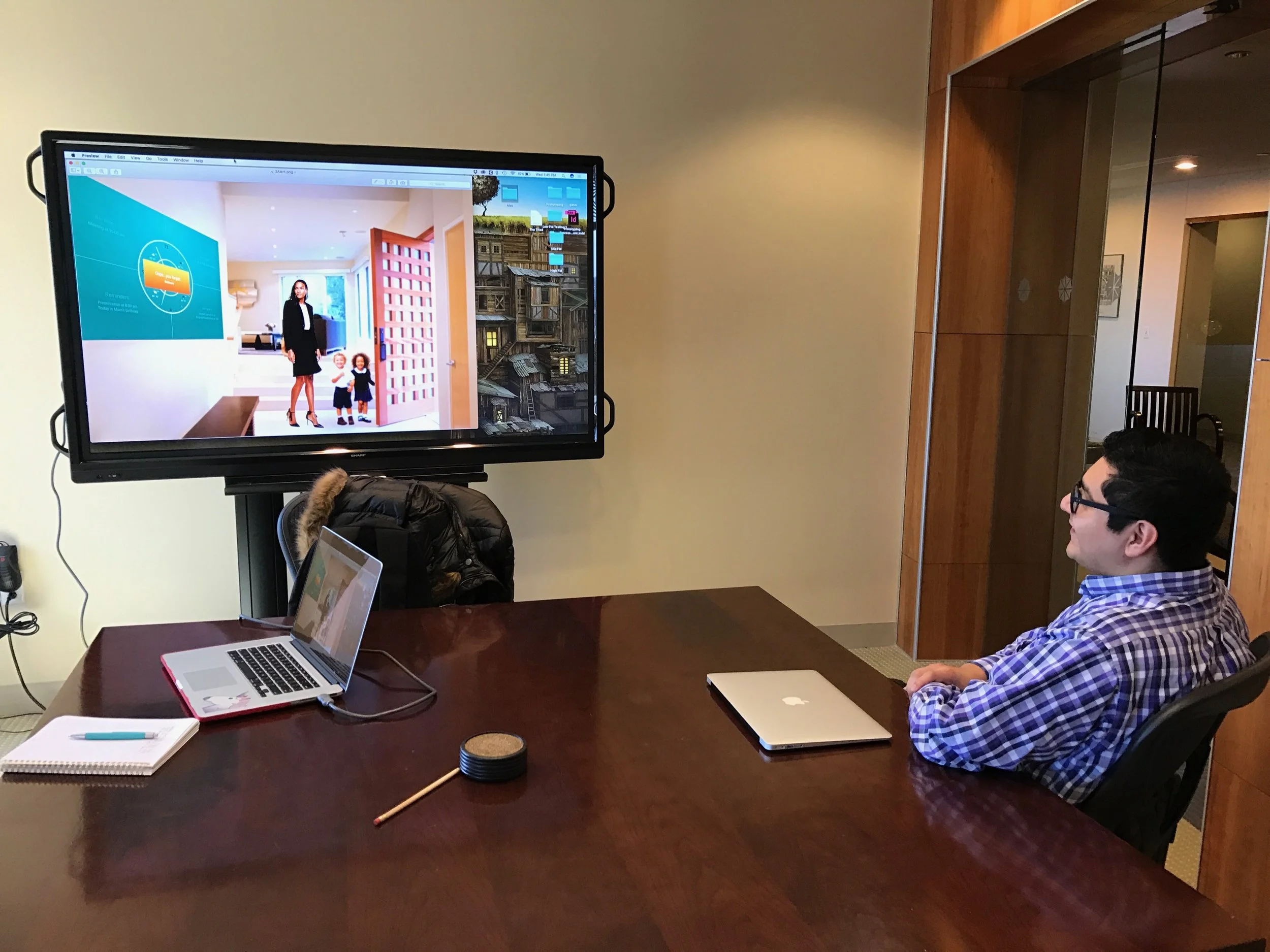
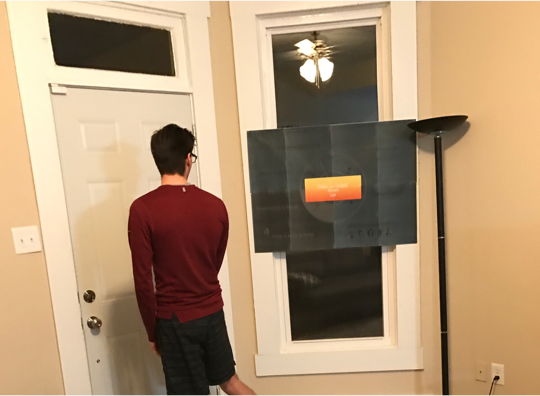
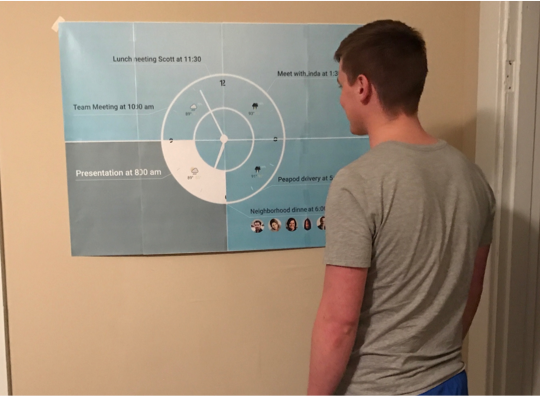
Tested screens with real size and space mockups. Discussed if screens made sense, show everything that is needed and if the screens were missing anything.
Insight
Huge help to see everything in one view
Incorporate gym
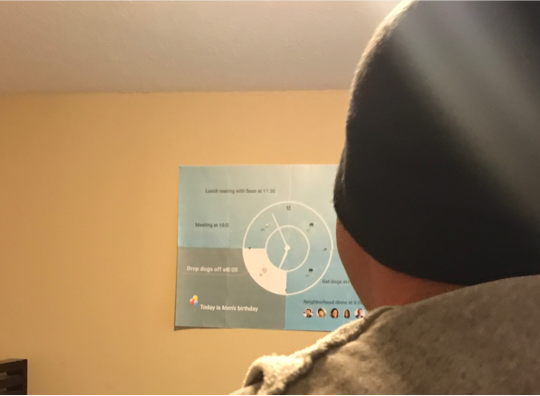
Insight
This is great, maybe a wine or beer pairing with the meal
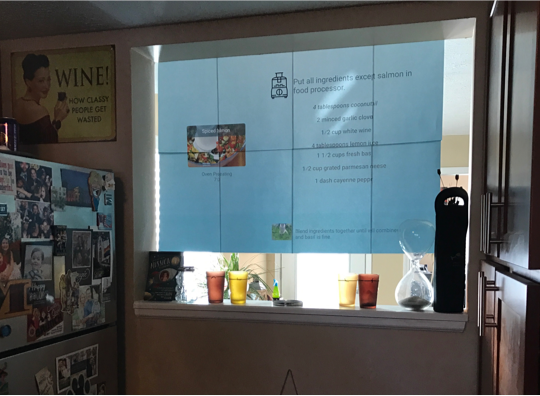
Insight
Functionally it tells me everything
Would like to see when to do the laundry
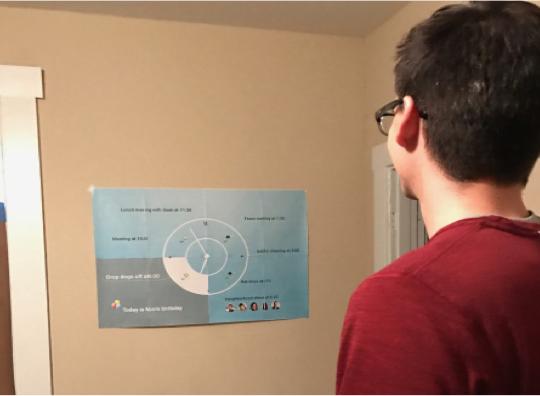
Insight
Integrate to supply list
What should I use right now because items will be expiring soon
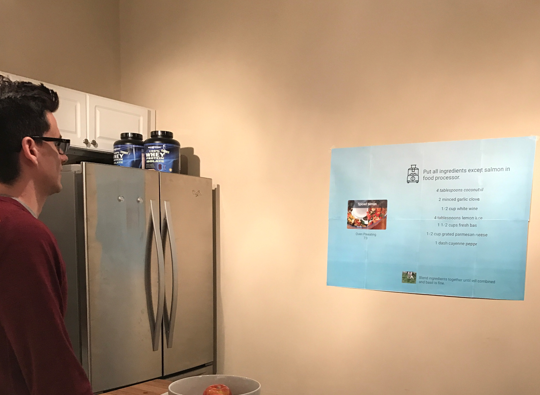
Insight
Added feature for specific tasks: take package to post office
Integrate with security cameras
Insight
Would like to see emails in the morning to be prepared for work (i.e. someone is out sick)
Would like to see news or maybe just headlines
Insight
Outfit coordinated with certain holidays (i.e. women’s day wear red)
Solution
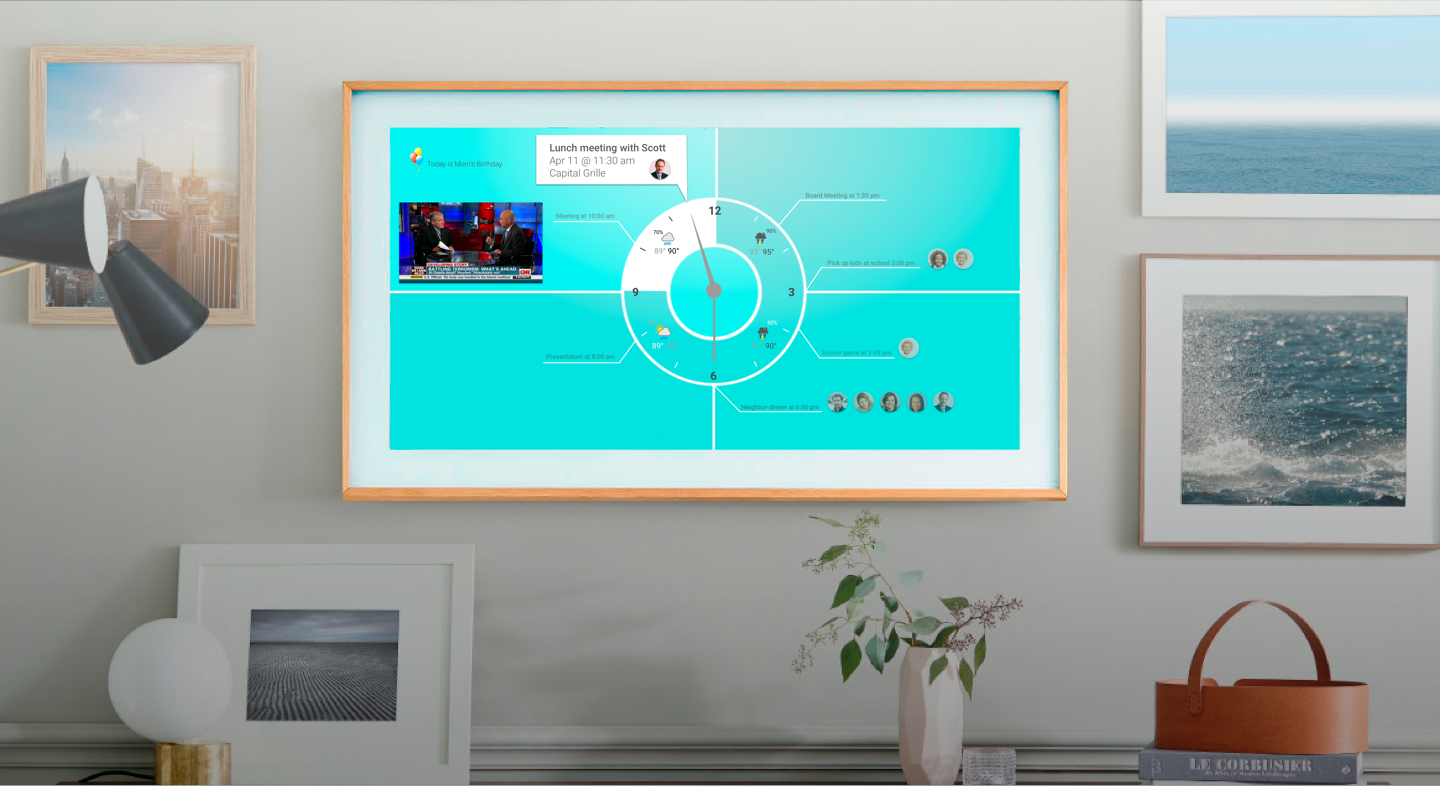
Cognitive reminders are the best way to ensure a task is completed, relieving the user of the burden to remember or the anxiety when a task forgotten. The user is reminded of immediate task and future tasks. They can also customize the screen to see other relevant information, like the news. Time and weather is also shown.
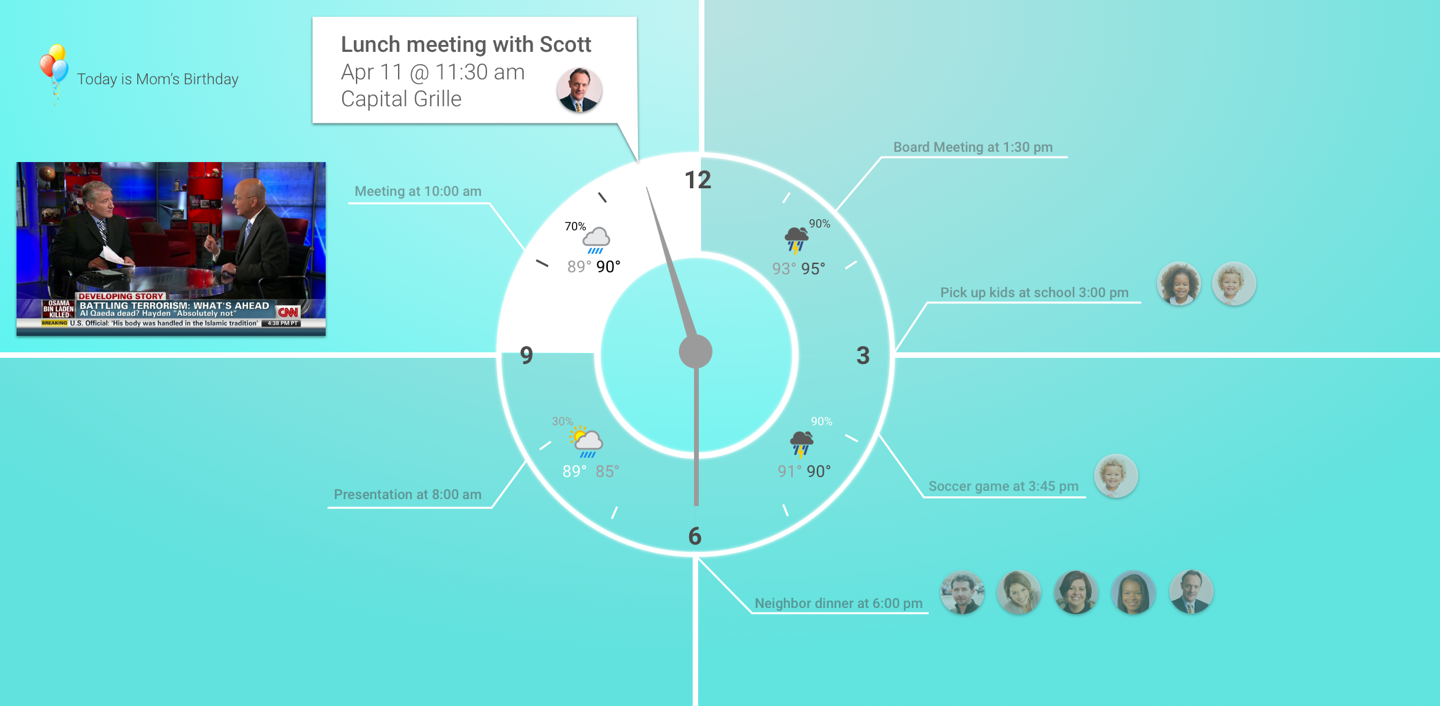
Visually it is organized and bright with customizable art or personal pictures.
Here is another design I created for people who want appointments to show as needed.
Frankie can help with simple tasks, allowing the user to have more time throughout their day. Frankie can imporve the user’s mood by syncing kitchen and dietary criteria resulting in a healthier lifestyle.