
Information Architecture
During our kickoff meeting, Mike suggested we begin the ideation process by working on our design goals. As we brainstormed, we found ourselves exploring various features that could enhance the value of our application. However, amid ideating our design goals, we added the mission part of search and rescue, losing sight of our original goal. Fortunately, we recognized our deviation and refocused our efforts towards creating an education platform designed to train and evaluate search and rescue professionals.
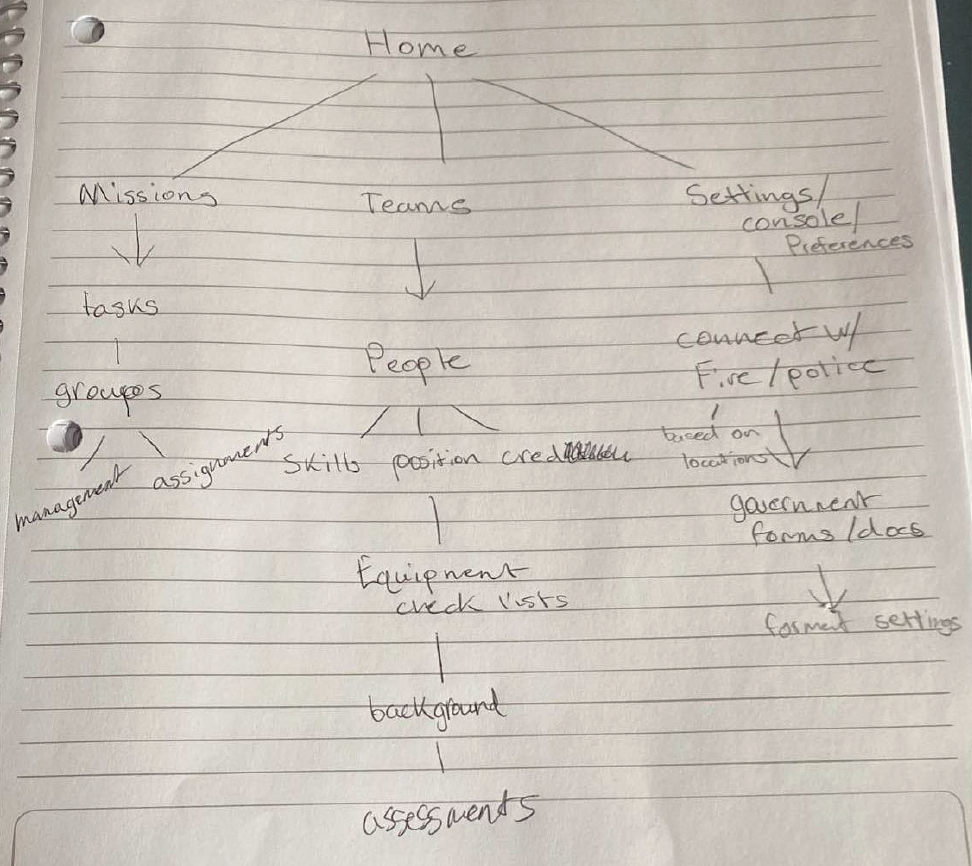
To ensure that our platform is user-friendly and efficient, we developed a comprehensive information architecture for the search and rescue platform. Our architecture encompasses the entire spectrum of our platform, from its planning and design to its execution and deployment. We narrowed down our version of the education platform to focus on providing professionals with the necessary knowledge and skills to excel in their field. Our platform is designed to be accessible, engaging, and effective, offering professionals an opportunity to improve their skills and stay up to date with the latest trends and technologies in the field. With our user-centric approach, we will empower search and rescue professionals to perform their duties confidently and efficiently, ultimately making a positive impact on society.
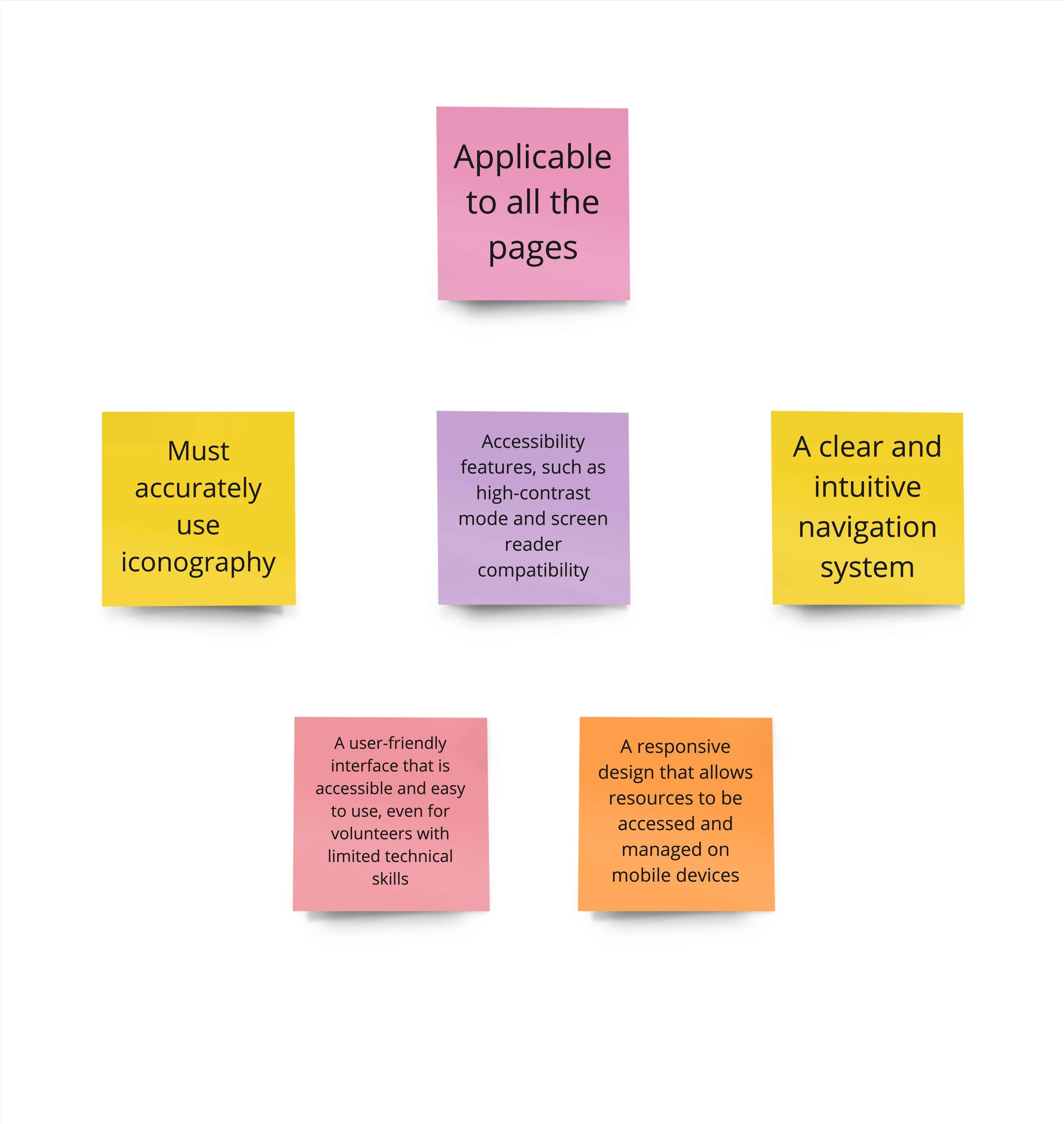
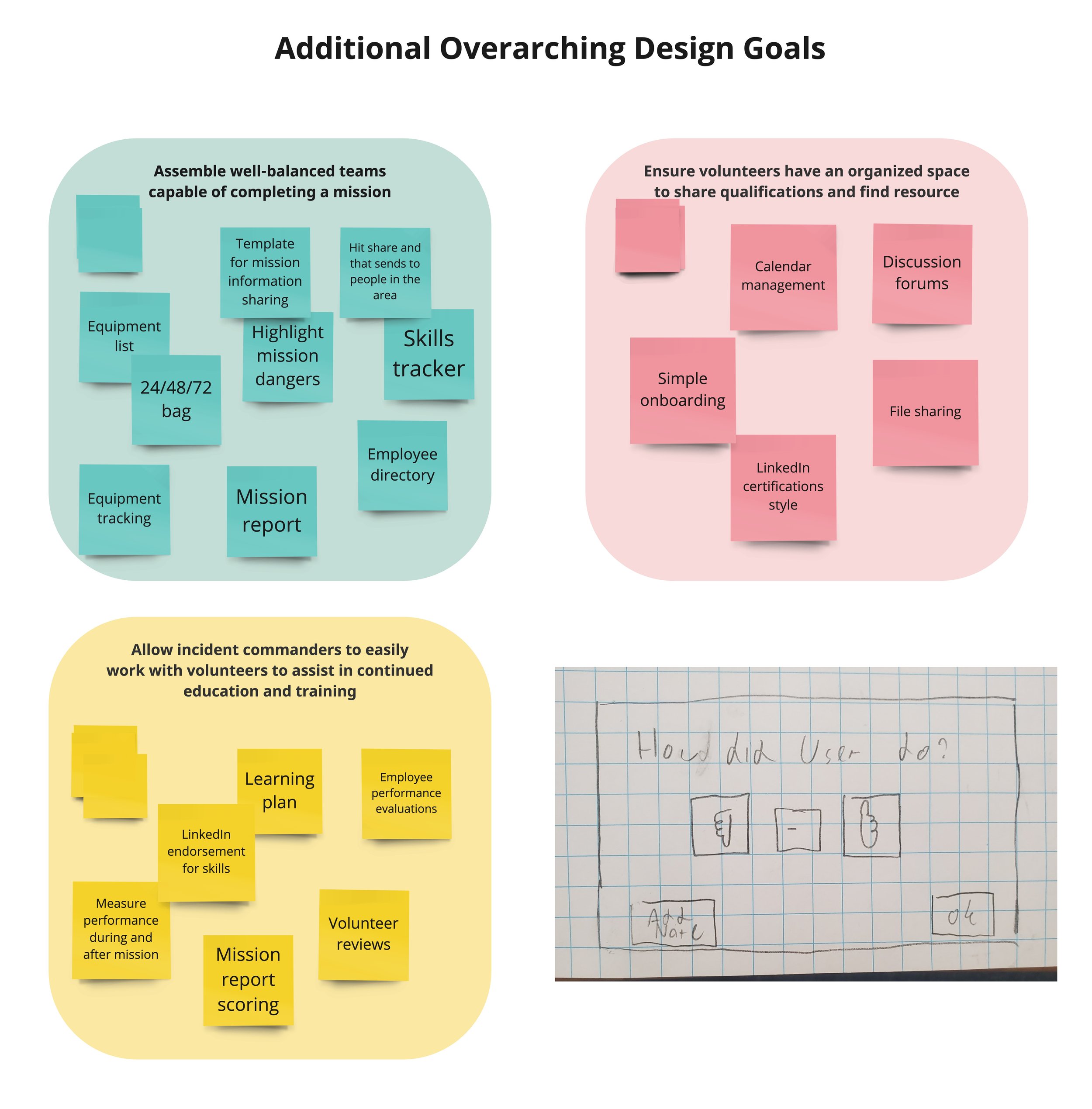
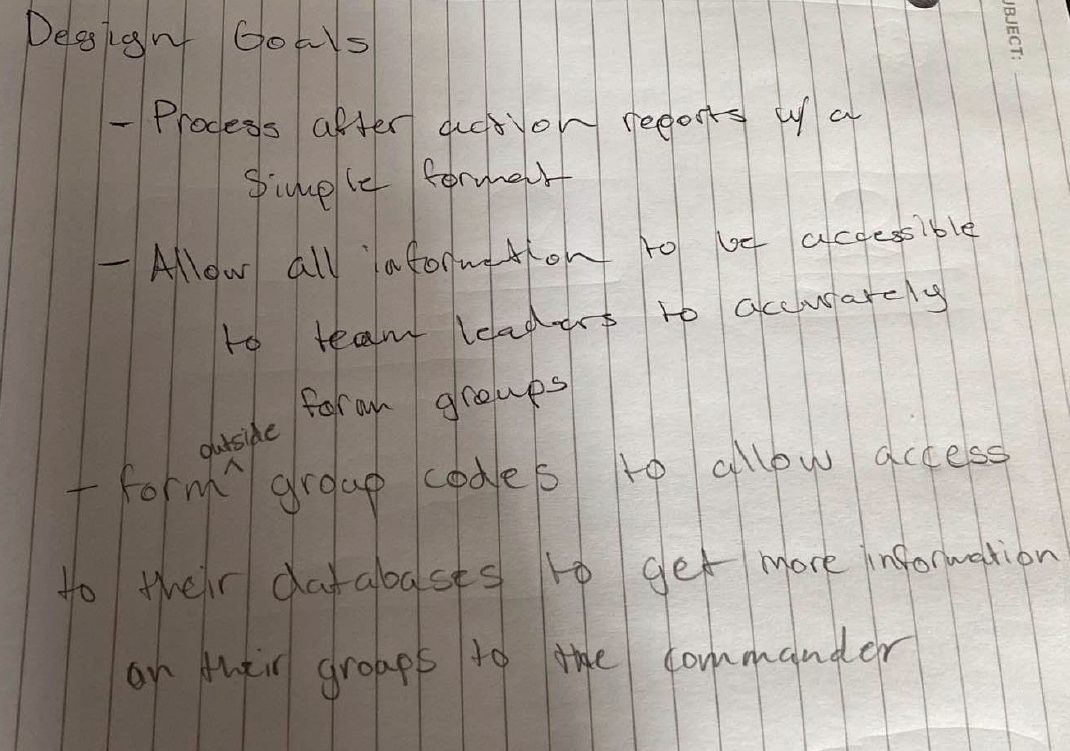
Design Goals
Rough Draft of post mission volunteer review
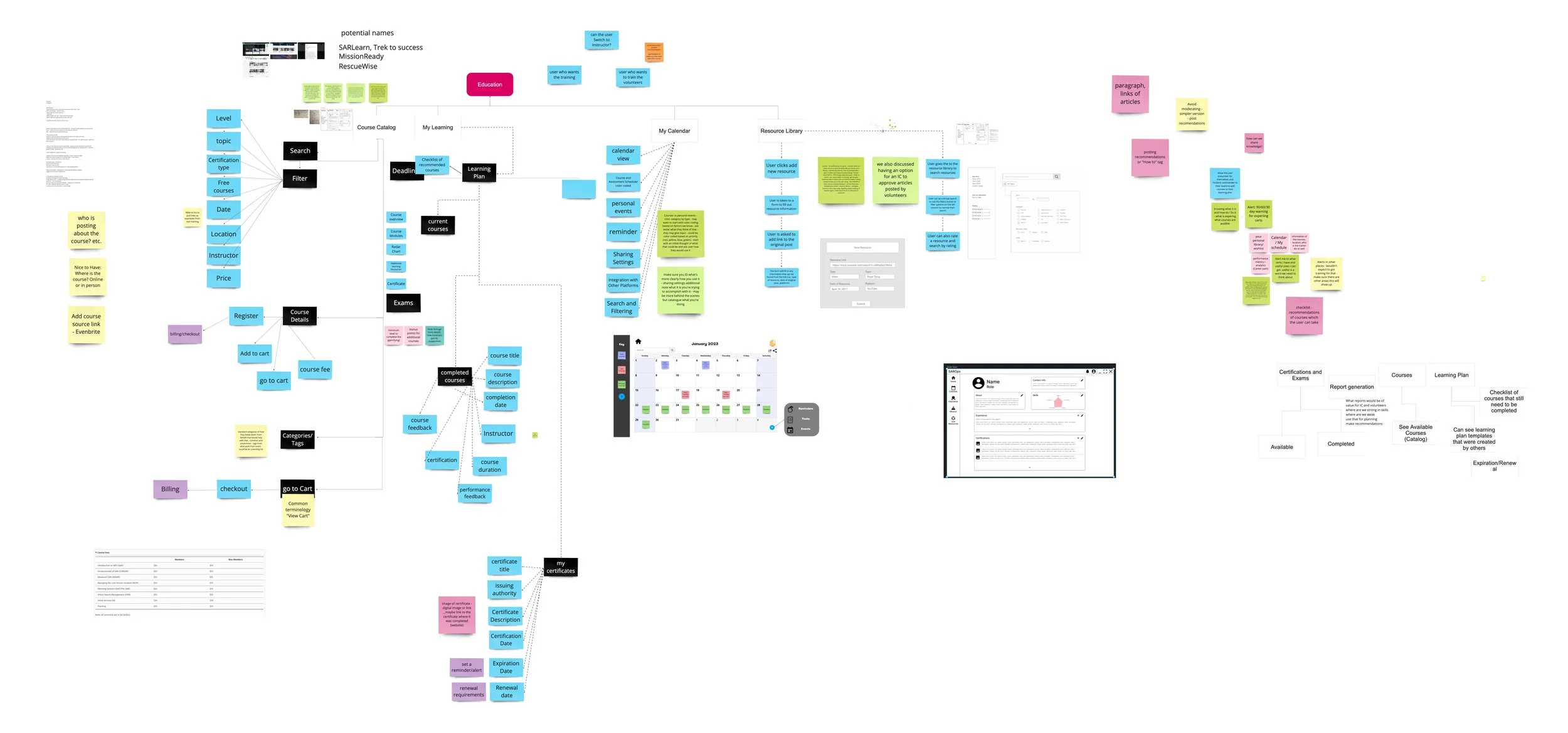
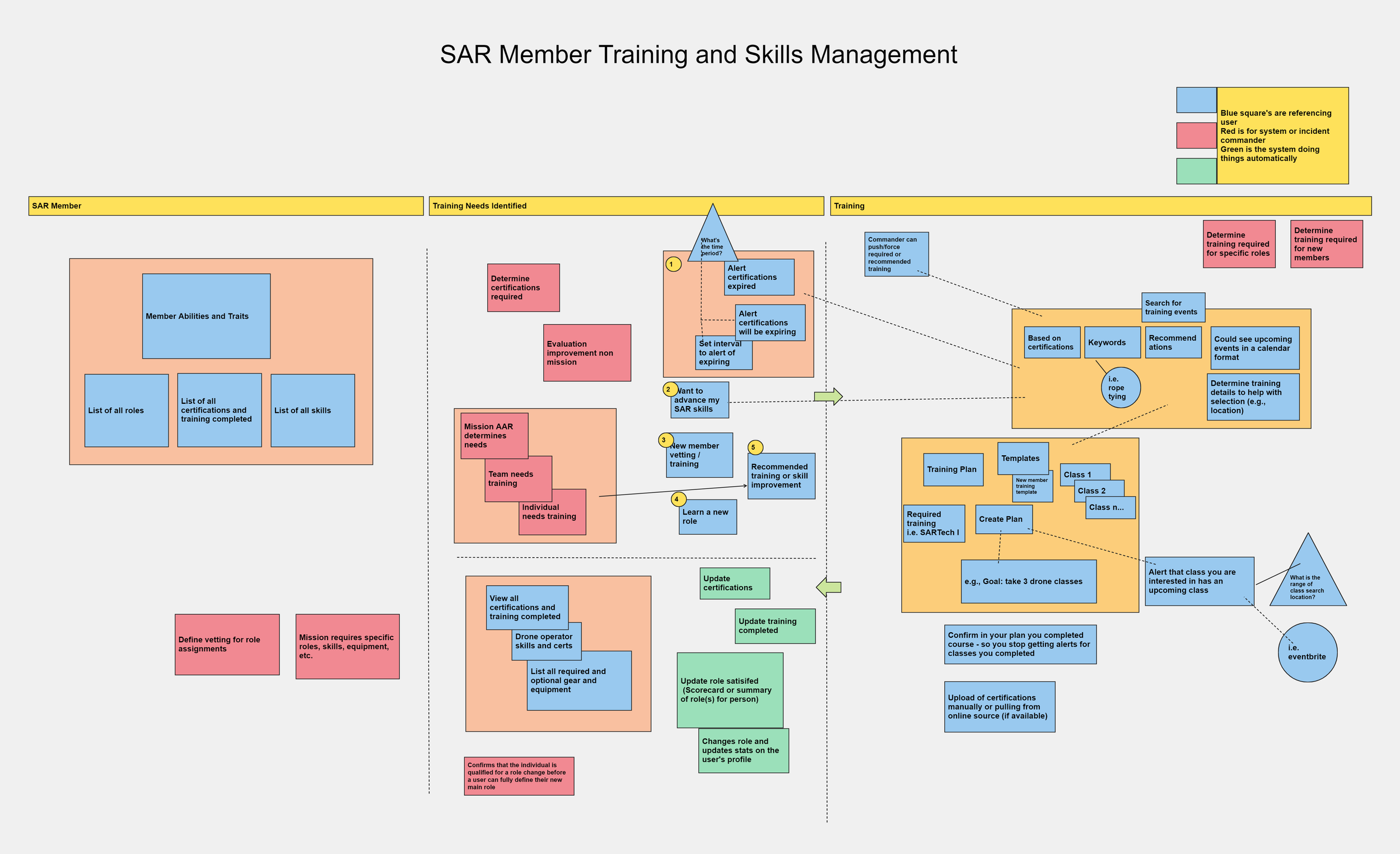
Education
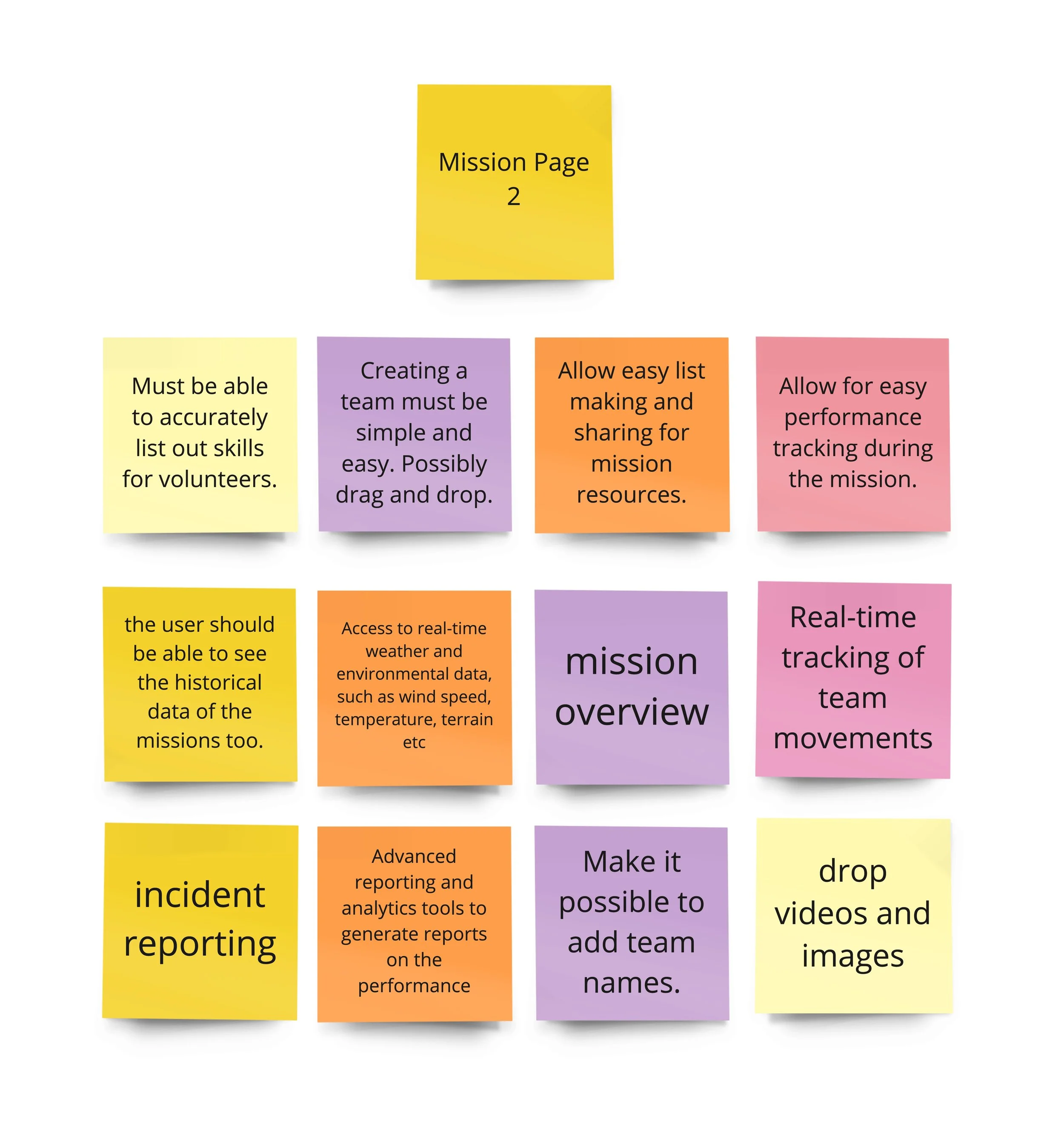
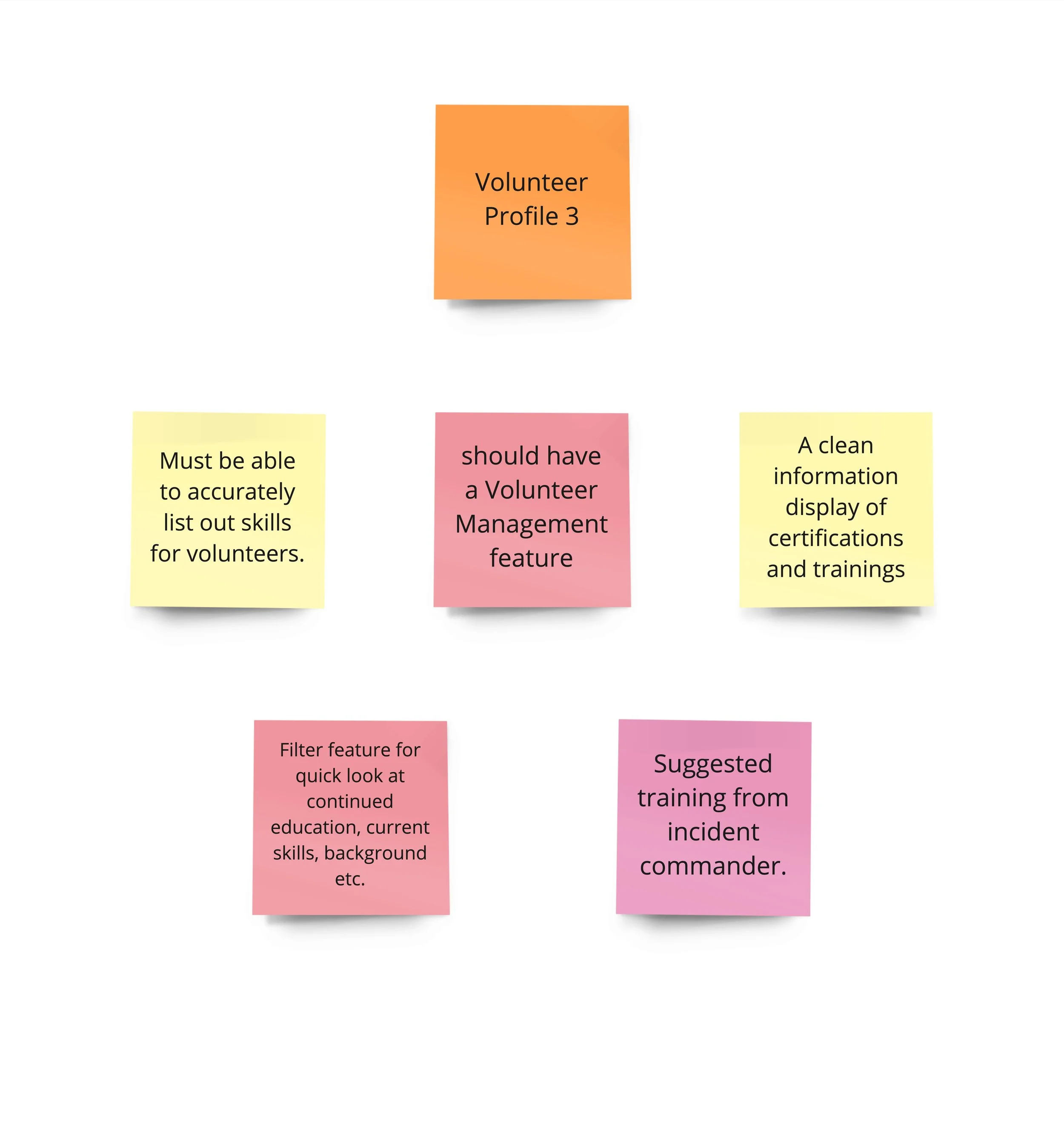
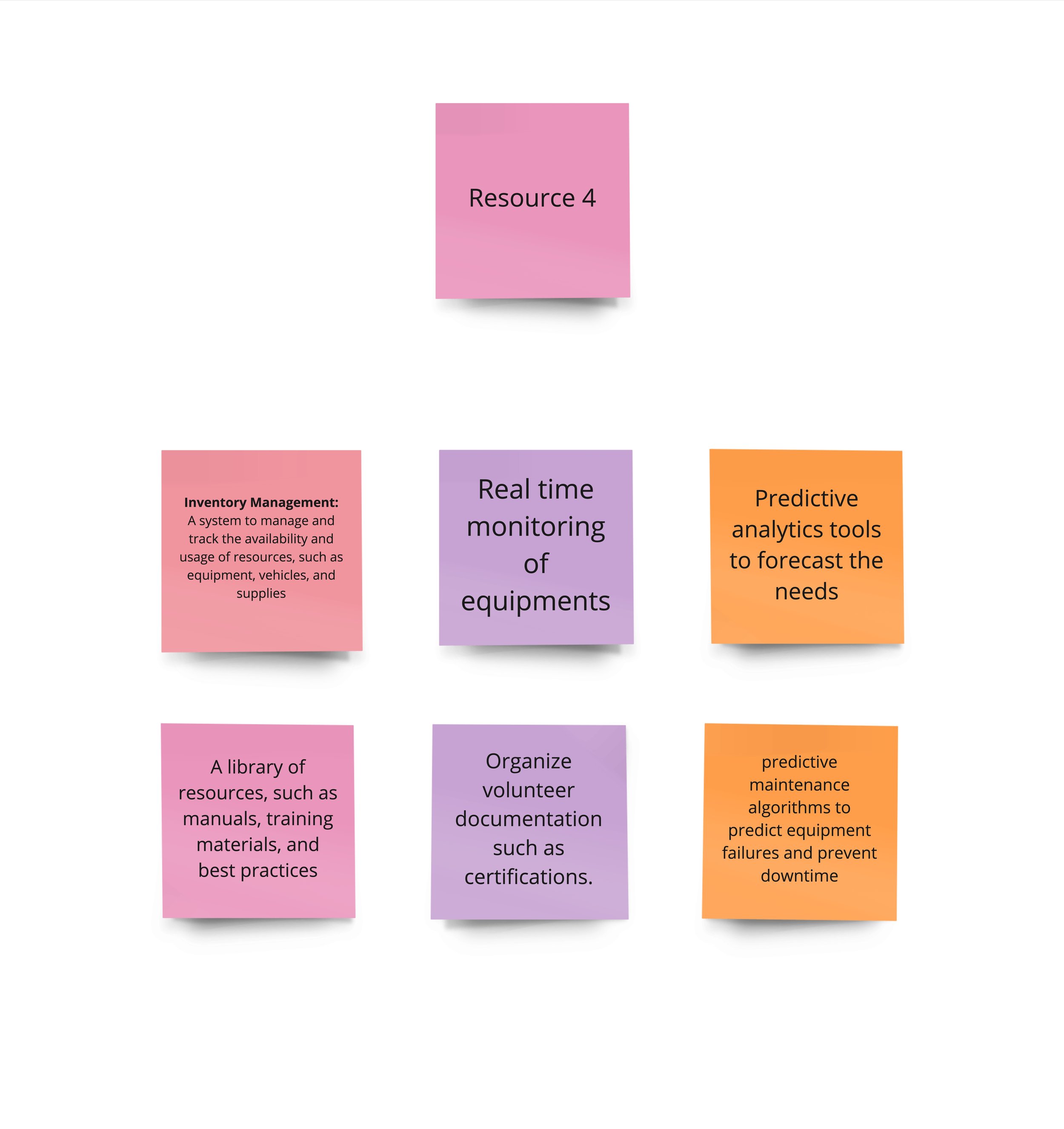
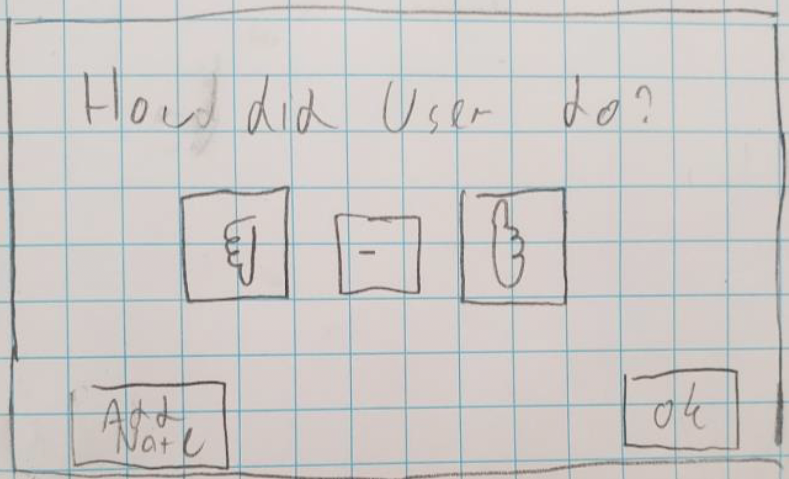
Here are some more notes, references and ideas from the ideation meeting:
Ideal scenario
A lot of teams/orgs have access to this tool
Police, Medics, Officials, SAR Volunteers
That way the appropriate people can create missions in the tool itself and it would then notify SAR teams in the area automatically
Would also help to have more profiles available to everyone
When going on a mission
Allow notifications to be sent out to the entire squad via text
They can respond yes or no to give the commander an idea on who is showing up
Allows commander to have a better idea who will be available for mission
At mission
Can create teams that include designated roles
Search Leader
Radio
First Aid
Scribe
GPS
Other (allow to specify when adding this one)
First Responder (Police/Firefighters/Medics)
If there are other people that are not on the commander's team that are there, they can provide their identification number to find their stats on the app so that they know what they are good at
Can create temporary people on the spot if there are extras at that time
Allow for a quick optimal assignment button that would try to figure out the best team deployment based on prior info
Allow for easy comparisons between people
Additional Images from the Ideation Process
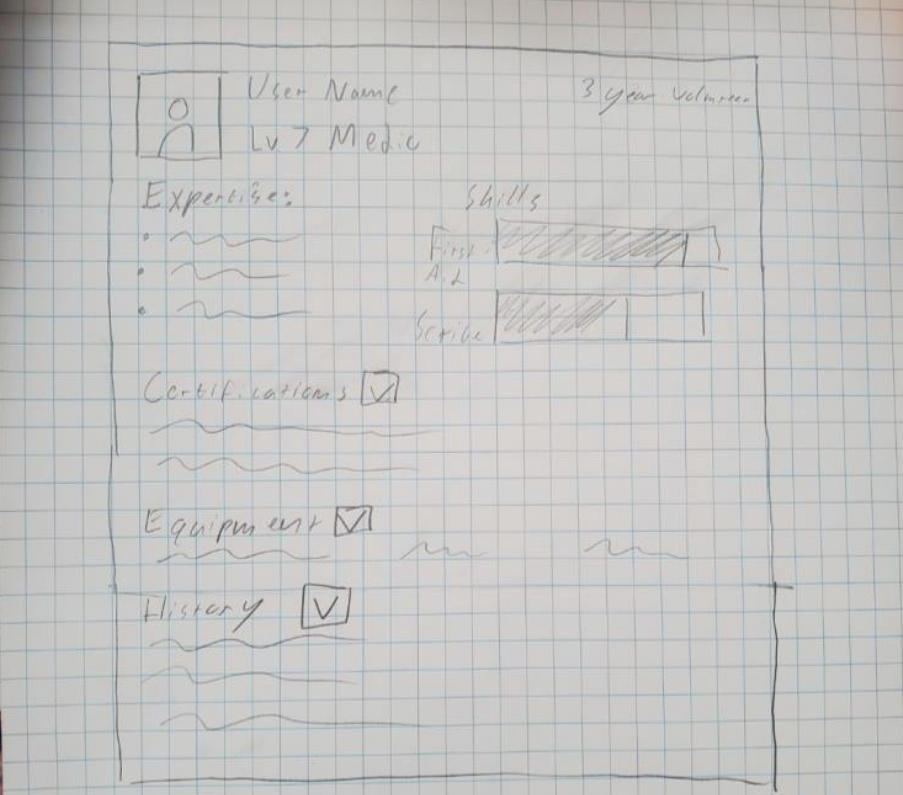
Rought Drafts of Volunteer’s Stat Sheet
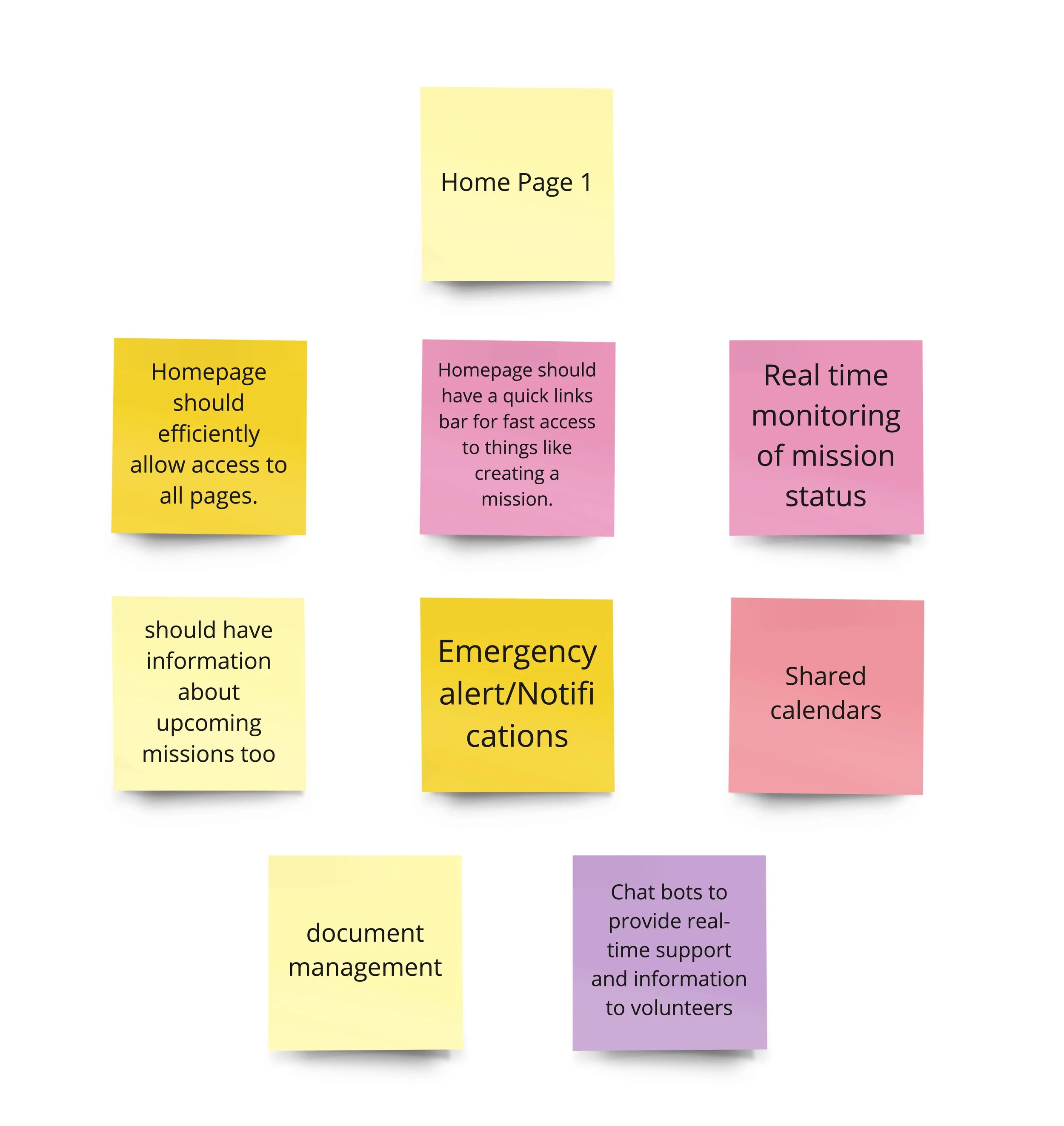
Rough Draft of Dashboard Layout (EA)
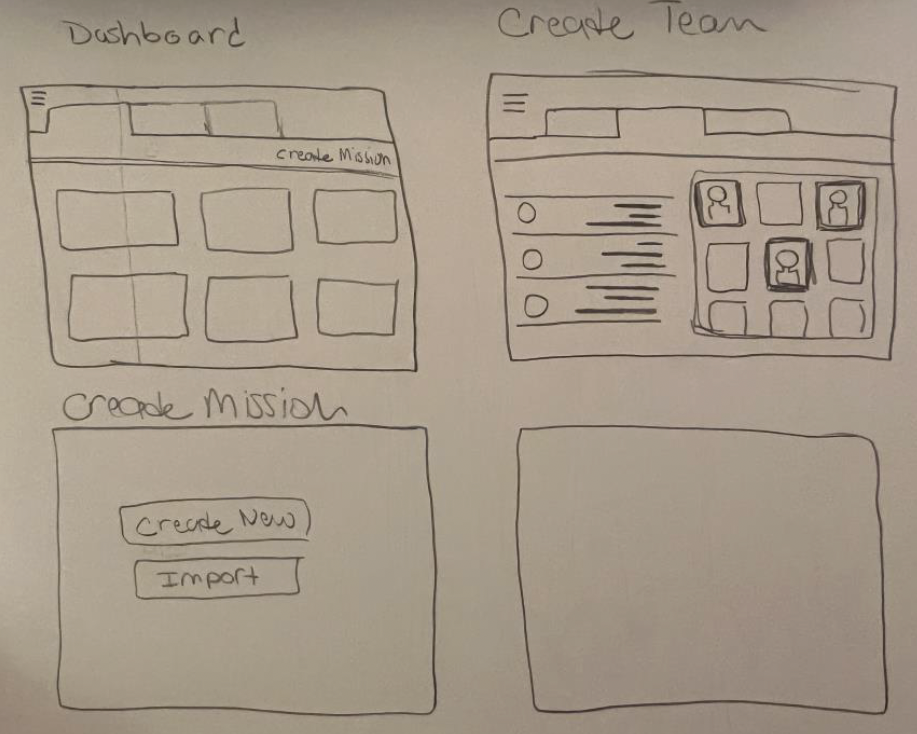
Rough Ideas for Design Goals
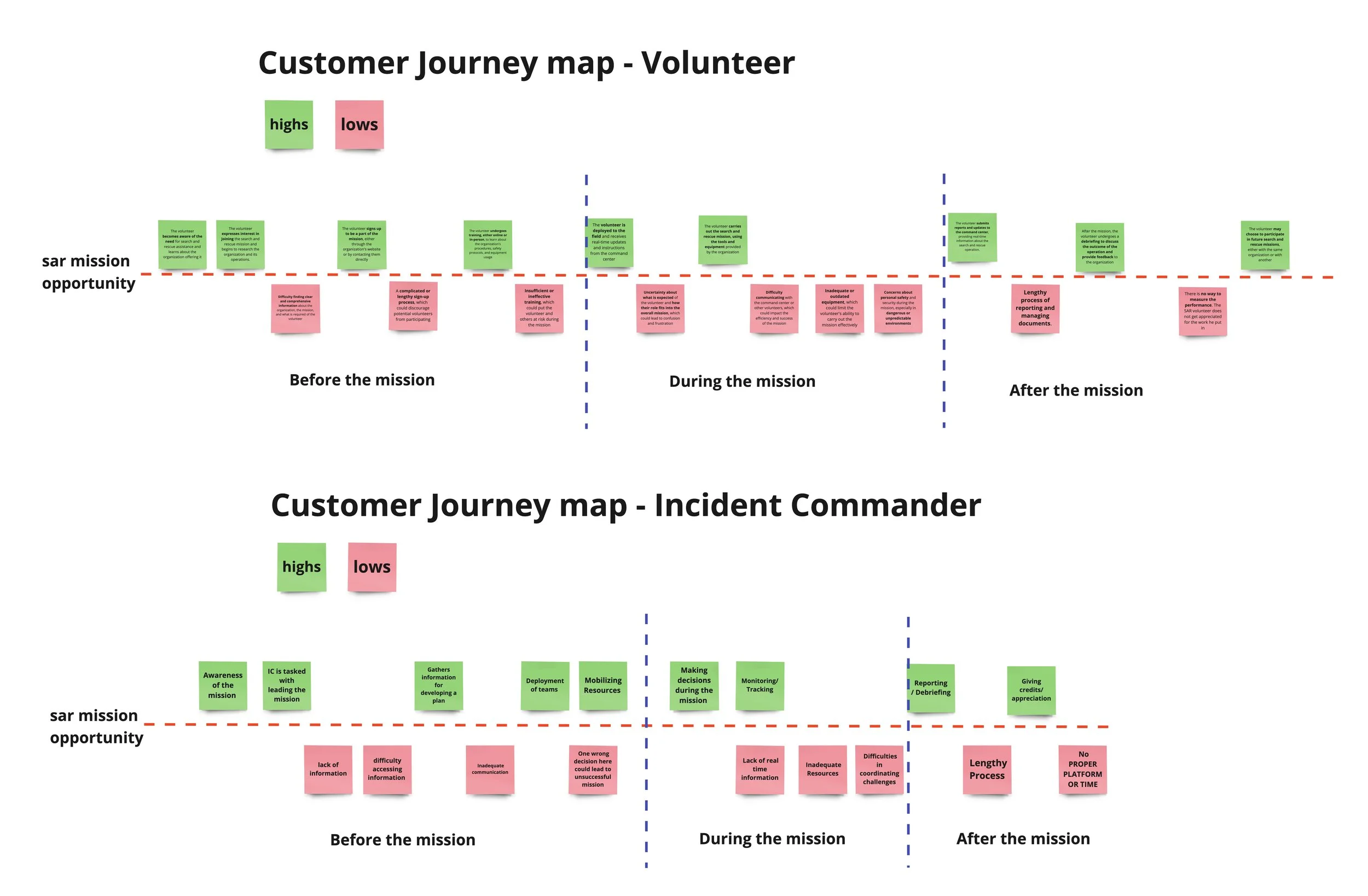
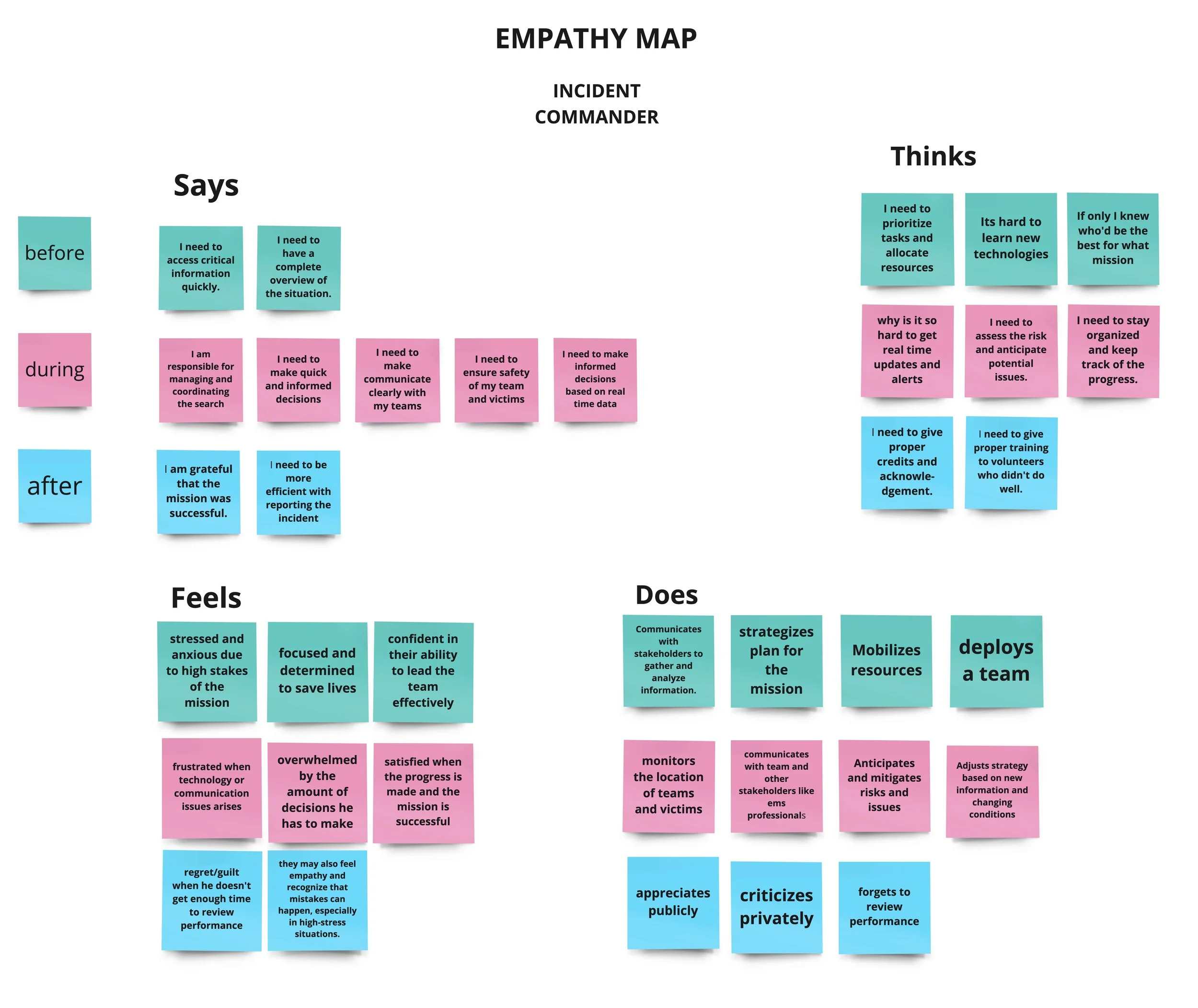
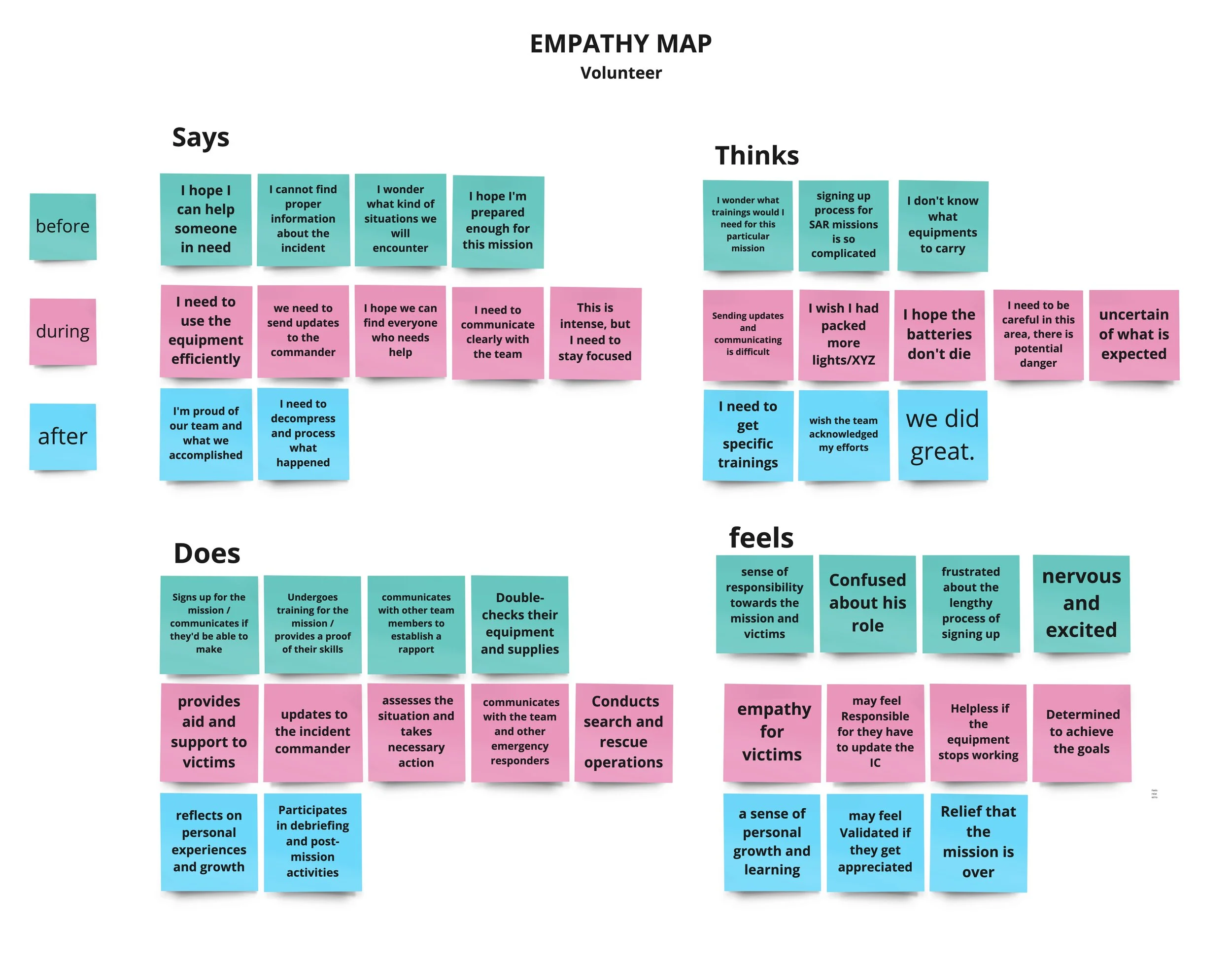
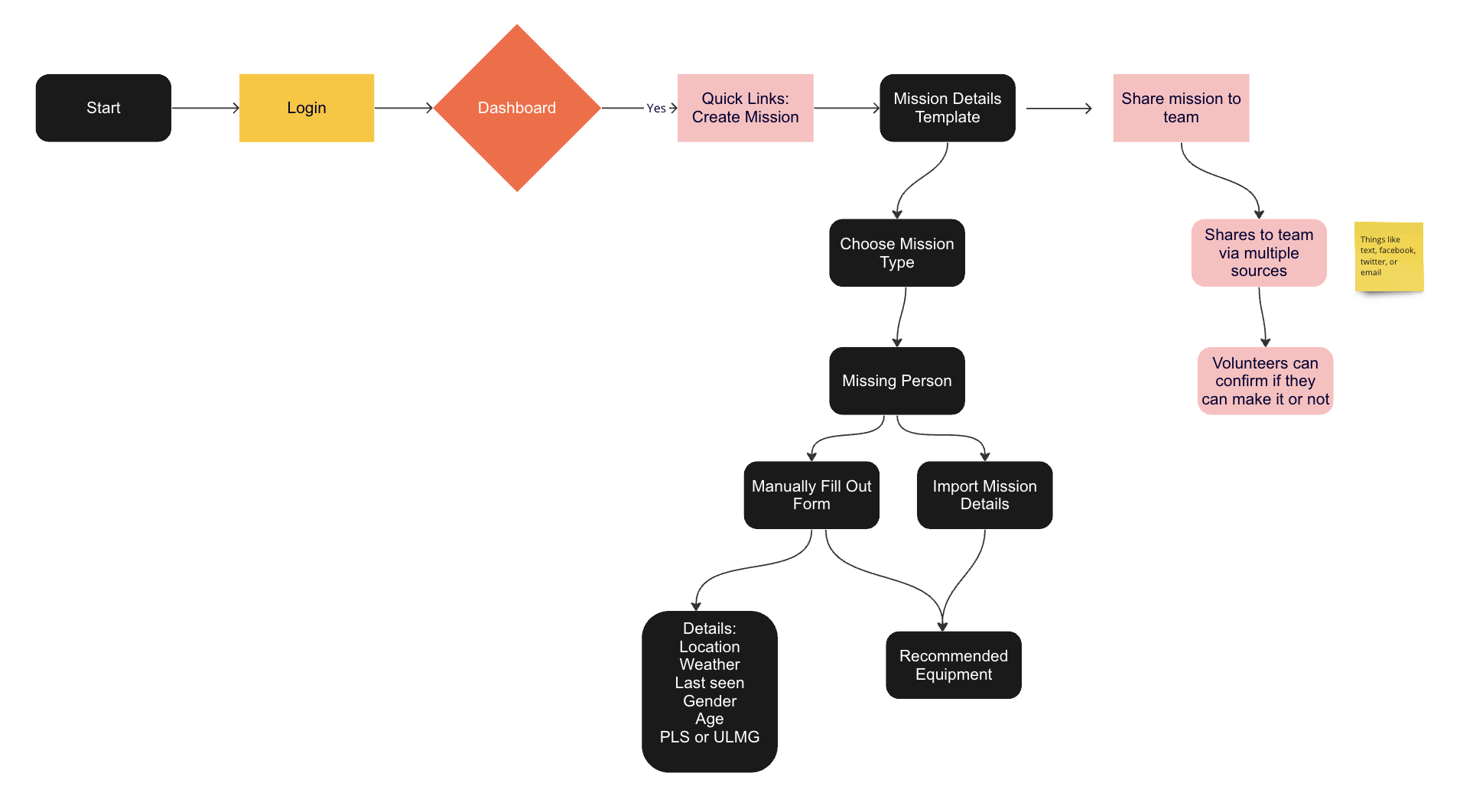
Process Flow: Incident Commander – Setting Up Mission
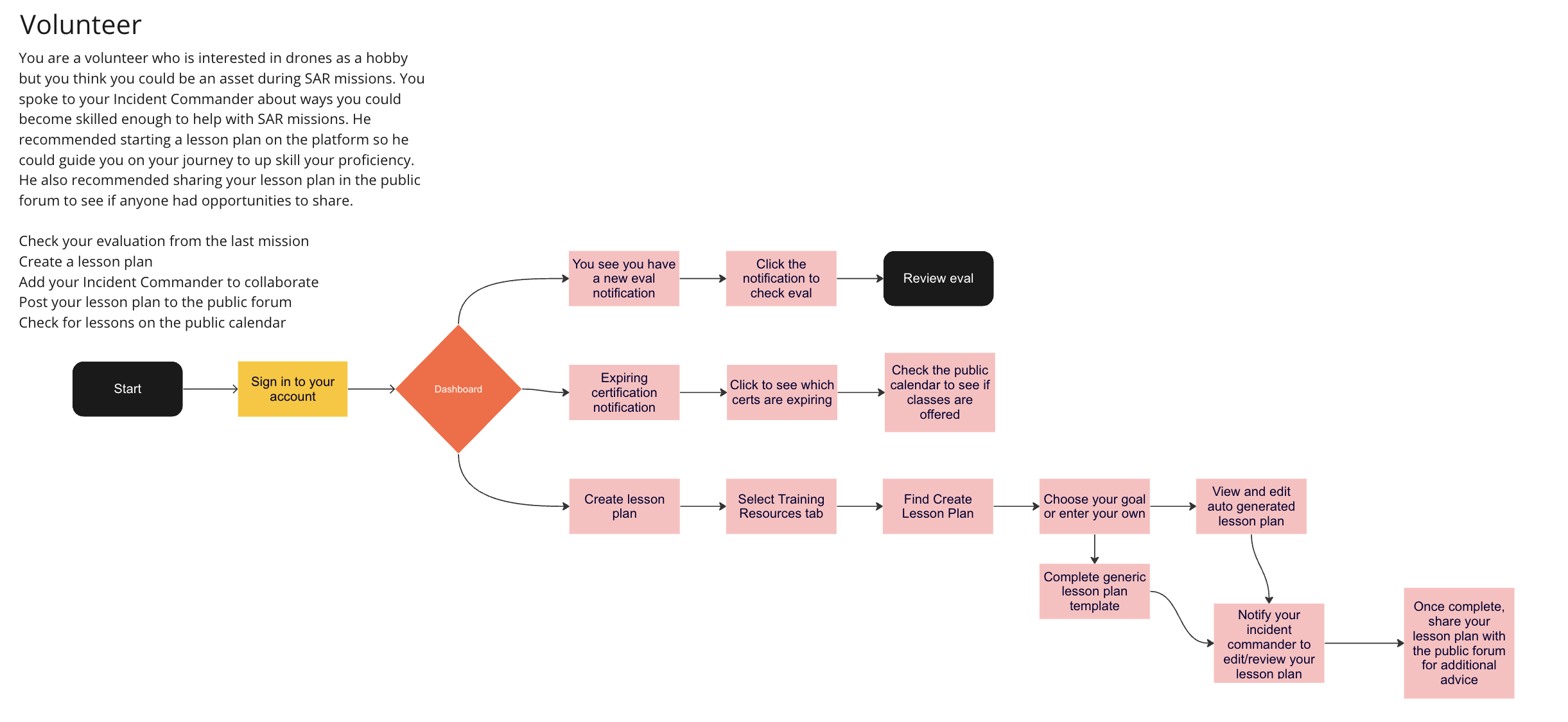
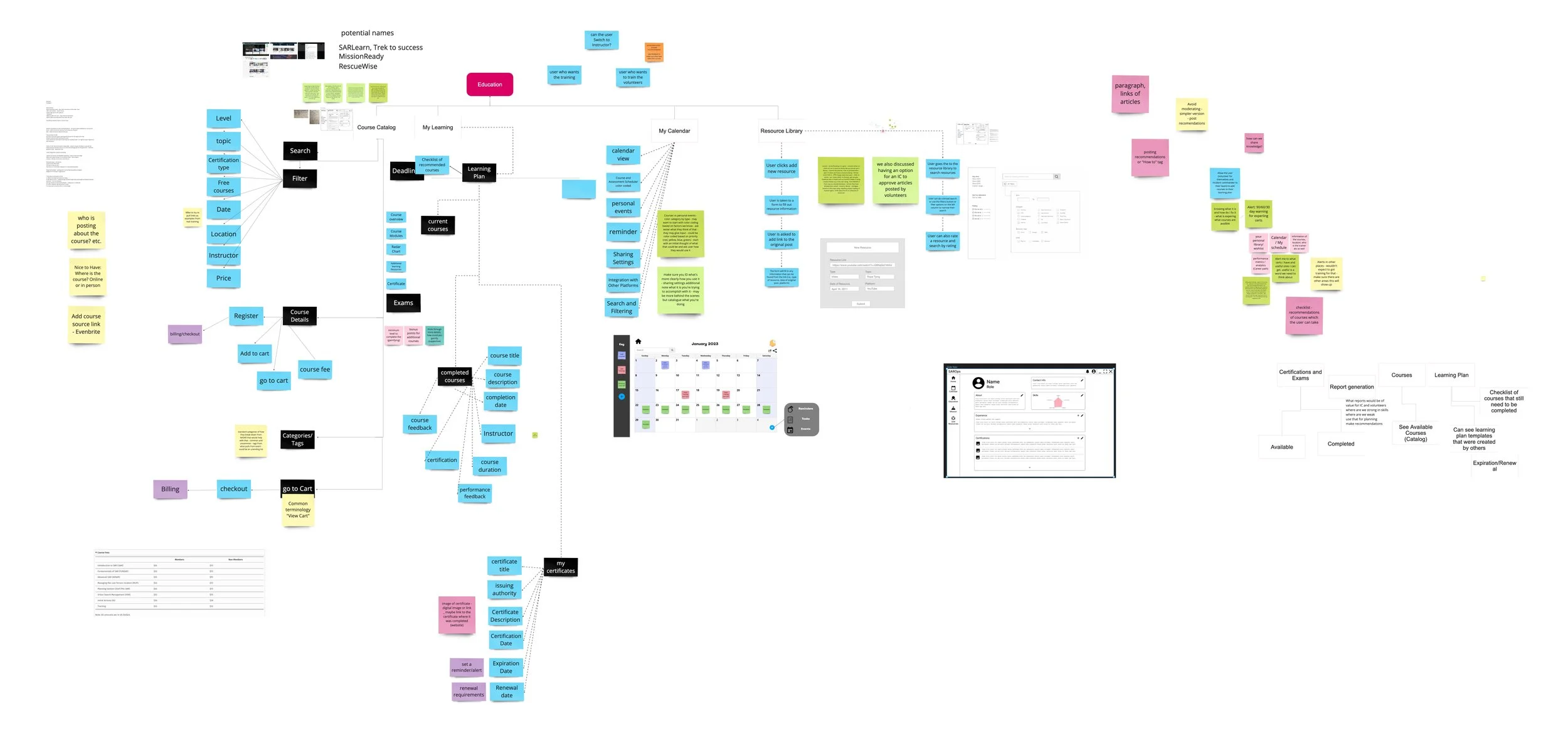
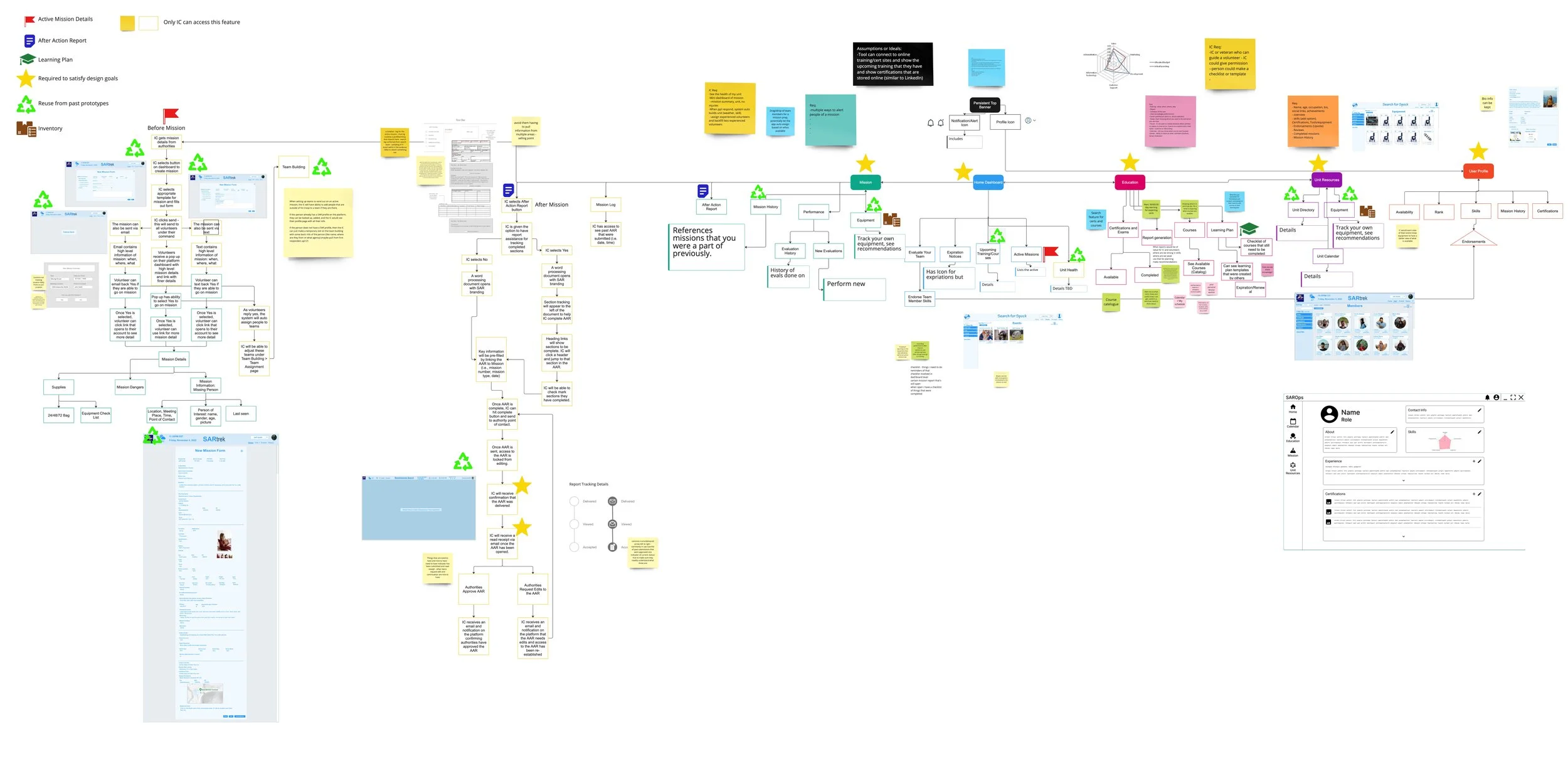
Overall Information Architecture of App
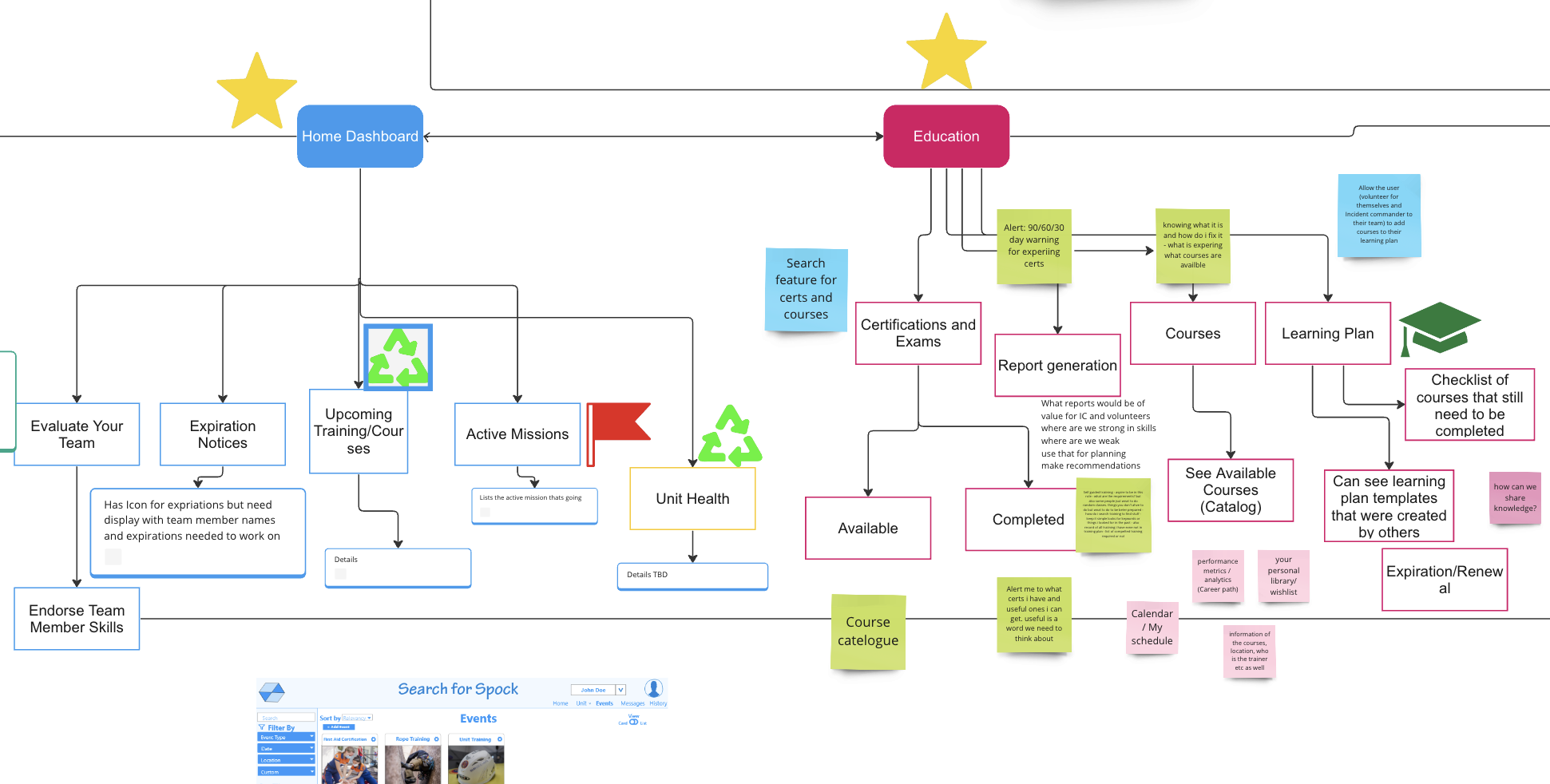
Home Dashboard and Education Information Architecture
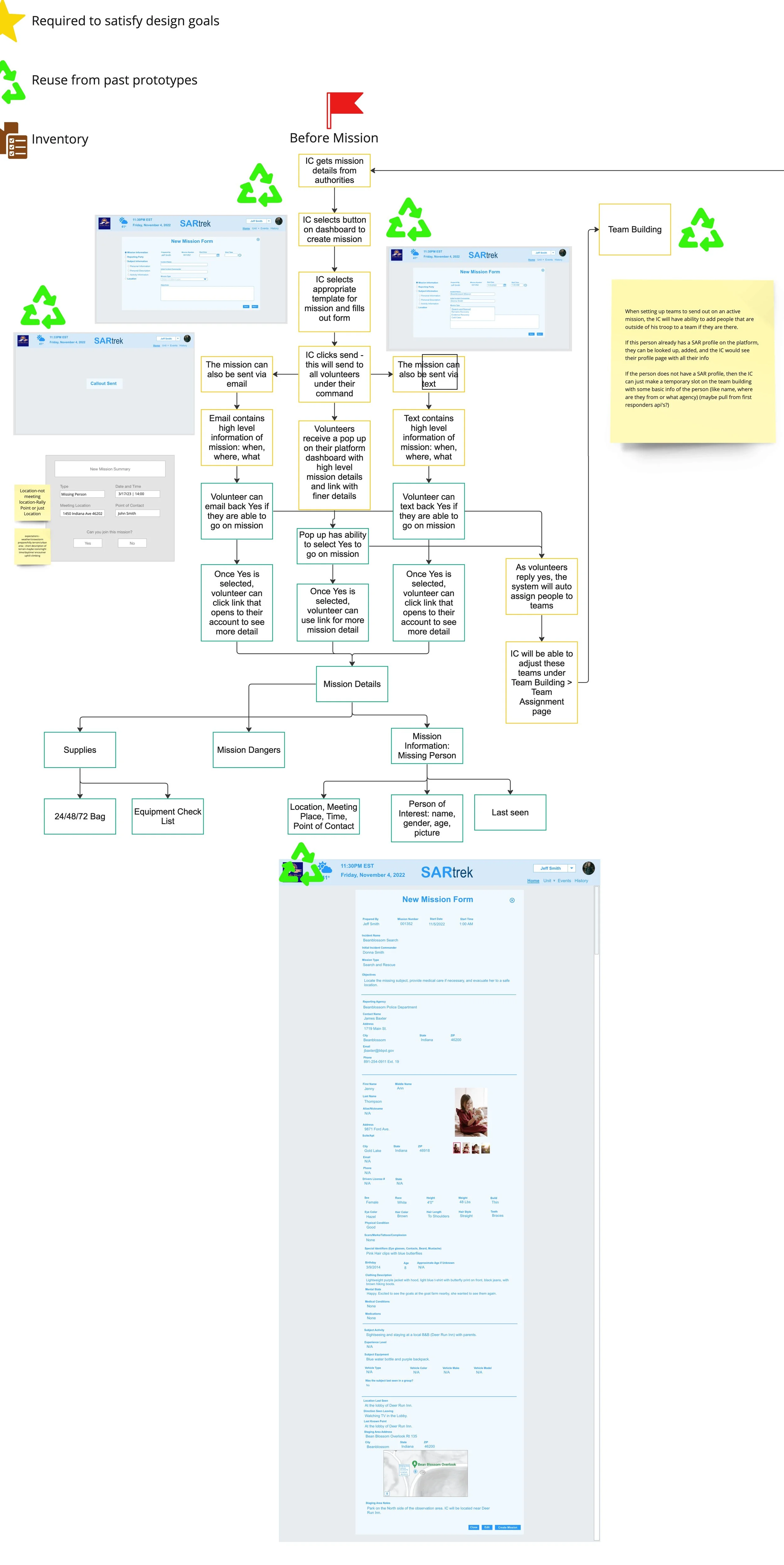
Information Architecture and Sketches for New Mission Process (EA)
Sketches for New Resource and Resource Library Search Functionality (EA)
Process Flow for a Volunteer
Sketches of Dashboard for Incident Commander (EA)
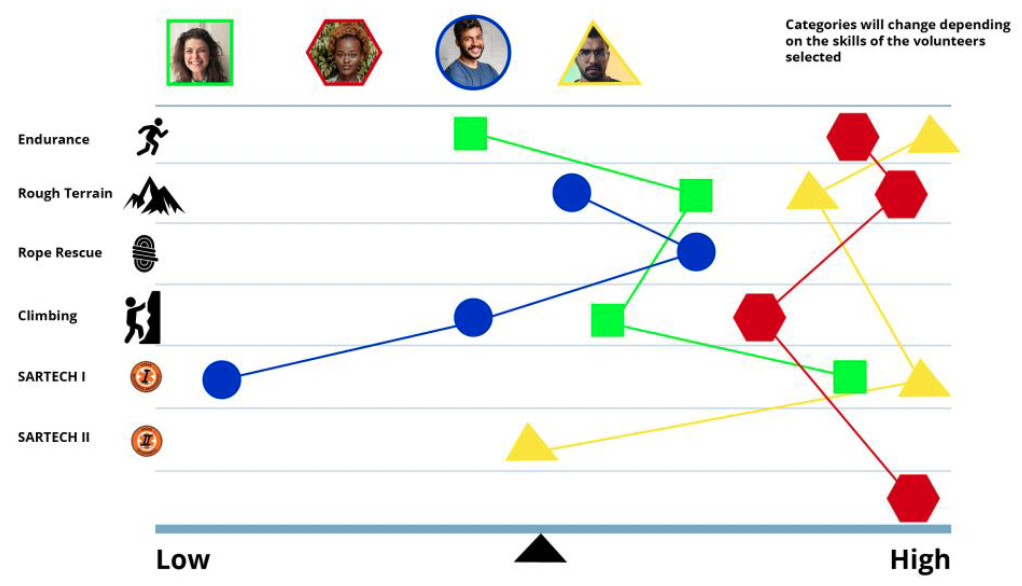
Additional Prototype of Team Ttats for Mission (EA)
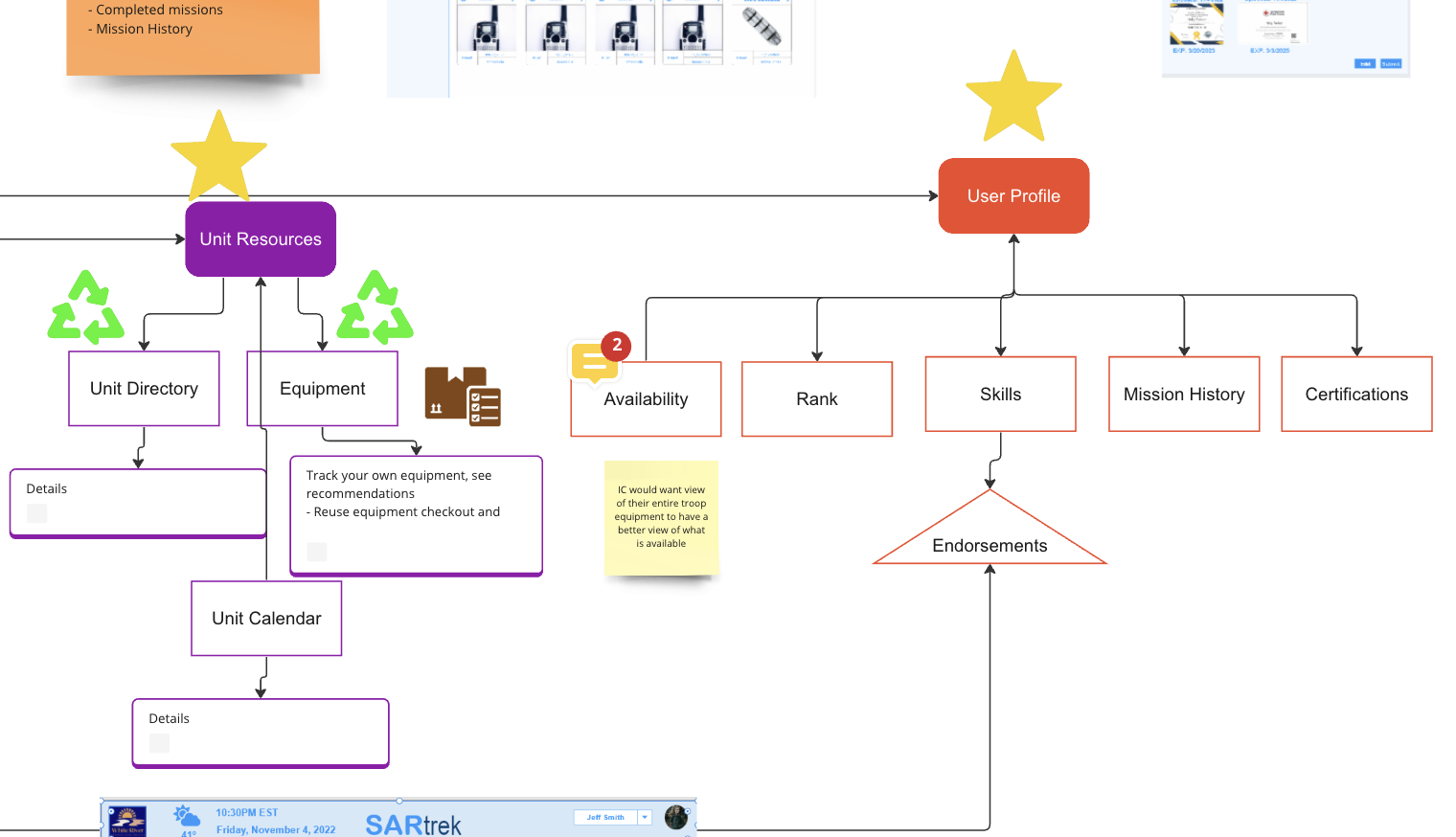
Unit Resources and User Profile Info Architecture
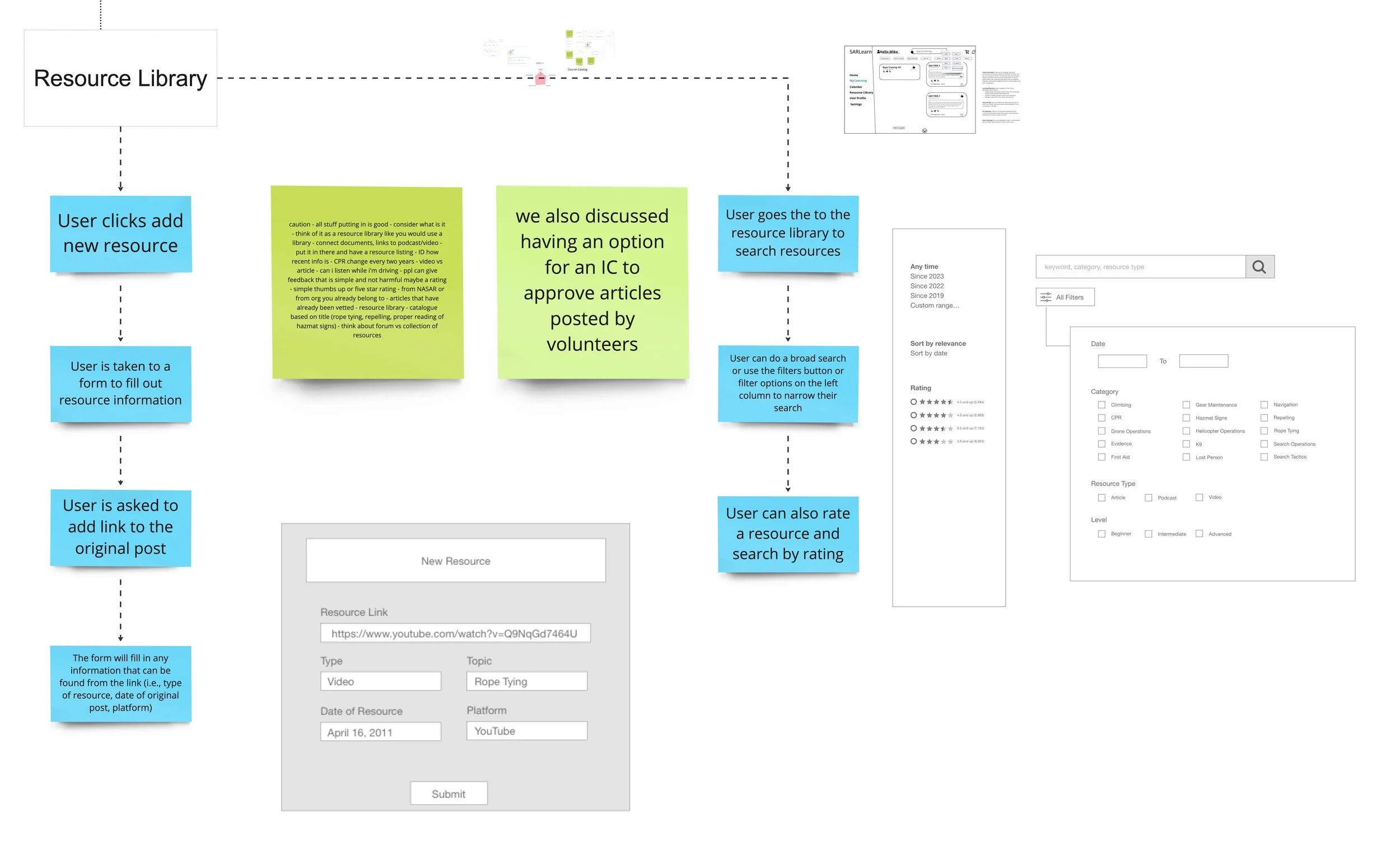
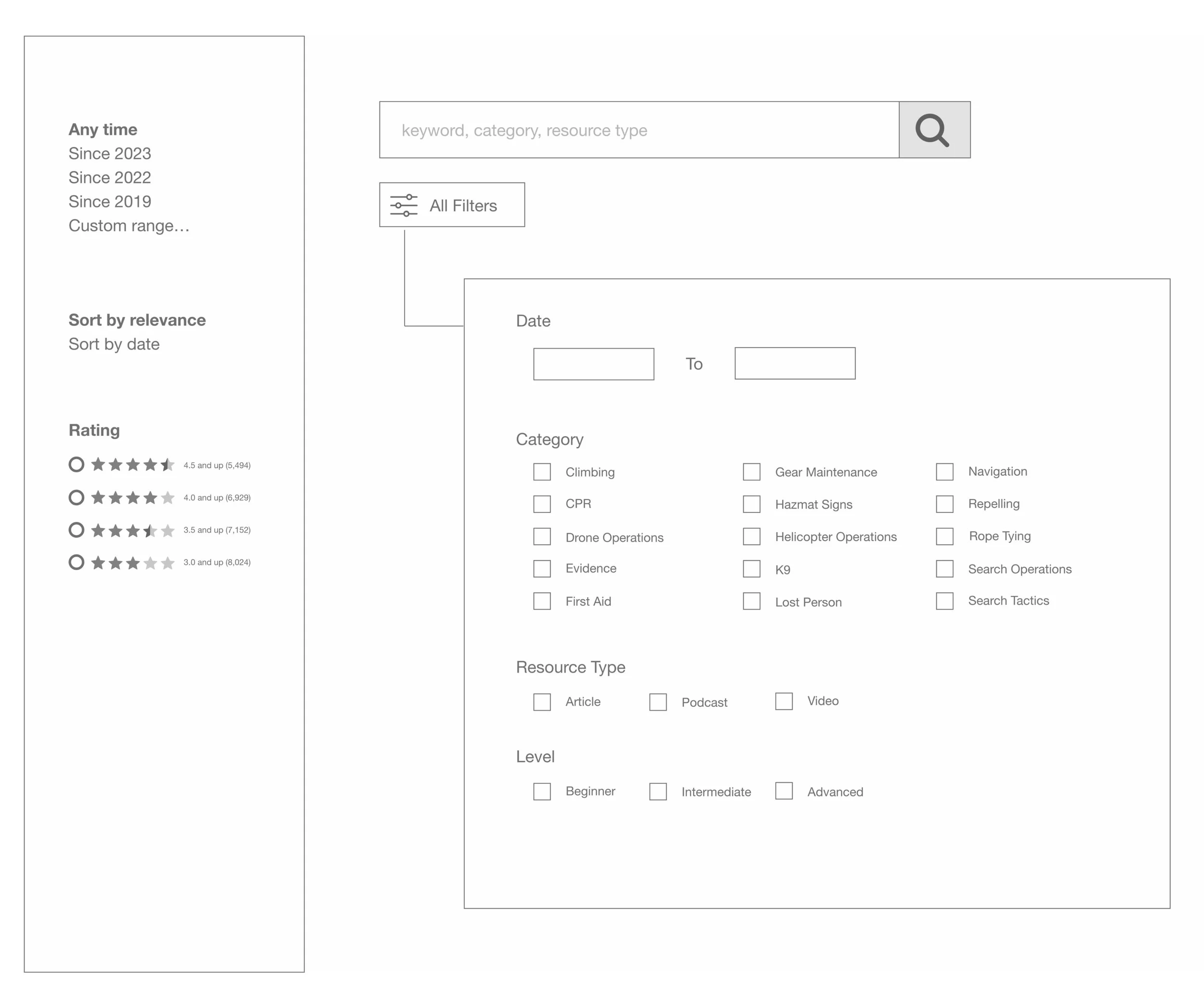
Sketch for Resource Library Search Functionality (EA)
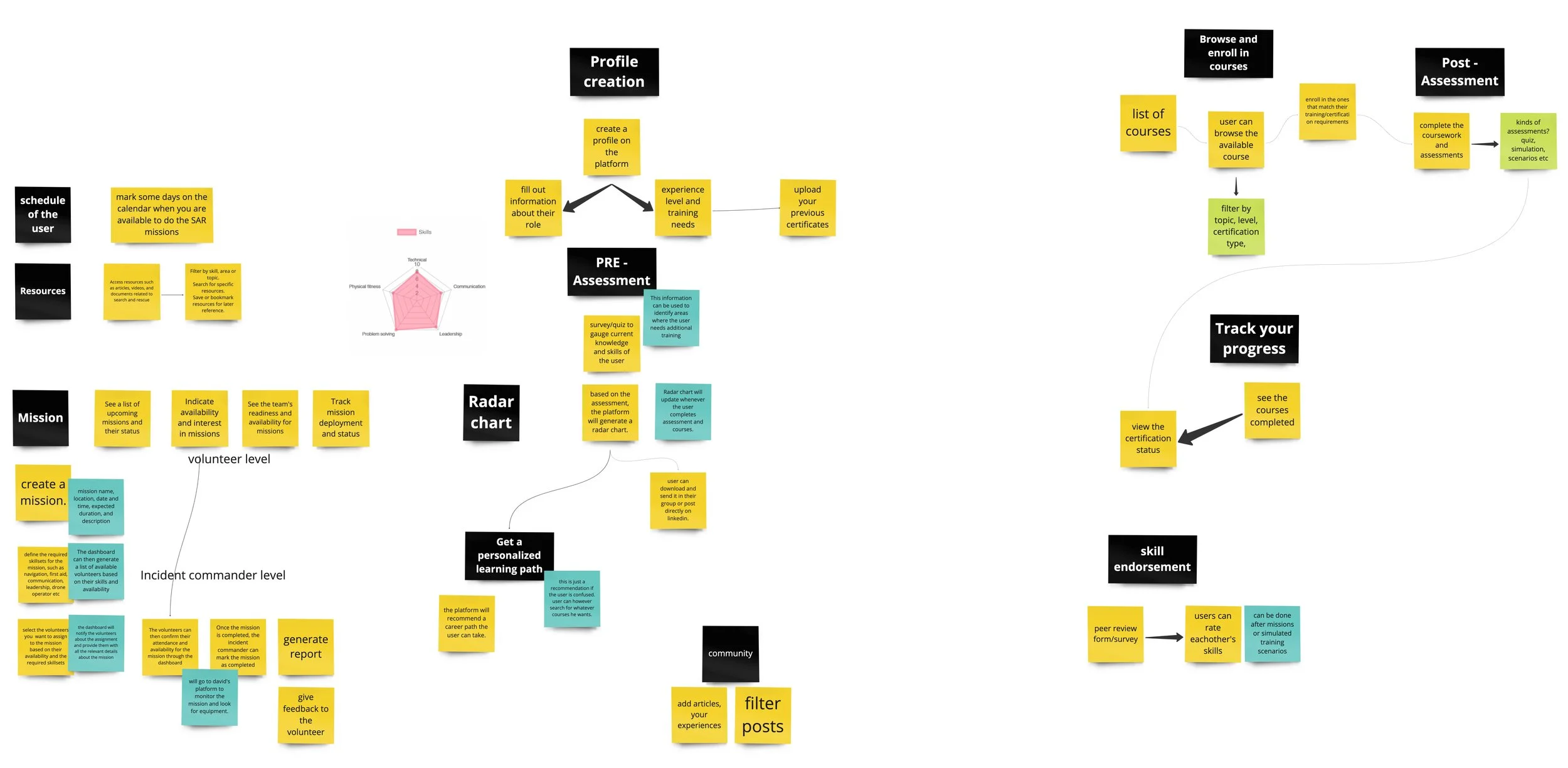
Education Platform Ideation (NT)
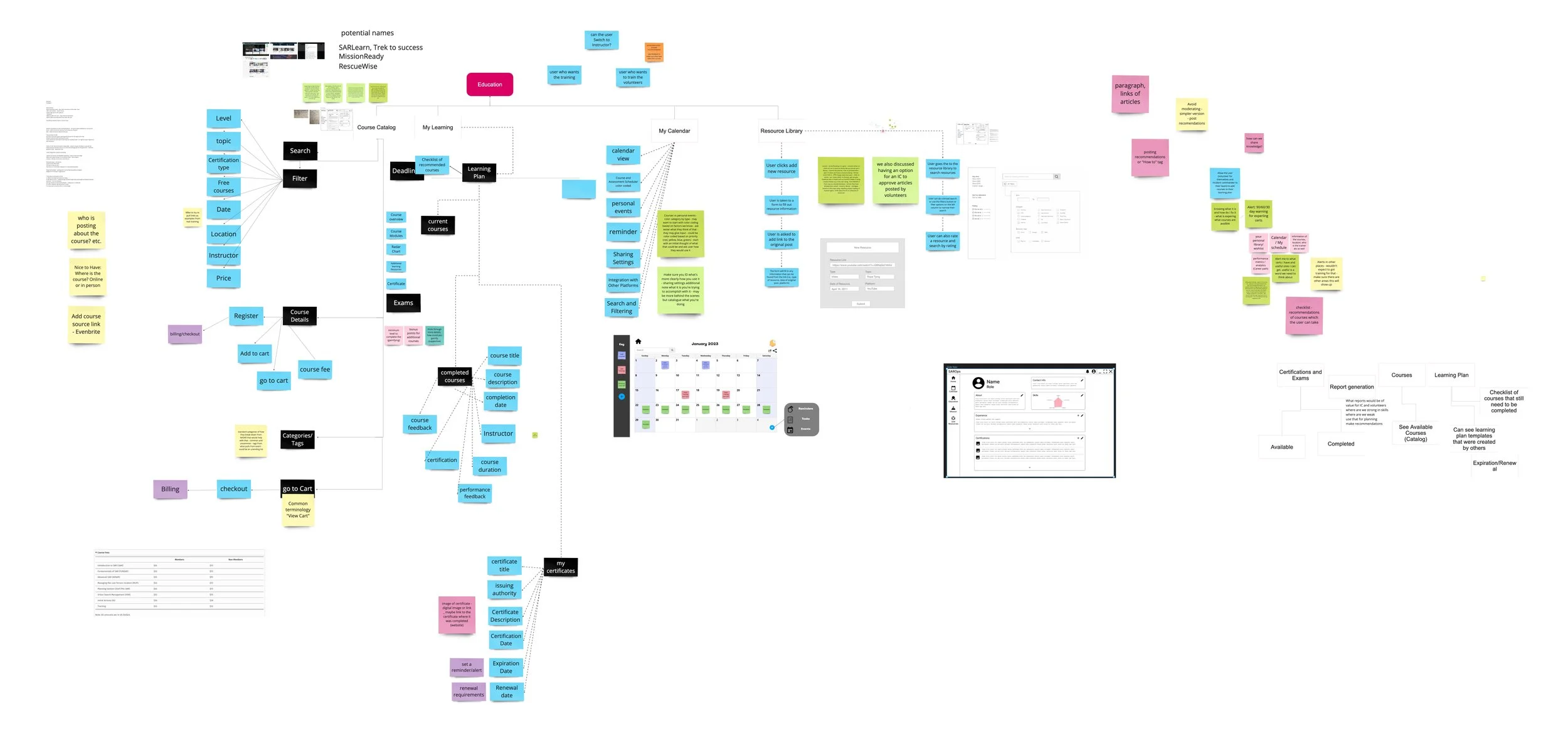
Information Architecture of the Education platform (NT) (EA)
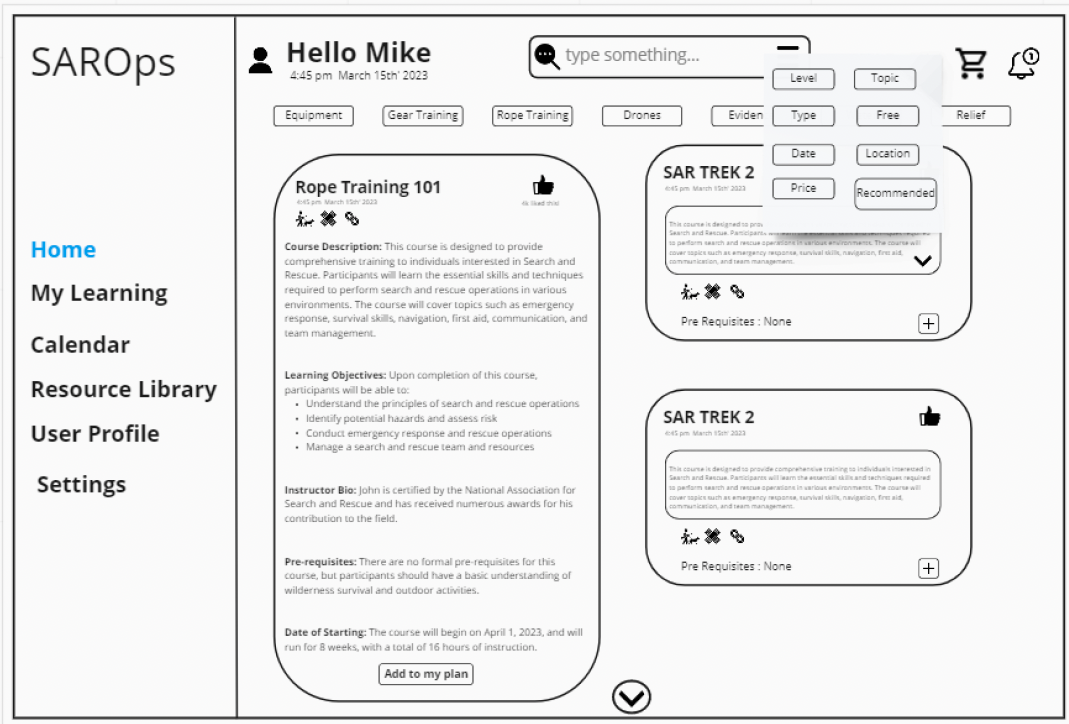
Wire frame home page (NT)
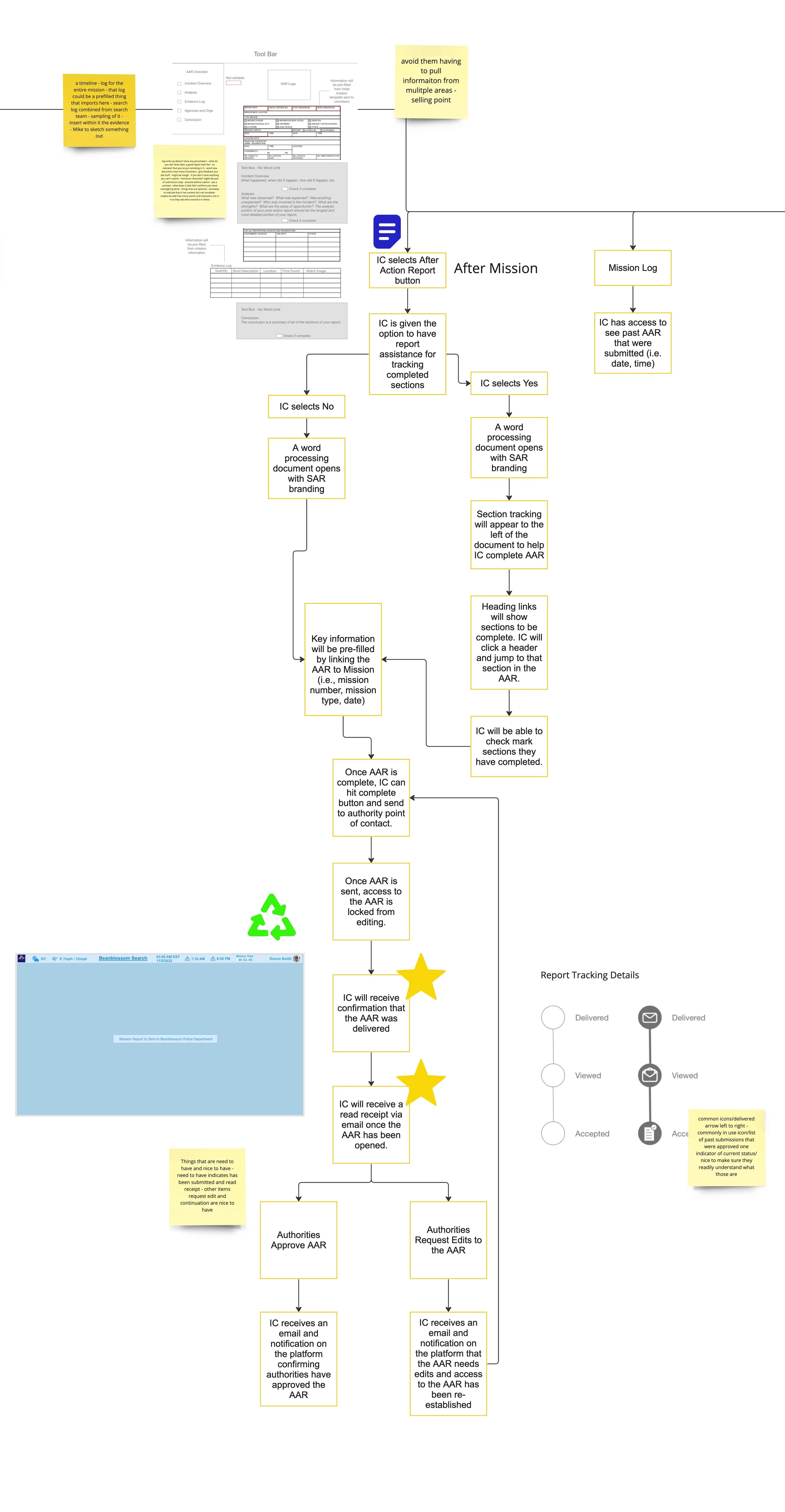
Information Architecture and Sketches for After Action Report (EA)
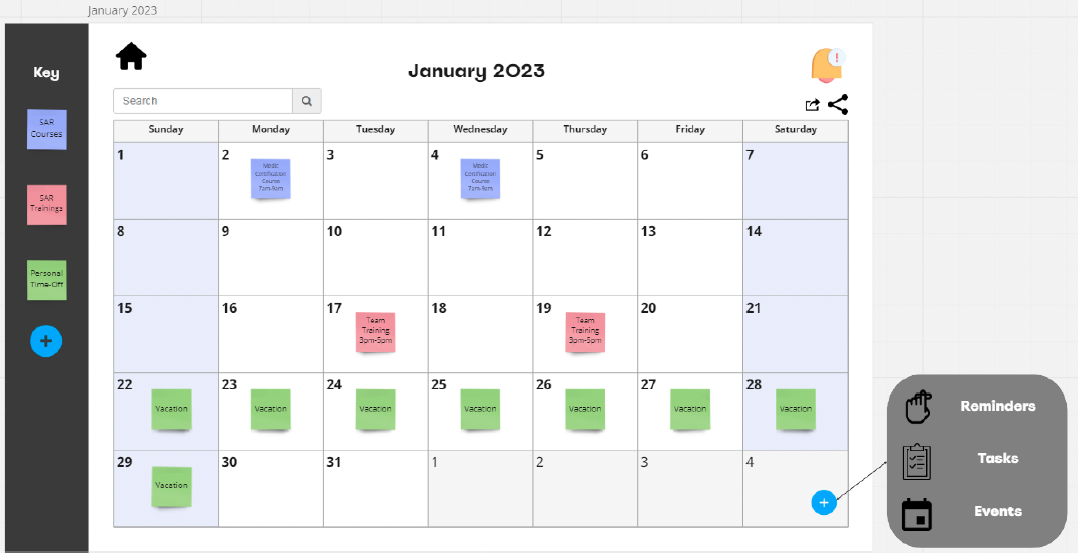
Calendar Page (RN)