Search and Rescue Capstone
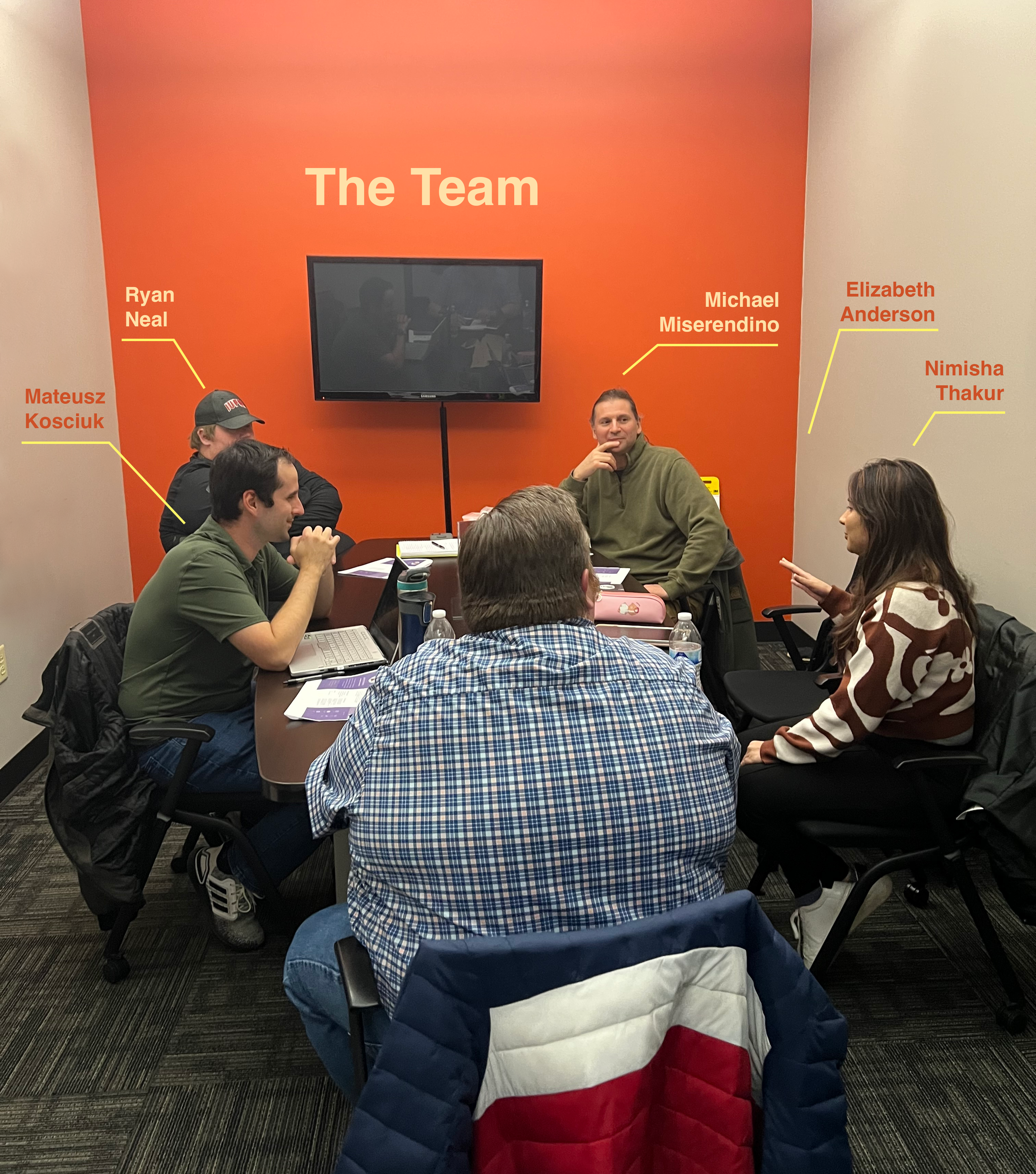
Our team worked with Michael Miserendino (the client), Founder of Gravity Drive. The problem space focused on improving the search and rescue (SAR) experience for incident commanders (leaders of SAR teams) and volunteers. The client requested the creation of a desktop dashboard with the potential to create a mobile application if needed.
Overview and Research Phase
The main purpose of the dashboard will be to ensure that incident commanders have the necessary information to form functional rescue teams by:
Browsing volunteer rankings.
Efficiently assembling teams for specific rescue missions.
Ensuring teams are well-balanced and capable of completing a mission.
Volunteers will also have an organized space to list goals and qualifications and find continued training and certification resources.
Because our team had no experience or knowledge regarding search and rescue operations, we started by researching the fundamental building blocks of a search and rescue organization.
We conducted four literature reviews to ensure we understood the search and rescue world appropriately. We covered articles that reviewed SAR mission management, SAR organizational structures, volunteer expectations, and volunteer training.

Literature Review
We focused on five evaluation and HR tools available on the market. The software we reviewed strongly focused on first responders (ex, police, and firefighters).
Additional software was researched, focusing on volunteer benefits (i.e., recognition, counseling, continued education).
Competitive Analysis
-
Purpose: Blink is an intranet application used for mobile and field workers. The application includes insights into employee productivity, “calendar management, content management, an employee directory, file sharing, and discussion forums.” Built-in storage is provided for “policies, job documents, and features ‘Workforce Analytics’ functionalities.”
Relevance: Blink is relevant to our platform as the social and analytical features can be used for volunteers. Incident commanders could use Workforce Analytics to track volunteer progress and create appropriate teams.
Most Relevant Features:
• Workforce Analytics
• Social: chat, announcements, recognition shout-outs
• File sharing
Heuristic Usability Evaluation: Unable to do a heuristic usability evaluation as his application is only accessible via subscription.
-
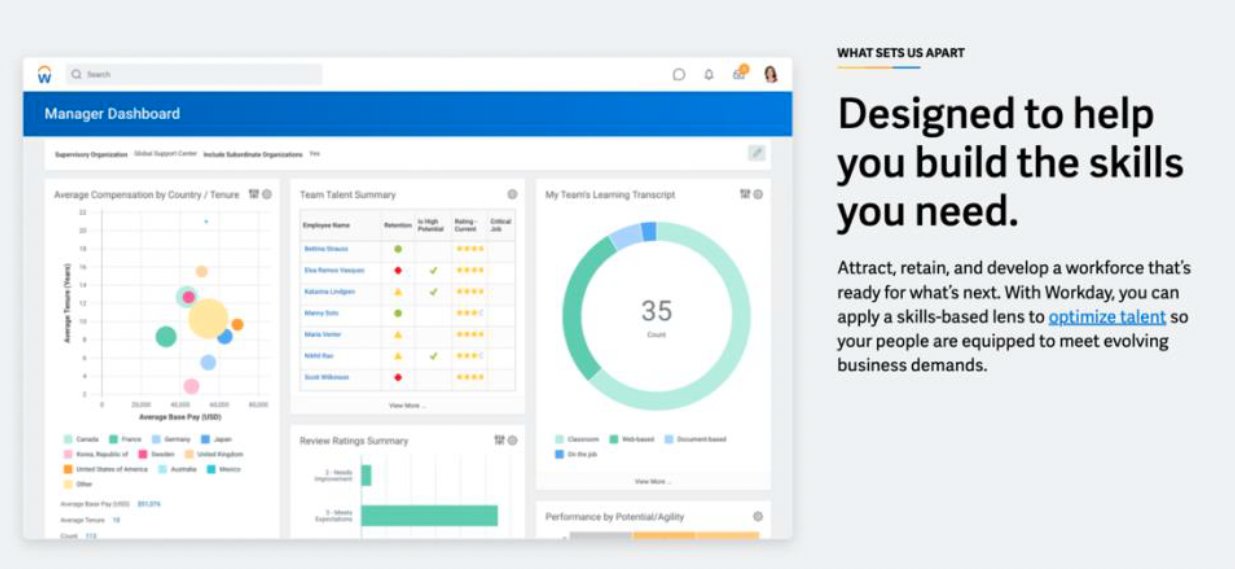
Purpose: This is a cloud-based website/mobile app with multiple modules depending on need. In this scenario, one of the primary purposes of the app is the Human Resources aspect. It has employee evaluations, skills management, payroll/workforce management, time tracking, and more.
Relevance: The product we are designing is looking to include things like volunteer management and evaluations, among other things, so it would be good to see how some applications out there currently work. These functions are similar to the HR arm of a standard company, which is why a tool like Workday is beneficial to look at.
Most Relevant Features:
• Yearly Employee Performance Evaluations: Way to provide feedback to employees and rate their overall performance
• Employee Skill and Experience Tracking: Built-in tracker where you can list things like your Work Experience, Job History, or Certifications. Similar to an online resume.
• Learning Plan: Includes course links to learn more on various topics.
Heuristic Usability Evaluation:
• Performing an evaluation based on personal experience with my employer’s implementation of the application. Accessed via a website on a computer.
• Due to there being personal and corporate information on these pages, I will not be including screenshot examples
-
Purpose: Prodigy is designed to educate and allow users to keep track of their certifications and link an online platform for either recertifying or completing the necessary courses available to achieve new certifications.
Relevance: Prodigy is relevant for the product we are designing because we want to learn more about the different formats available for our users. We would also like to learn about various certifications and training for real-life scenarios volunteers will face in the field.
Most Relevant Features:
• Innovative Tracking
• Certification Tracking
• The class library and virtual instructors
Heuristic Usability Evaluation:
• Unable to do heuristic usability evaluation because of having to sign up and pay for access to the online platform.
-
Purpose: This web-based experience provides real-time feedback to coworkers and employees to boost engagement and morale. Users can receive points, awards, badges, and even turn points in for rewards.
Relevance: The product we are designing will provide feedback and recognition for the people you work with, which this tool does. It is interesting to look at the social aspect of this app, as providing publicly visible positive reinforcement to coworkers can help push each other to excel when performing search and rescue operations.
Most Relevant Features:
• Provides recognition/feedback to coworkers. Allows others to know when they have helped you out or done a good job.
• Recognition and feedback received is visible to other people in the company. Users will get notifications when people are recognized and see it on a News Feed.
• Rewards. You can give people points when recognizing their achievements to spend on rewards for themselves.
Heuristic Usability Evaluation:
• Performing an evaluation based on personal experience with my employer’s implementation of the application. Accessed via a website on a computer.
• Due to there being personal and corporate information on these pages, I will not be including screenshot examples
-
Purpose: D4H is a cloud platform for emergency response. Their products center on any rescue operation's readiness, response, and re-evaluation phases. Readiness: easy to track certifications and paperwork with expectation management and automatic expiry alerts. Response: helps in making faster decisions with sharable situation reports, GIS mapping, and real-time collaboration. Re-evaluation: building a picture of your incidents across time, learning the patterns and trends that impact training and budgets.
Relevance: D4H is important to our platform since they, like us, are seeking to improve the effectiveness of the emergency response. This platform's features are similar to what we are attempting to develop for our dashboard.
Most Relevant Features:
• Member Profiles – building your own response team with experience, awards, and history.
• Document library, attendance records, on-call planner, training scheduler, equipment inventory and barcodes.
• Checklists – creating tasks and checklists for each role to follow in an emergency situation. Create pre-plans and automate different checklists and responses to each situation.
Heuristic Usability Evaluation:
• Unable to do a heuristic usability evaluation as his application is only accessible via subscription.



Field Research
Initial Research Interviews
Our interview script aims to identify current types of evaluations done by first responders, law enforcement, and/or athletes. The script will collect information such as evaluation methods, evaluation categories, types of ranking/scoring, and how often performance evaluations are completed, among other things. We hope to determine what existing methods are being used today to develop a platform where incident commanders can easily put together an efficient search and rescue team based on the overall statistics of volunteers.
Models of Target Users and Activities
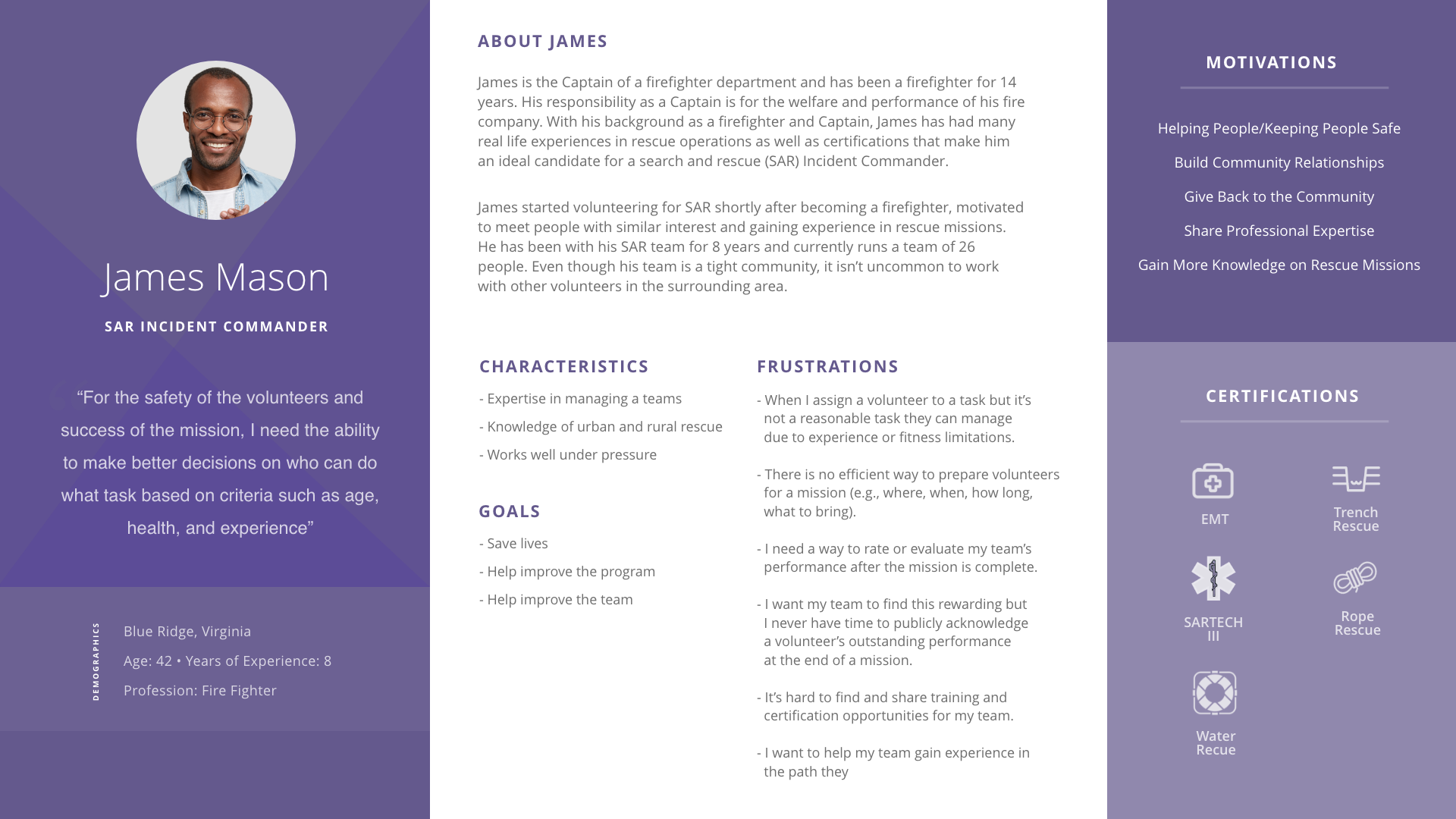
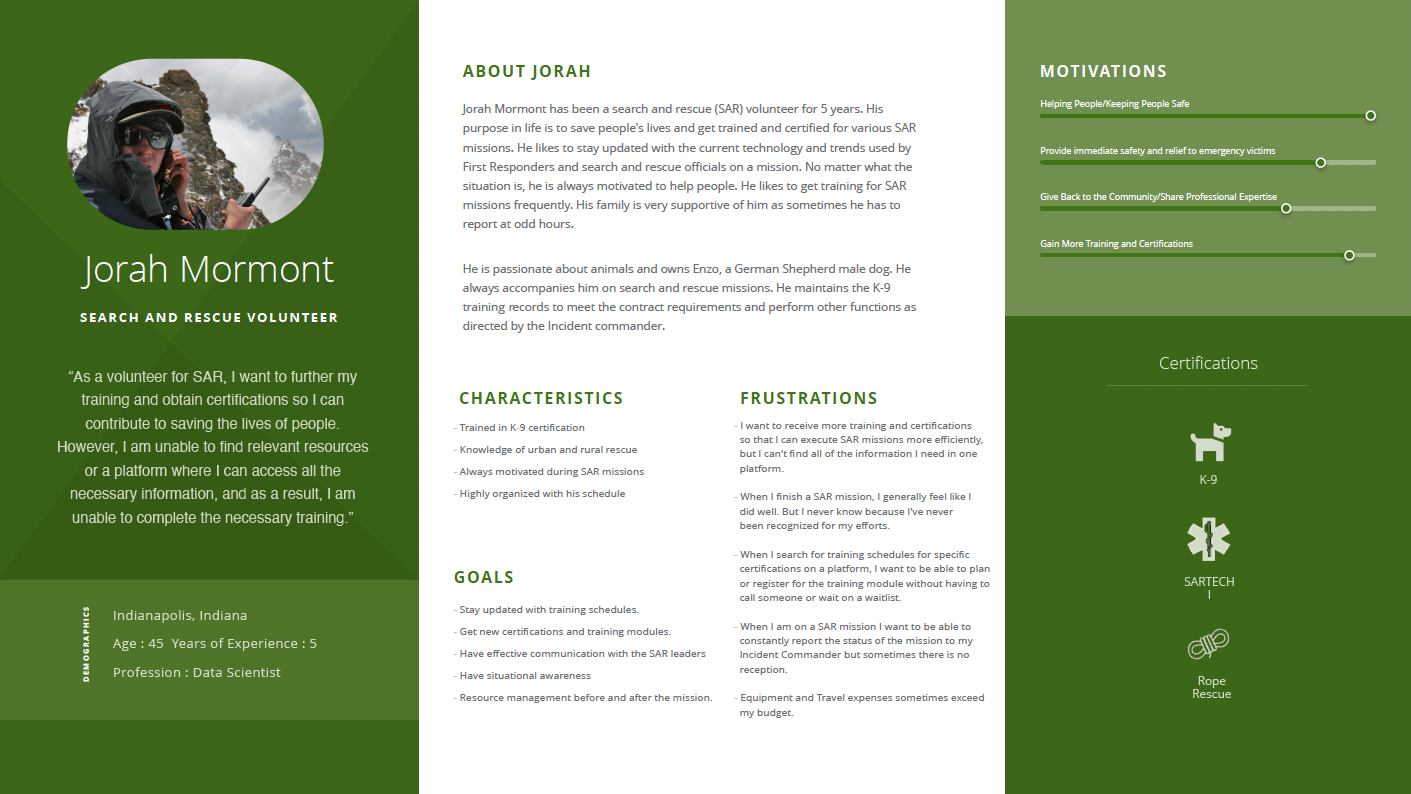
From our interviews with experienced search and rescue volunteers, we were able to create three personas and one mind map. The personas we created would have the highest touchpoint with our platform. The three personas that we created are the incident commander, a volunteer, and a volunteer with K9 experience.
SAR Incident Commander Persona
Incident commanders are responsible for coordinating a mission and managing volunteers. When a mission is received, they must contact volunteers to see who is available. Incident commanders must also ensure that volunteers are assigned to roles that they can reasonably manage in regard to experience or physical abilities. Outside of a mission, incident commanders evaluate their team and also help volunteers reach their goals such as helping a volunteer become a K9 handler by sharing training and certification information.
Search and Rescue Volunteer
This persona is about a search and rescue (SAR) volunteer who wants to get more training and certifications. He sometimes finds it difficult to track his own progress. His motivation is to help people in distress and give back to the community. He owns Enzo, a male German shepherd dog that always accompanies him on SAR missions.
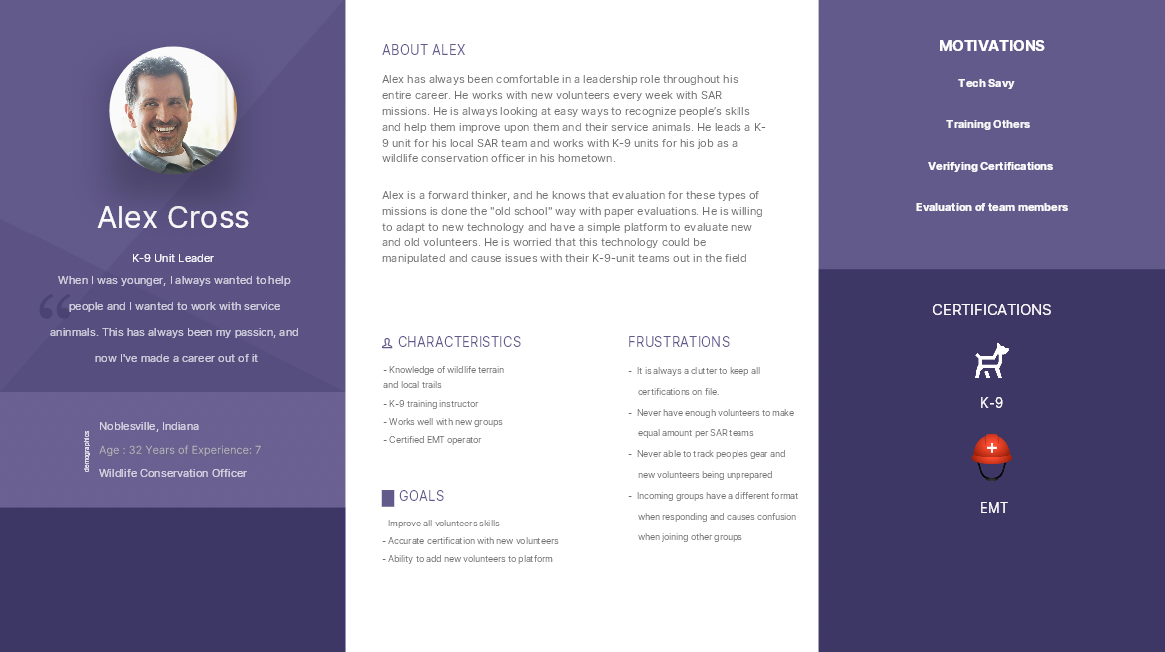
K-9 Unit Leader
K-9 units within a search and rescue (SAR) team are an important part to help with missions of missing people and responding to natural disasters. These teams utilize multiple strategies while active within the field and rely on their search animals to conduct different search mission's tactics that they are trained to do.
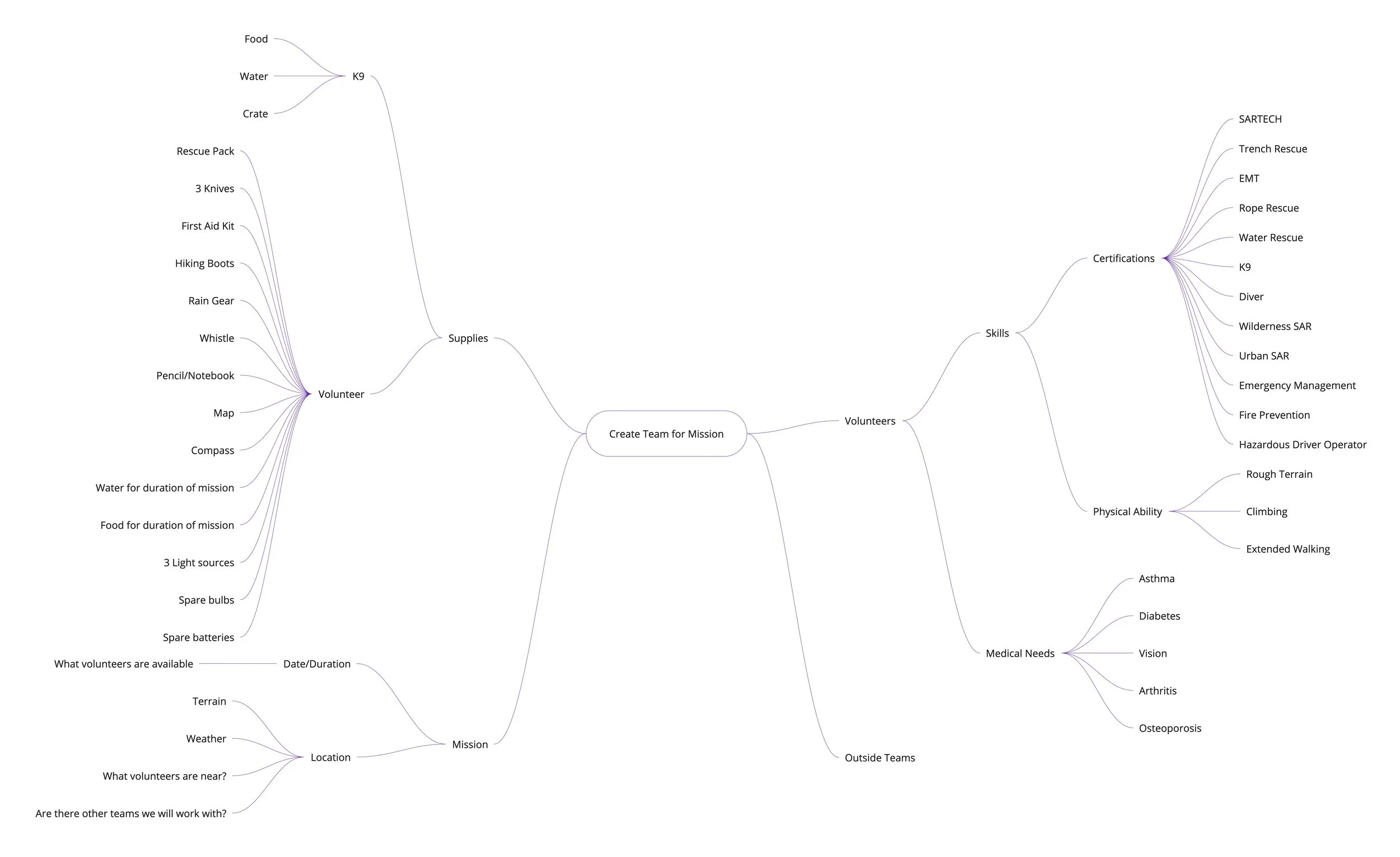
This mind map gives an example of the complexity of mission needs. One mission requires incident commanders and volunteers to know a plethora of information. For example, knowing a volunteer’s skills allow incident commanders to better create effective teams. Also, volunteers that know what supplies to bring will be better prepared for a mission.
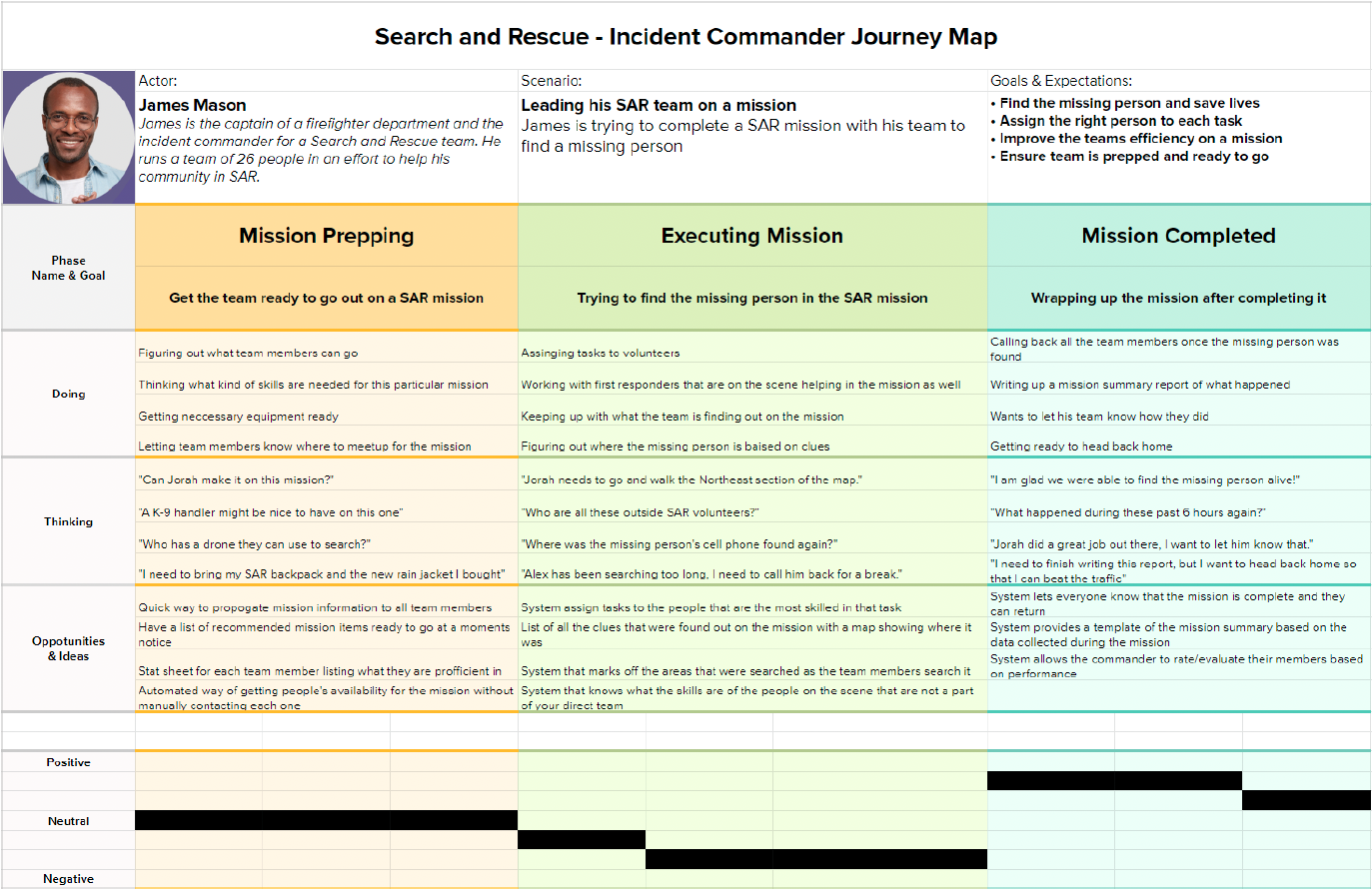
This user journey map provides an example of what an incident commander (James Mason) might go through when going out on a missing person mission. It helps show what he will be doing through the various stages of the mission, as well as his thoughts and attitudes during them. It also lists some potential opportunities for improvement in each phase.
Key Mission Goals:
Before Mission: proper training and building experience
During Mission: keep an eye on performance for evaluations
After Mission: how do I improve my team to be better on the next mission?
Functional Requirements
Our search and rescue platform would enable Incident Commanders and volunteers to share information allowing for fast and intuitive decisions. Incident Commanders need to know what volunteers are capable of while creating teams for a mission and offer valuable feedback on performance. Volunteers need to know specifics of the mission before they can decide if they are willing and able to offer their support. Volunteers would also benefit from guidance in managing their growth.
The system will ensure that new accounts are authenticated by appropriate SAR team members.
The system will create a rating system to allow easier choices for incident commanders to create teams and help improve volunteer’s skills.
In order to be successful SAR Incident Commanders, need to assign a volunteer to a reasonable task that a volunteer can accomplish given their experience or fitness limitations.
Conclusion
Our competitive analysis gave us pertinent information for the volunteer evaluation and management structure. Methods for skills and experience tracking, continued education, file sharing, and volunteer relations will be used in the design of our platform.
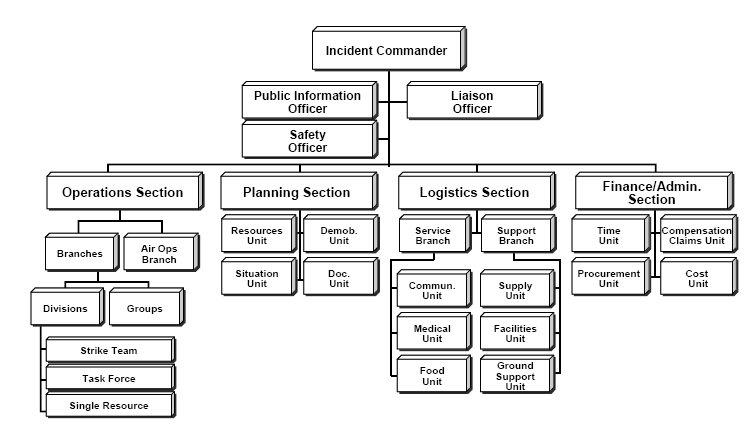
For our literature review, we pulled many existing models to get a foundation for naming conventions, organizational structure, and training to be used in the design of our platform. We also pulled information that was helpful for training, missions, and supplies.
We gathered our most valuable information from the eight interviews we conducted. We were also fortunate enough to participate in many search and rescue usability tests by David Debon, a fellow graduate student. User feedback gave valuable insights into things such as linking certifications back to skills so that there is a method to organize all certification images. We will use resources from the National Association of Search and Rescue (NASAR) for education courseware and certifications. We will also use requirements from existing evaluation methods to guide the design of our platform’s evaluation checklist.
Summary of resources that will inform the ideation of our platform.
Competitive Analysis/Interviews will inform:
Volunteer management
Volunteer training
Certifications
Literature Review will inform:
Naming conventions
Organizational structure
Interviews will inform:
Evaluation method
Usability of platform
Design and Prototype Phase
Ideation Kickoff
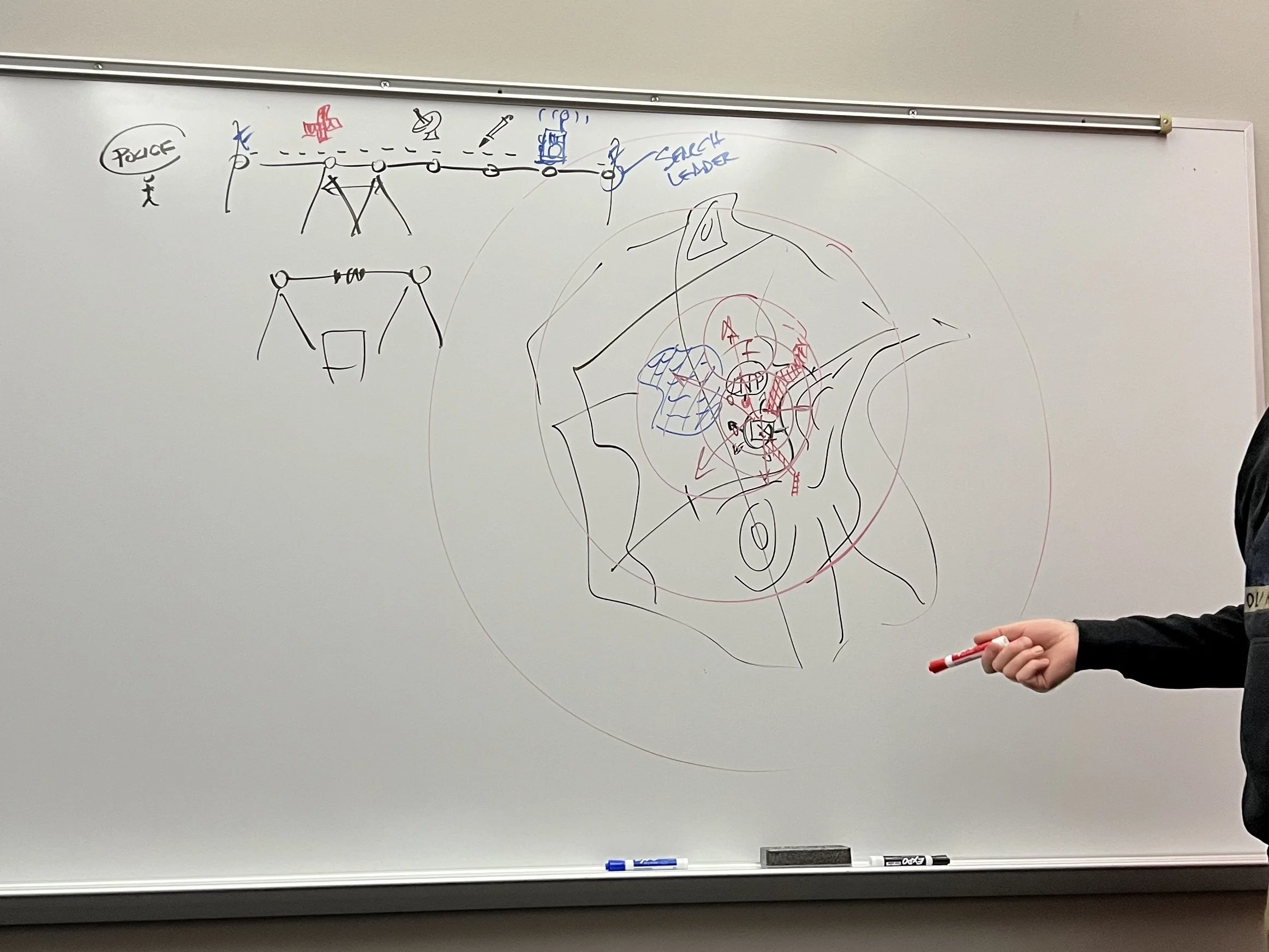
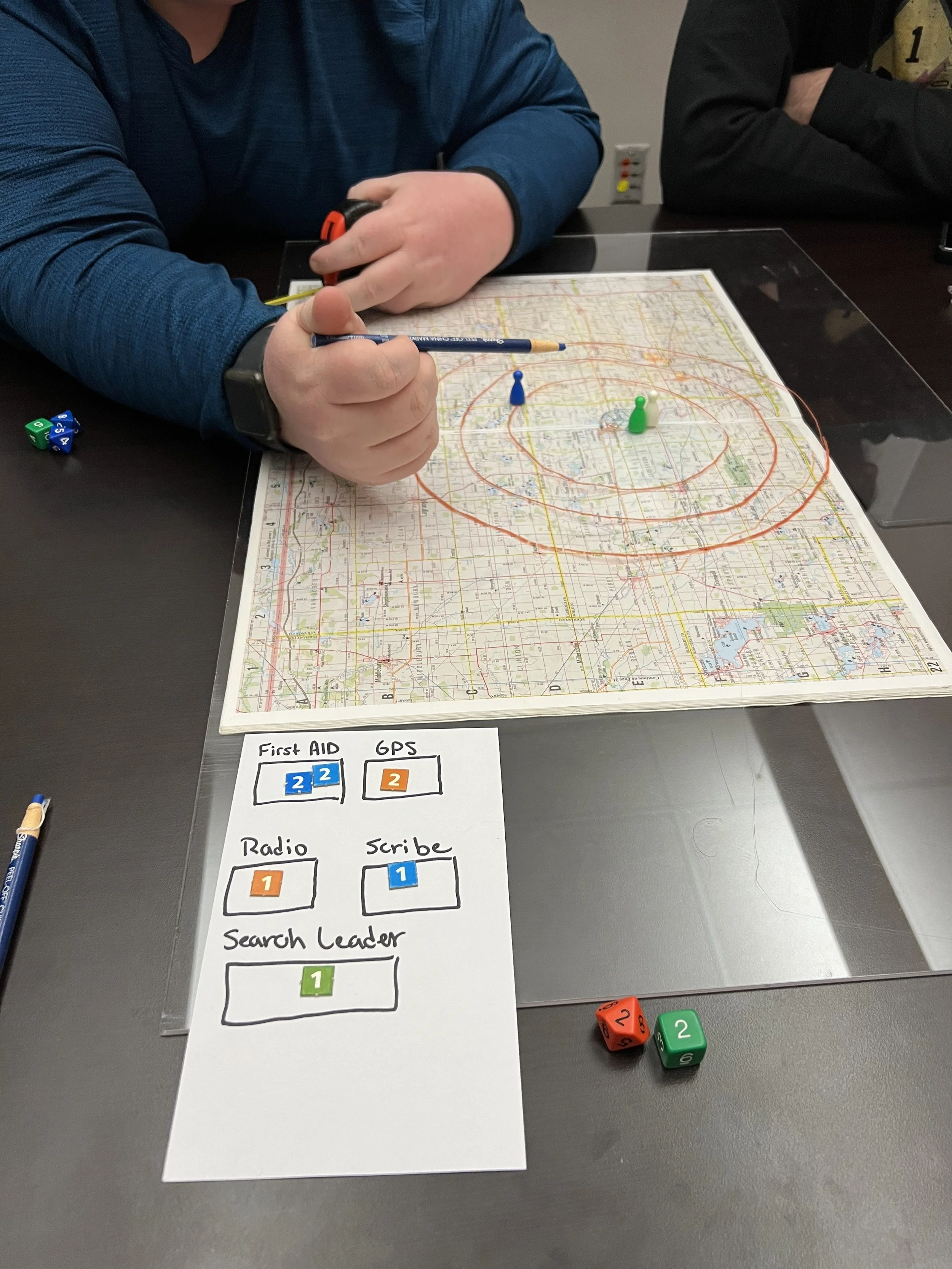
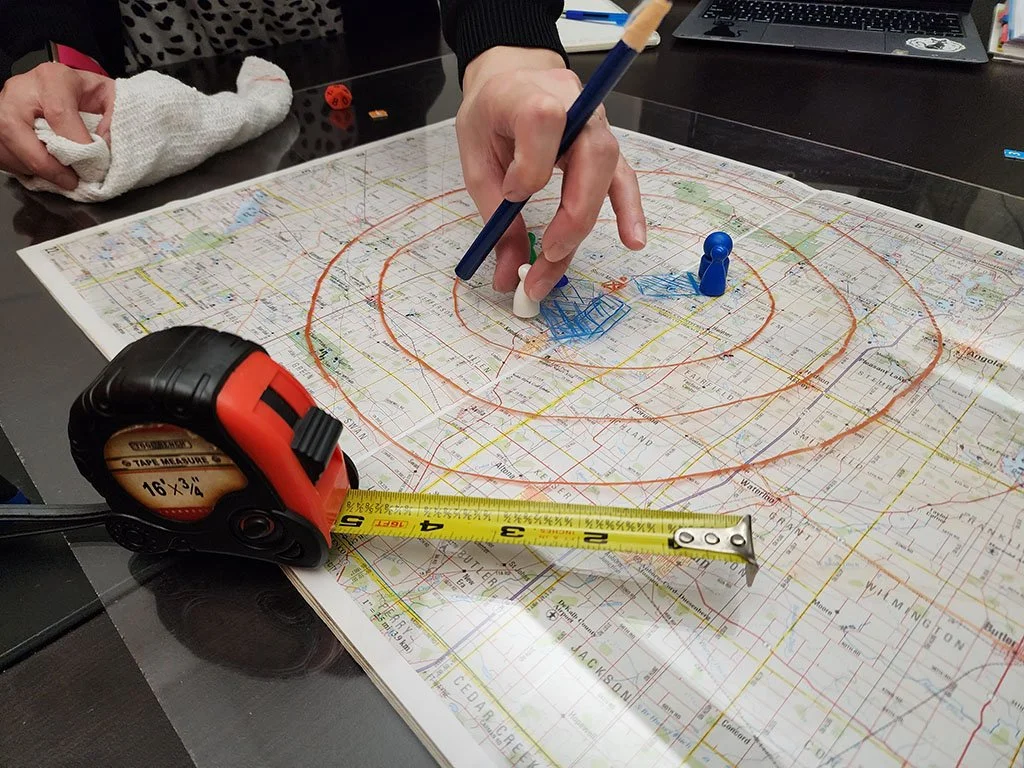
Following the end of our research phase, we had an in-person meeting with GravityDrive at Launch Fishers to kick off the ideation process. Mike had us participate in a game-simulated search and rescue operation. Through this activity, we were able to gain a deeper understanding of the search and rescue process and prepare for the creation of low-fidelity mockups. This was especially helpful as we were not able to participate in additional SAR training or missions.
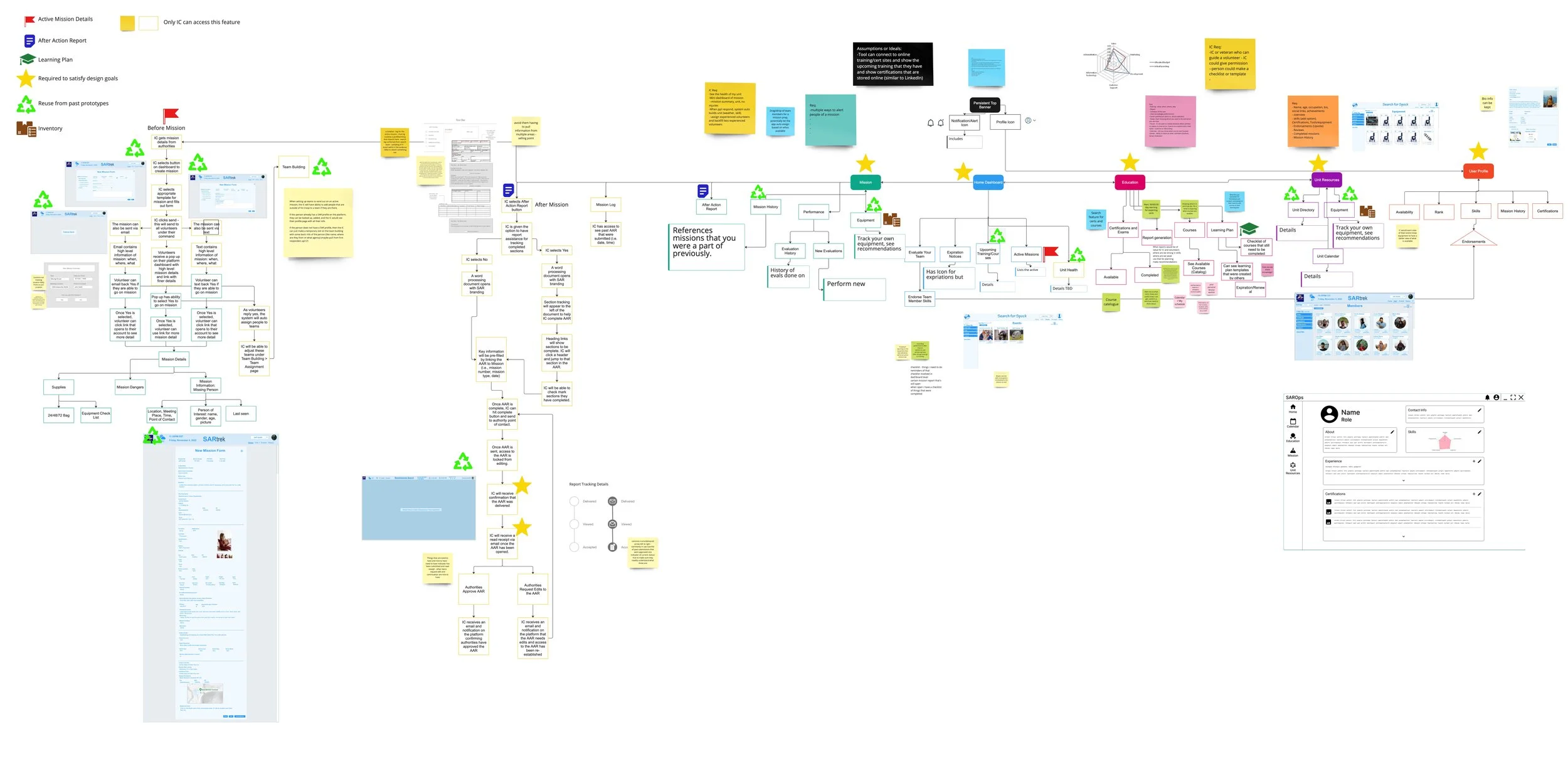
Ideation: Information Architecture
Education
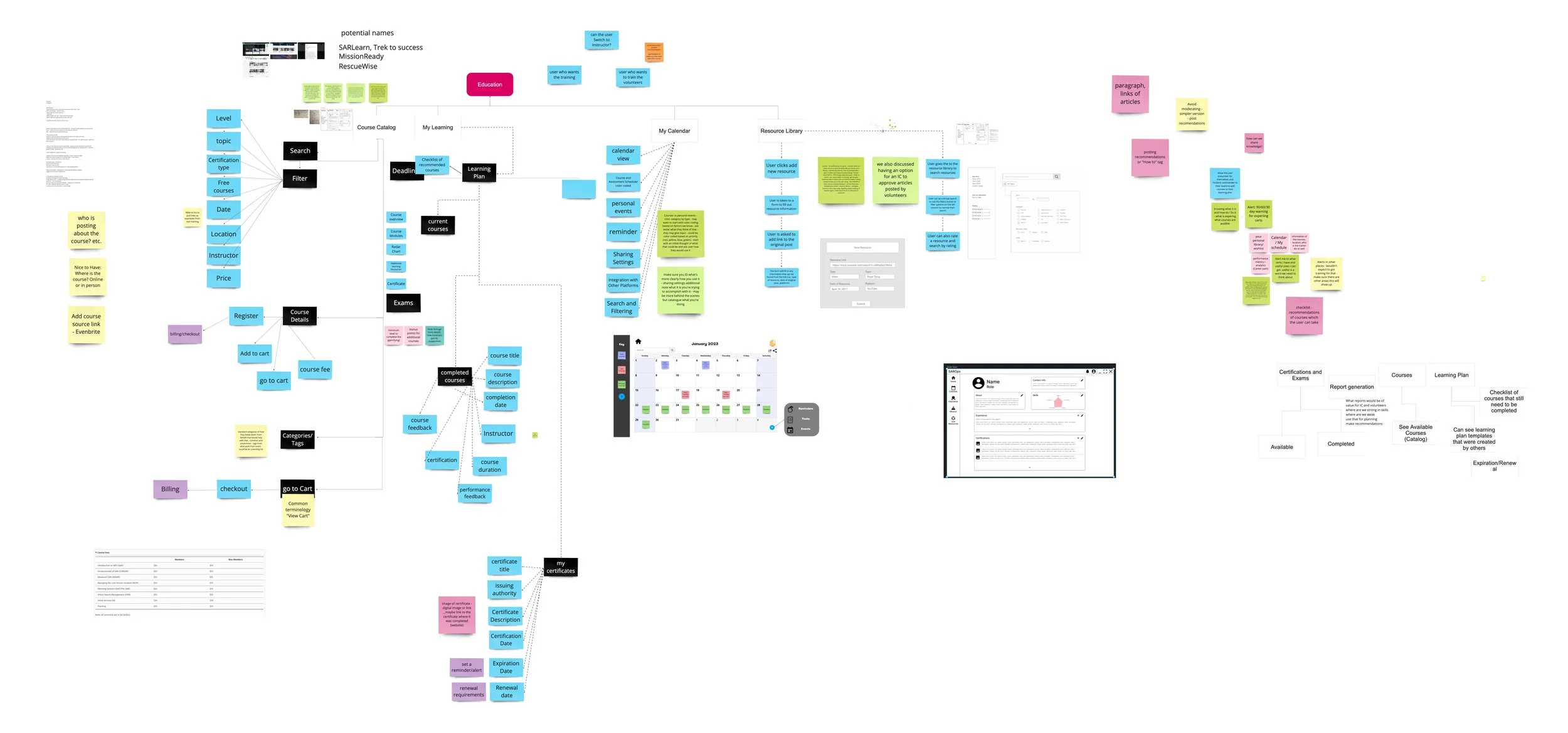
During our kickoff meeting, Mike suggested we begin the ideation process by working on our design goals. As we brainstormed, we found ourselves exploring various features that could enhance the value of our application. However, amid ideating our design goals, we added the mission part of search and rescue, losing sight of our original goal. Fortunately, we recognized our deviation and refocused our efforts towards creating an education platform designed to train and evaluate search and rescue professionals.
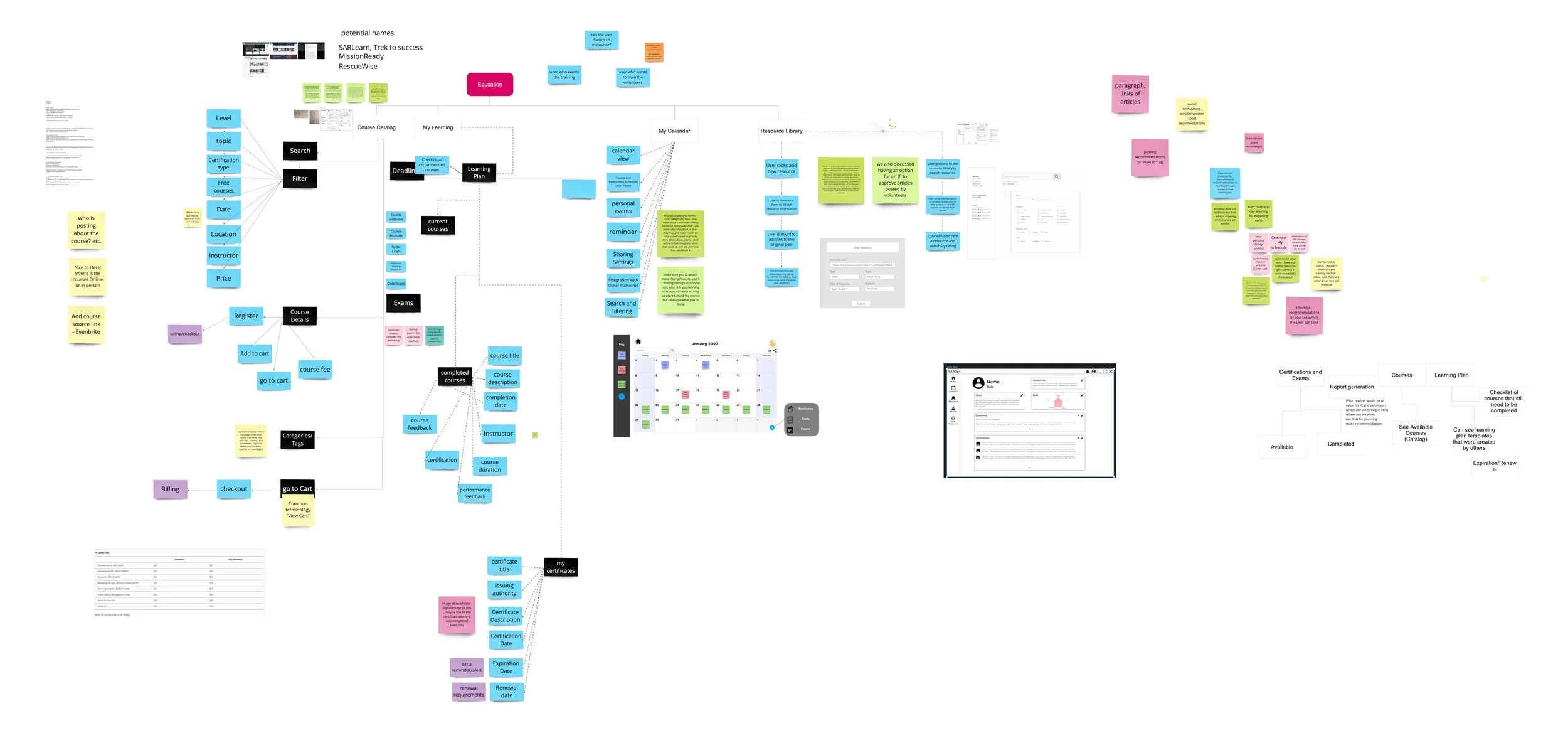
We narrowed down our version of the education platform to focus on providing professionals with the necessary knowledge and skills to excel in their field. Our platform is designed to be accessible, engaging, and practical, offering incident commanders and volunteers an opportunity to improve their skills and stay updated with the latest trends and technologies. With our user-centric approach, we will empower search and rescue professionals to perform their duties confidently and efficiently, ultimately positively impacting society.
Our ideation phase included:
Design goals
Rough sketches
Customer journey map
Empathy map
Process flow
Information architecture
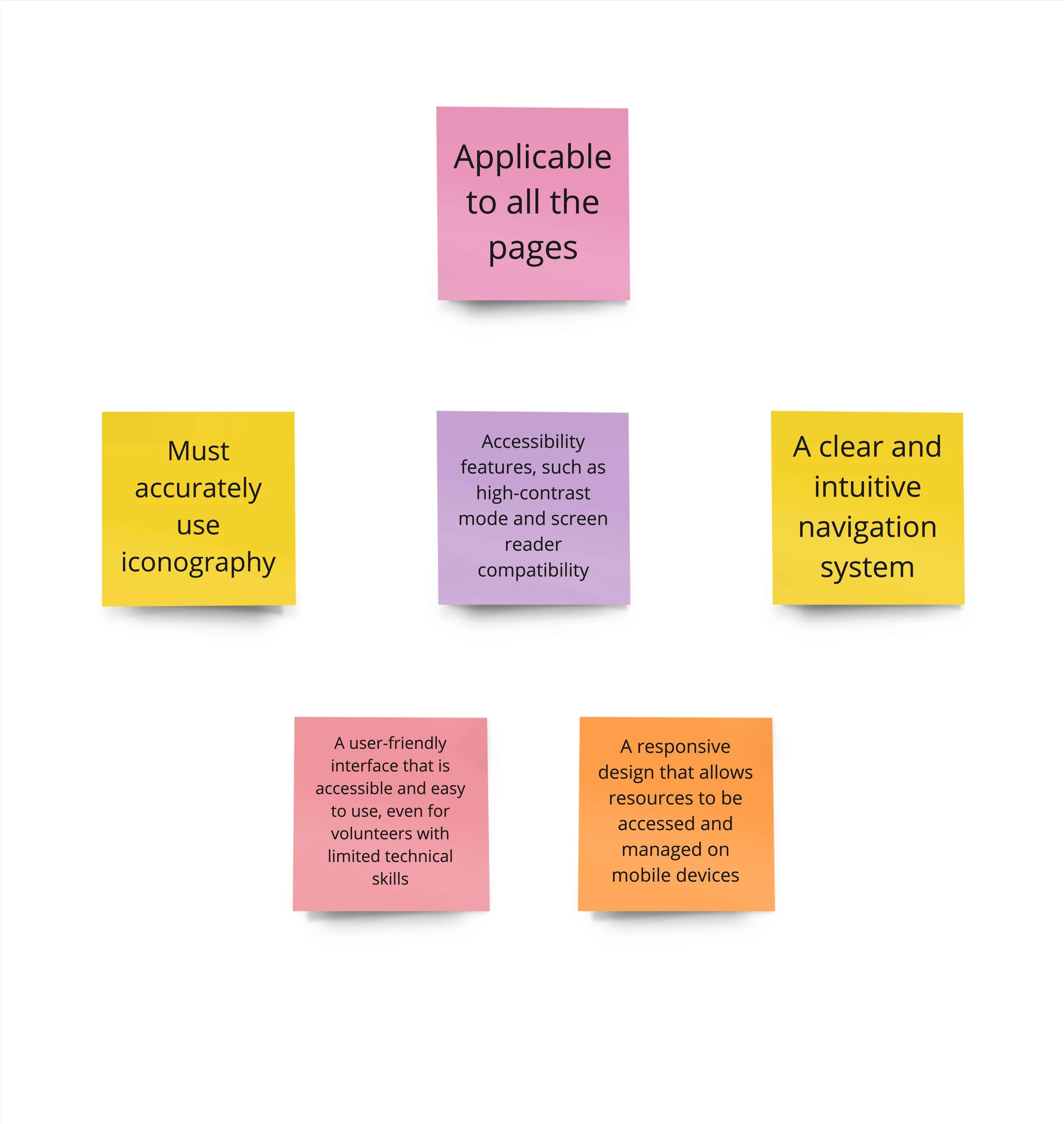
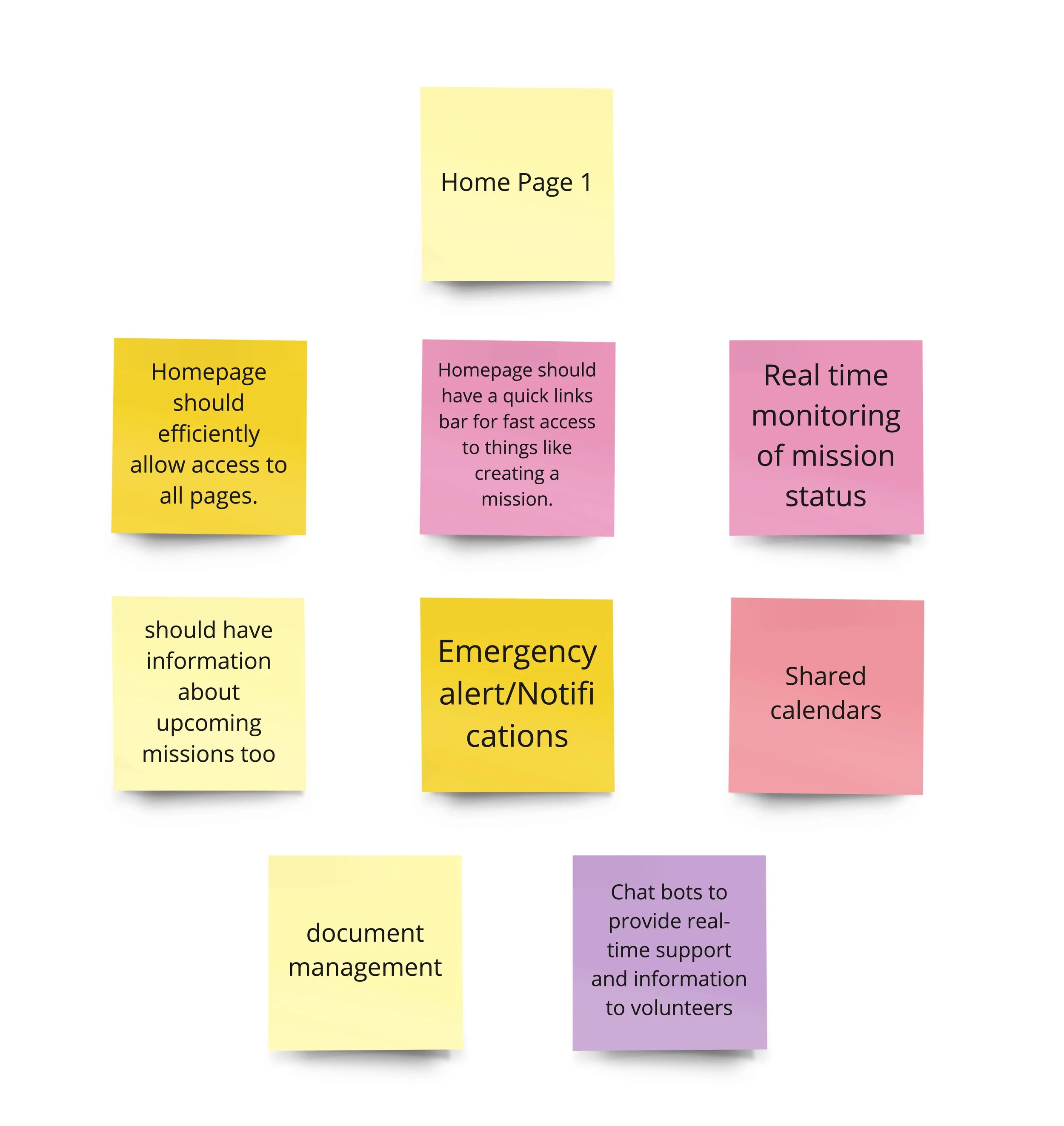
Here are some more notes, references, and ideas from the ideation meeting:
Police, Medics, Officials, SAR Volunteers
That way the appropriate people can create missions in the tool itself and it would then notify SAR teams in the area automatically
Would also help to have more profiles available to everyone
When going on a mission
Allow notifications to be sent out to the entire squad via text
They can respond yes or no to give the commander an idea on who is showing up
Allows commander to have a better idea who will be available for mission
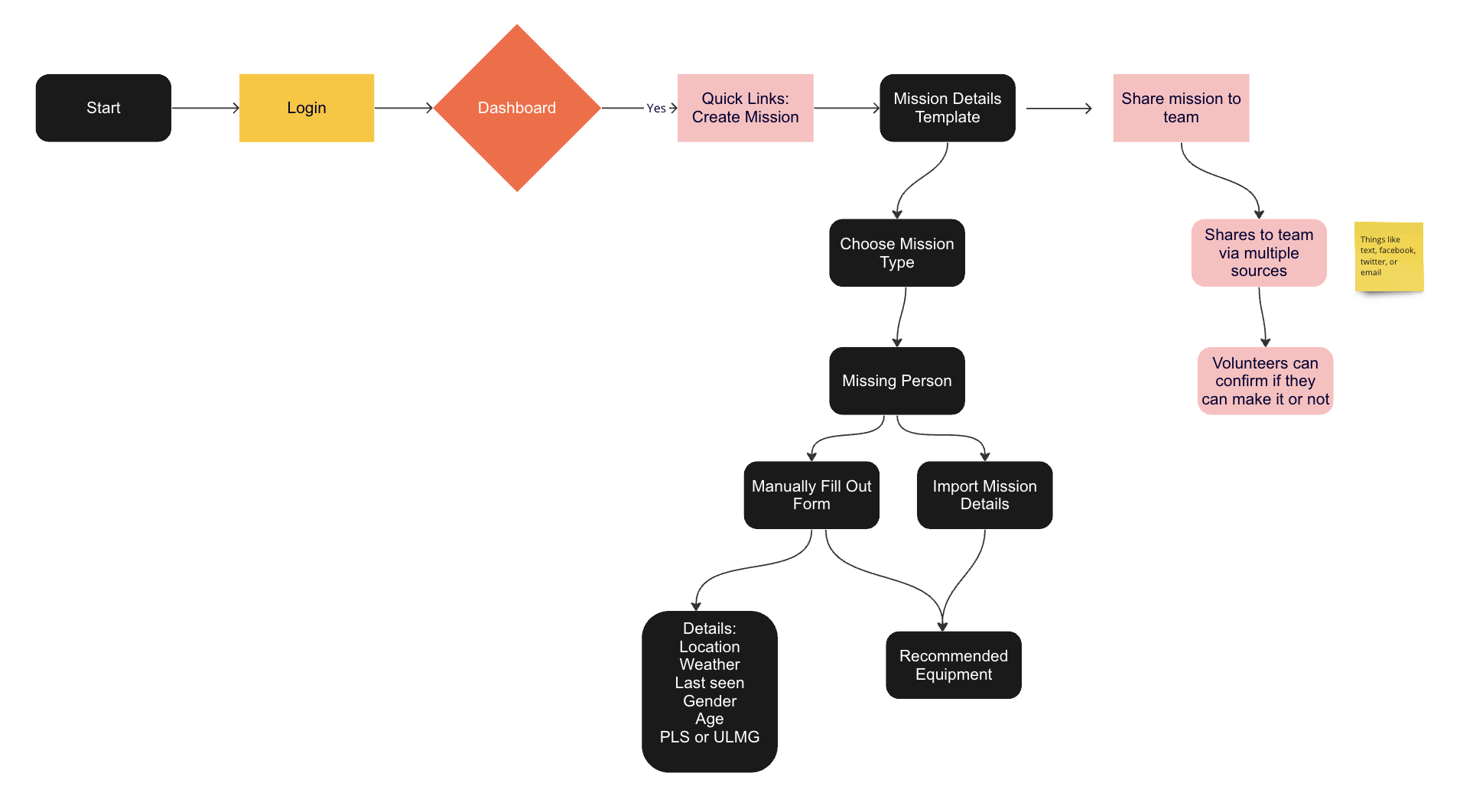
At Mission
Can create teams that include designated roles
Search Leader, Radio, First Aid, Scribe, GPS
Other (allow to specify when adding this one)
First Responder (Police/Firefighters/Medics)
If there are other people that are not on the commander's team that are there, they can provide their identification number to find their stats on the app so that they know what they are good at
Can create temporary people on the spot if there are extras at that time
Allow for a quick optimal assignment button that would try to figure out the best team deployment based on prior info
Allow for easy comparisons between people
Final Prototype
Resource Library | Elizabeth Anderson
The Resource Library is a place where volunteers can search and share resources on skills that can be useful in search and rescue missions. Volunteers can search and share articles, videos, and podcasts. Search of resources can be done by keyword, date, and rating. Additional search functionality can be found under the All-Filter button.
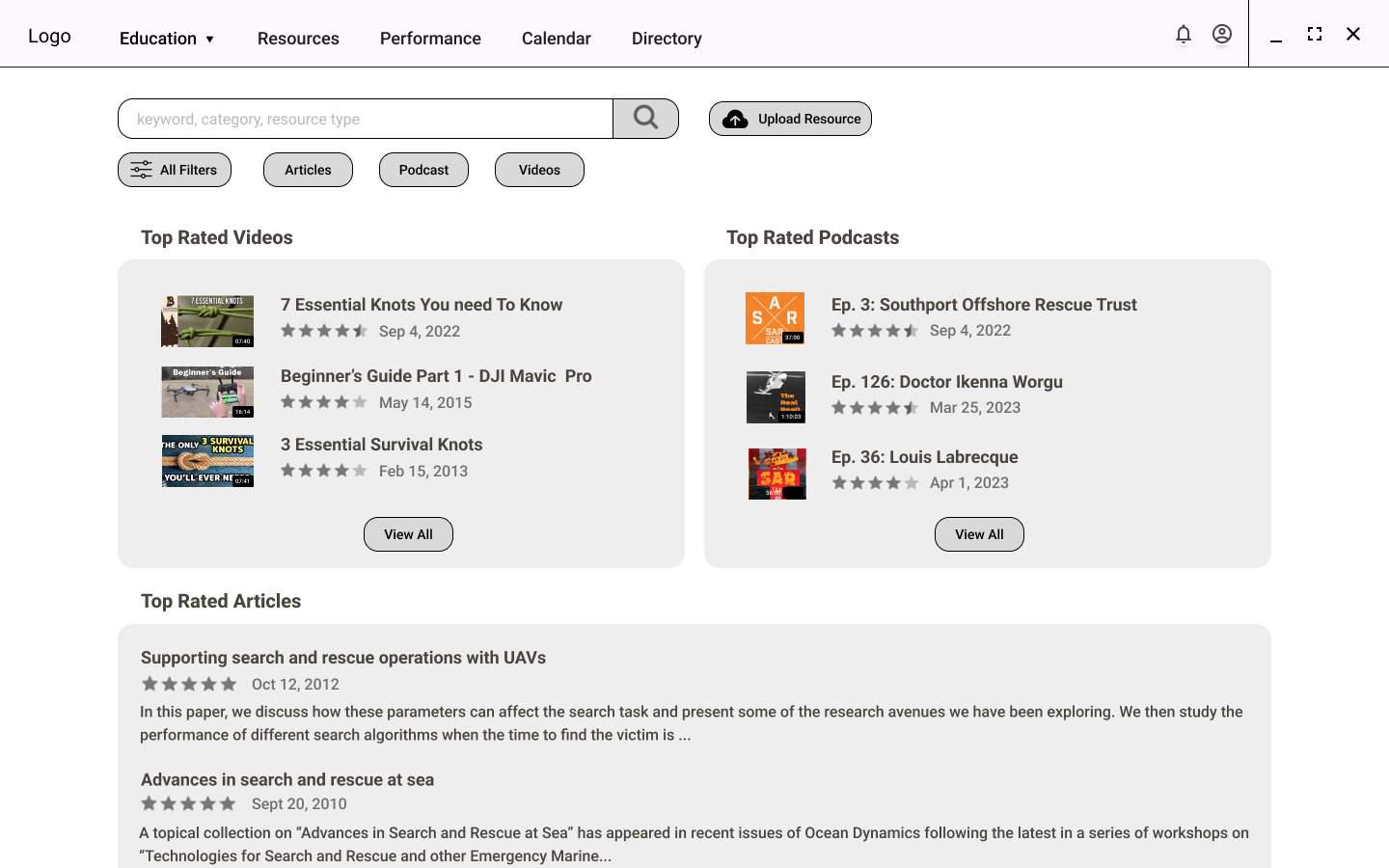
Resource Library Home Page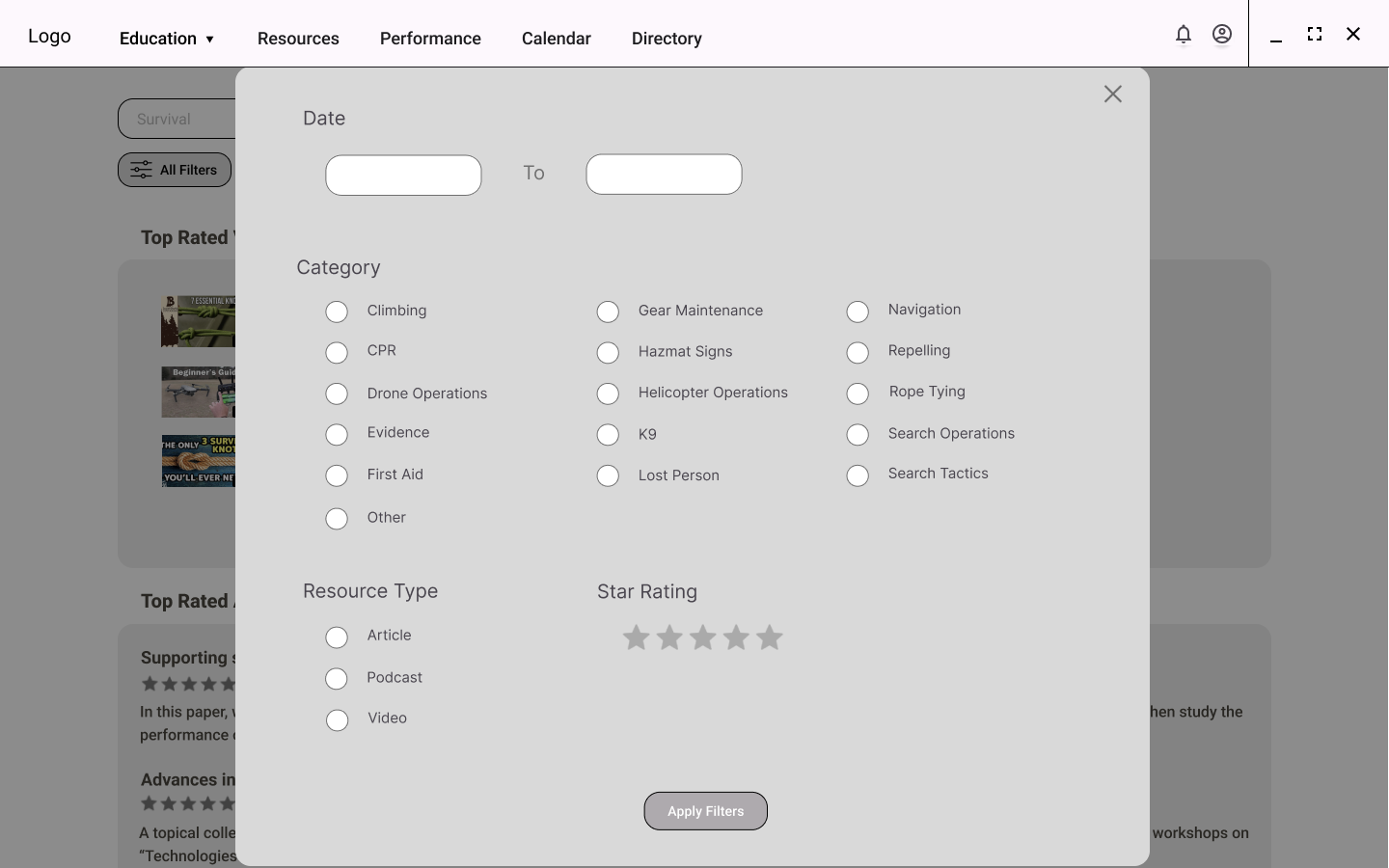
Resource Library Advanced Search Filters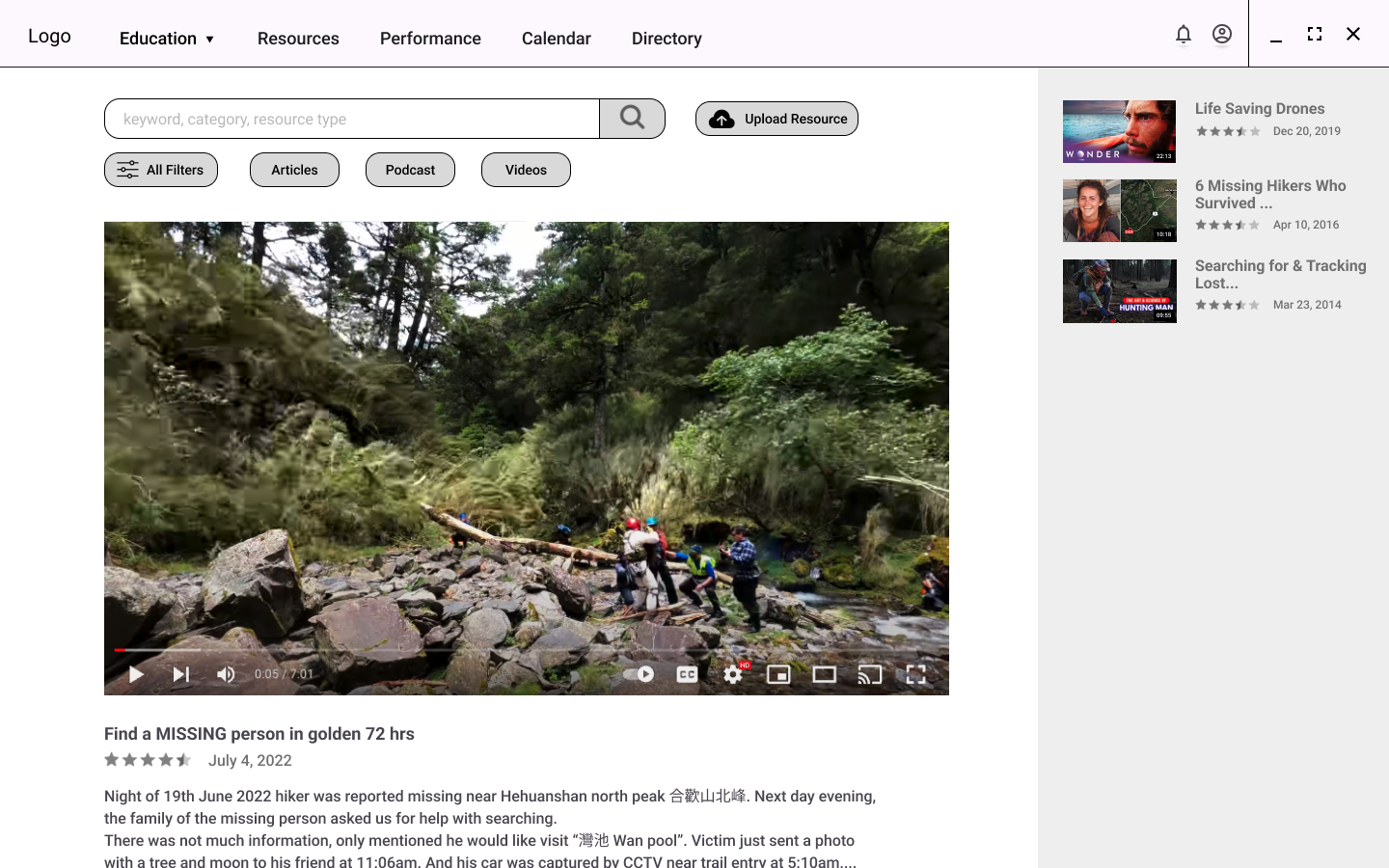
Resource Library Video Viewing ScreenVolunteers can add a new resource by pasting the URL into the Resource Link text box. Any information that the system can pull from the original site will be added to make resources easy to find.
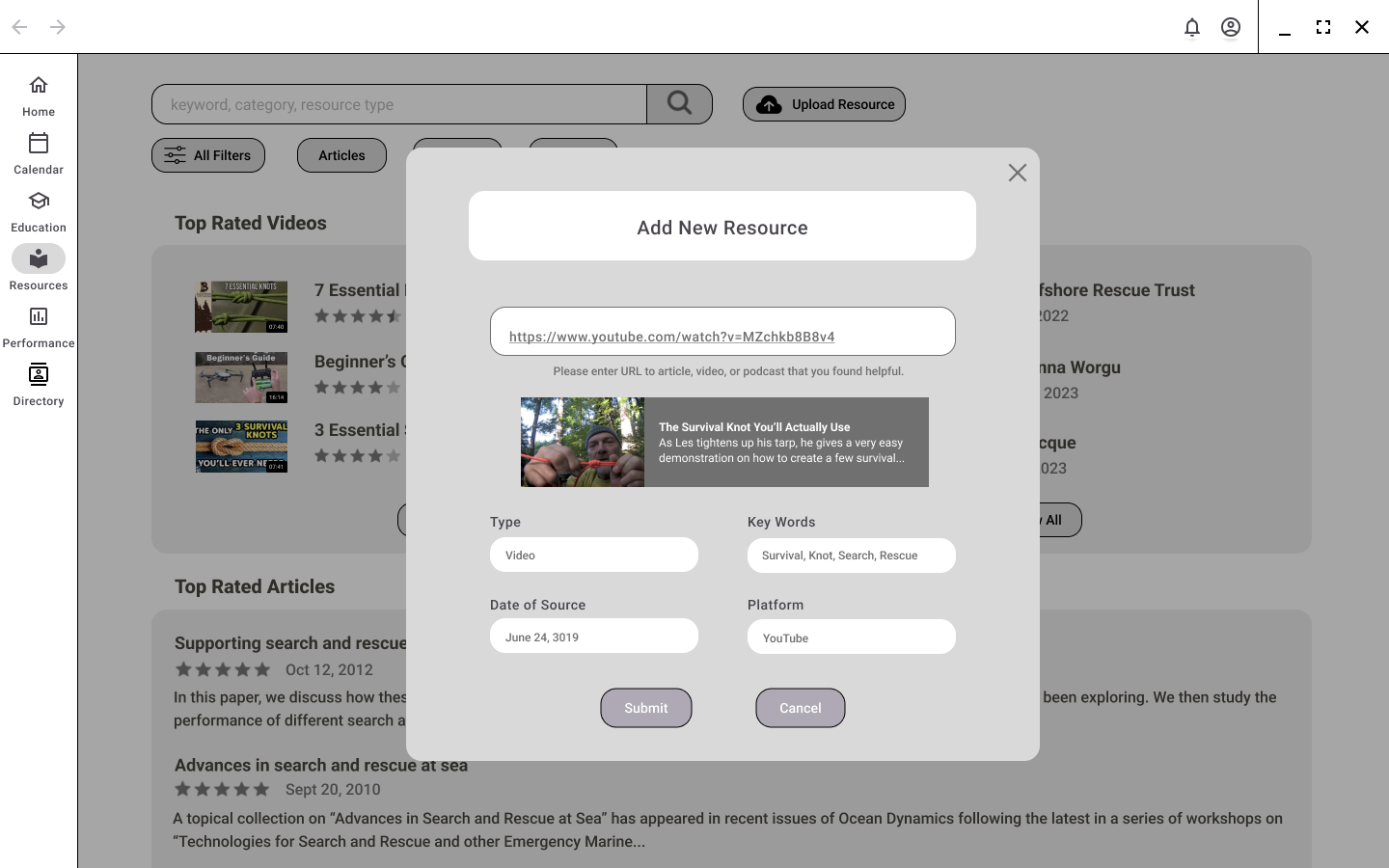
Add a New Resource Screen with URL and Information from SitePerformance | Elizabeth Anderson
The Performance page is where volunteers can complete evaluations for teammate performance on missions. Volunteers can also see their performance evaluations and overall performance. The radar chart can be filtered to compare their performance from past years or standardized roles. For example, from the standardized roles, the user can compare their skills to what they would need to become a drone operator or a volunteer with five years of experience.
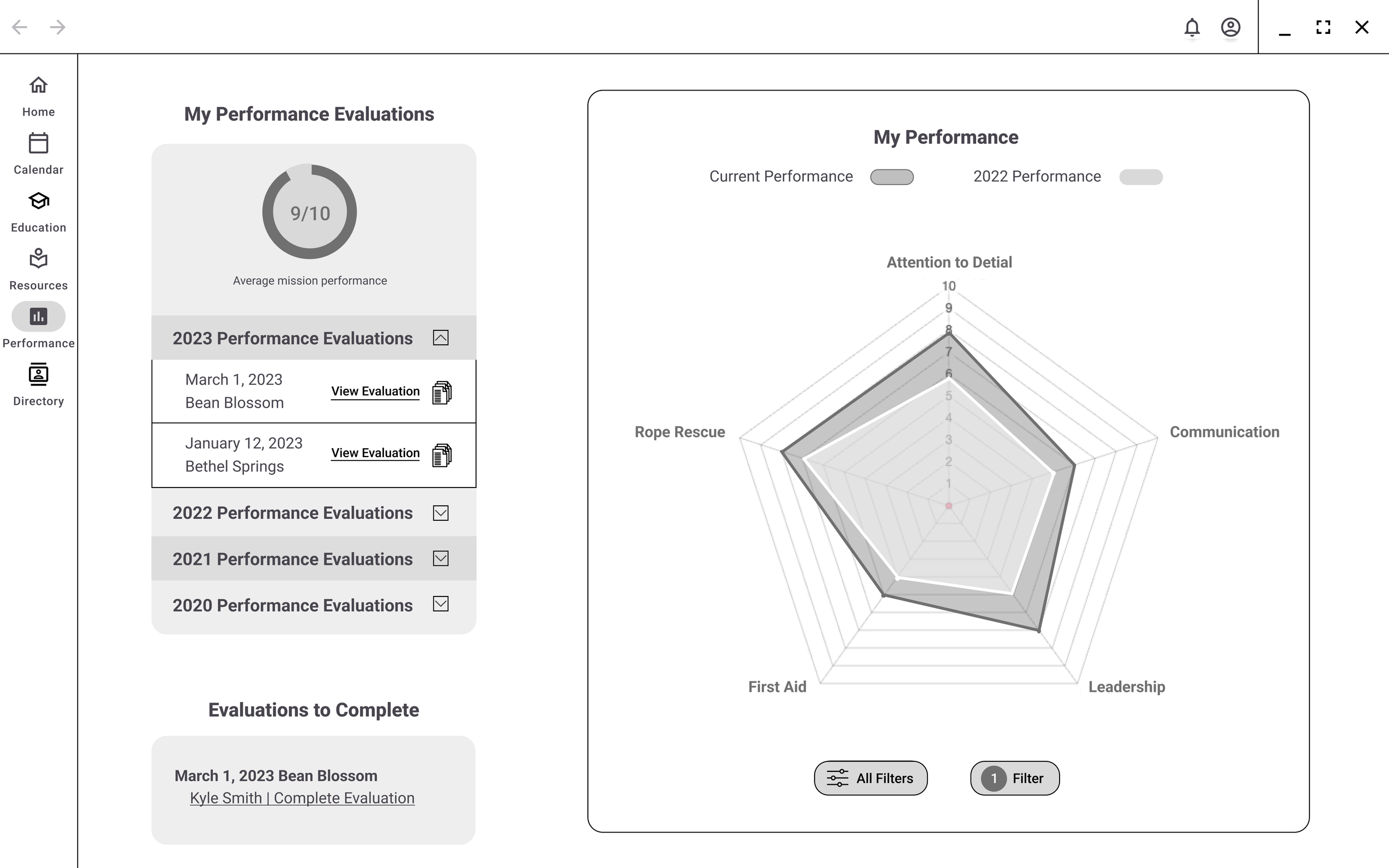
Performance Home Page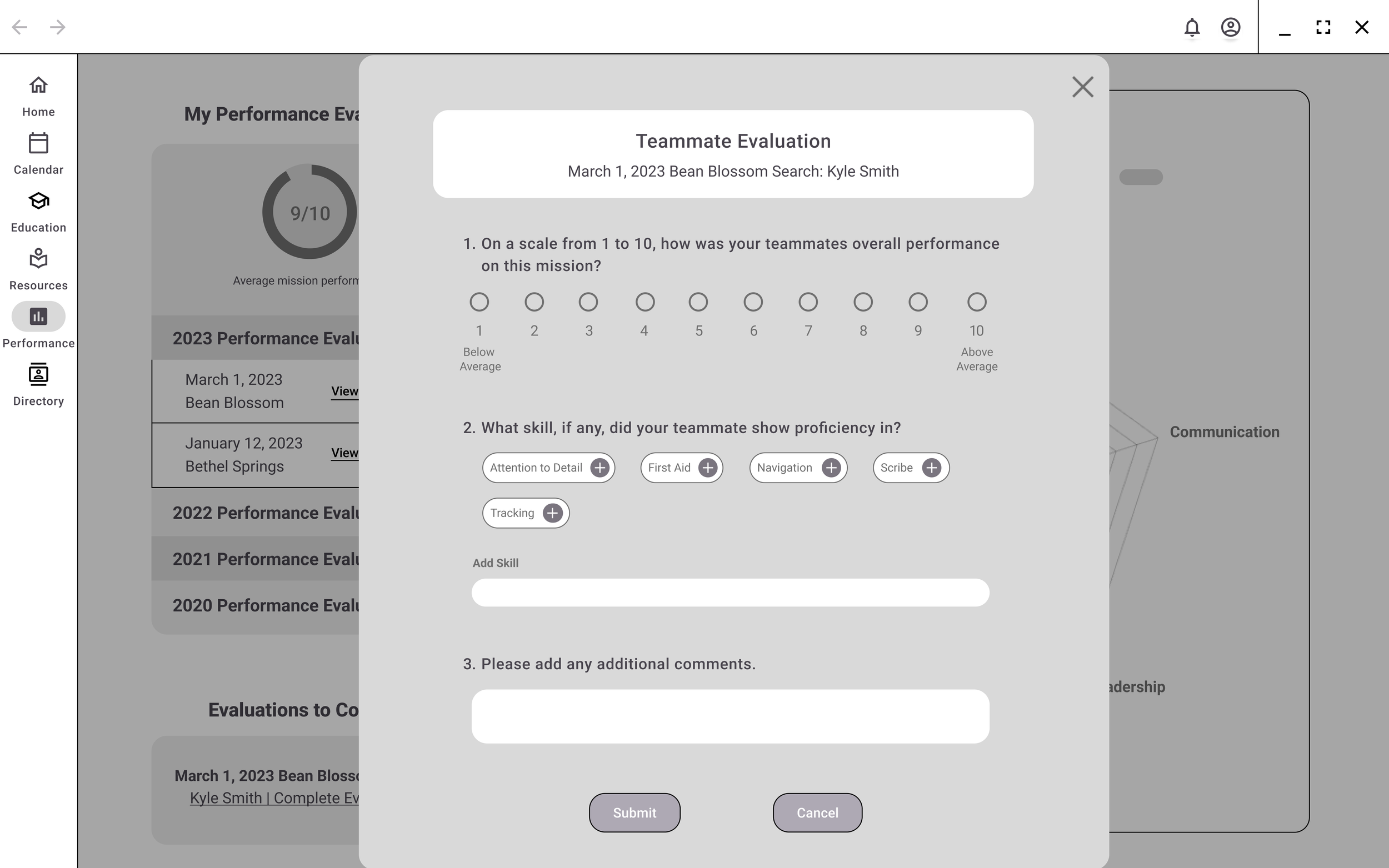
Evaluation Form to Rate Teammate Performance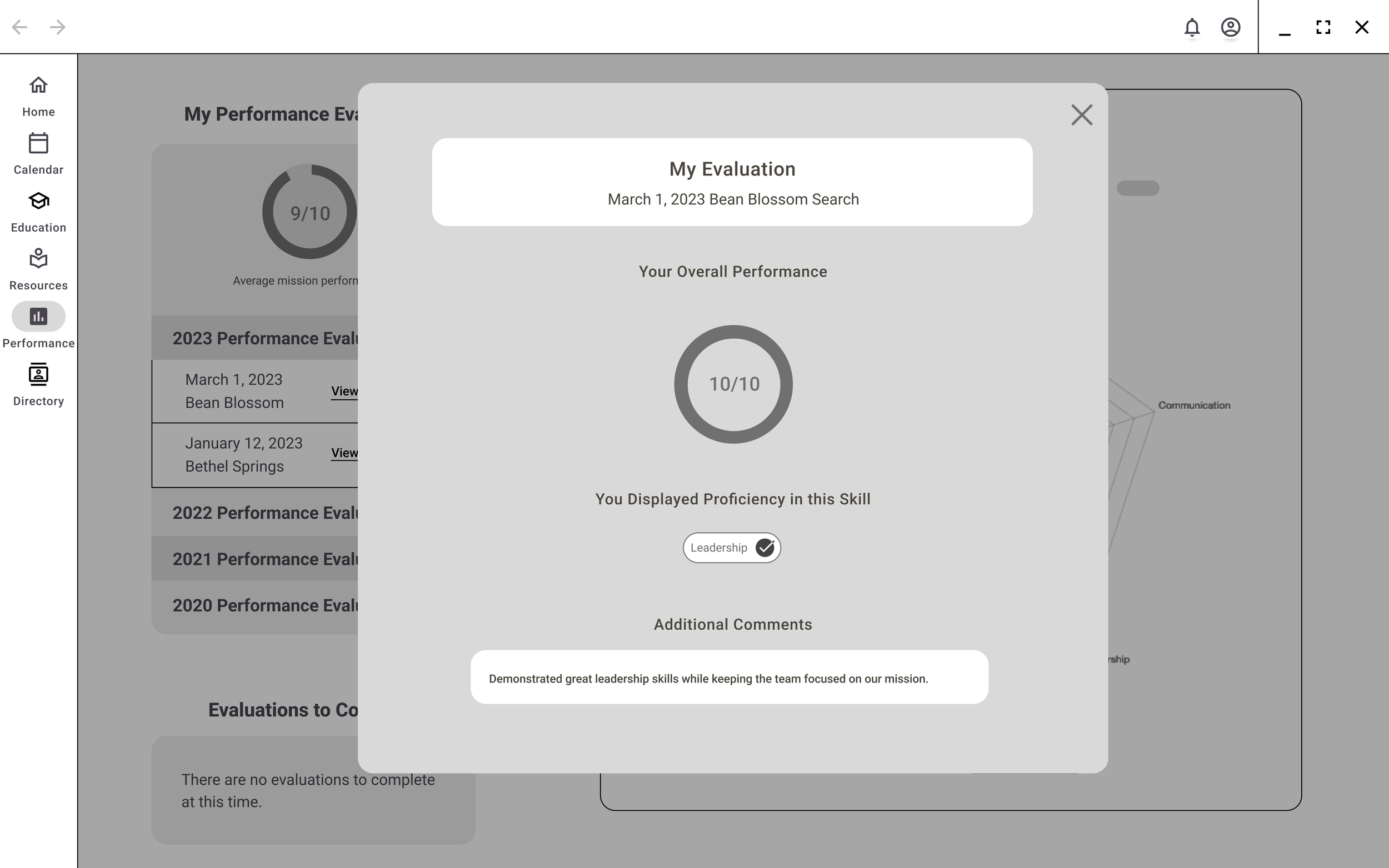
Evaluation Form Completed by Teammate Course Details and Billing | Nimisha Thakur
The learning platform provides a Course Catalog page that lists all the available courses. The users have the option to filter the courses based on different parameters such as popularity, recommendation, level of study, category, location, and price. After selecting a course, the users can access detailed information about it, including its description, learning objectives, duration, and instructor details. If the user wants to enroll in the course, they can add it to their cart or directly purchase it from the billing page.
The My Courses page is a useful feature that allows users to keep track of the courses they are currently taking, as well as the courses they have previously completed. By providing a centralized location for users to view their course history, the page offers a convenient way to monitor their progress and plan their future learning.
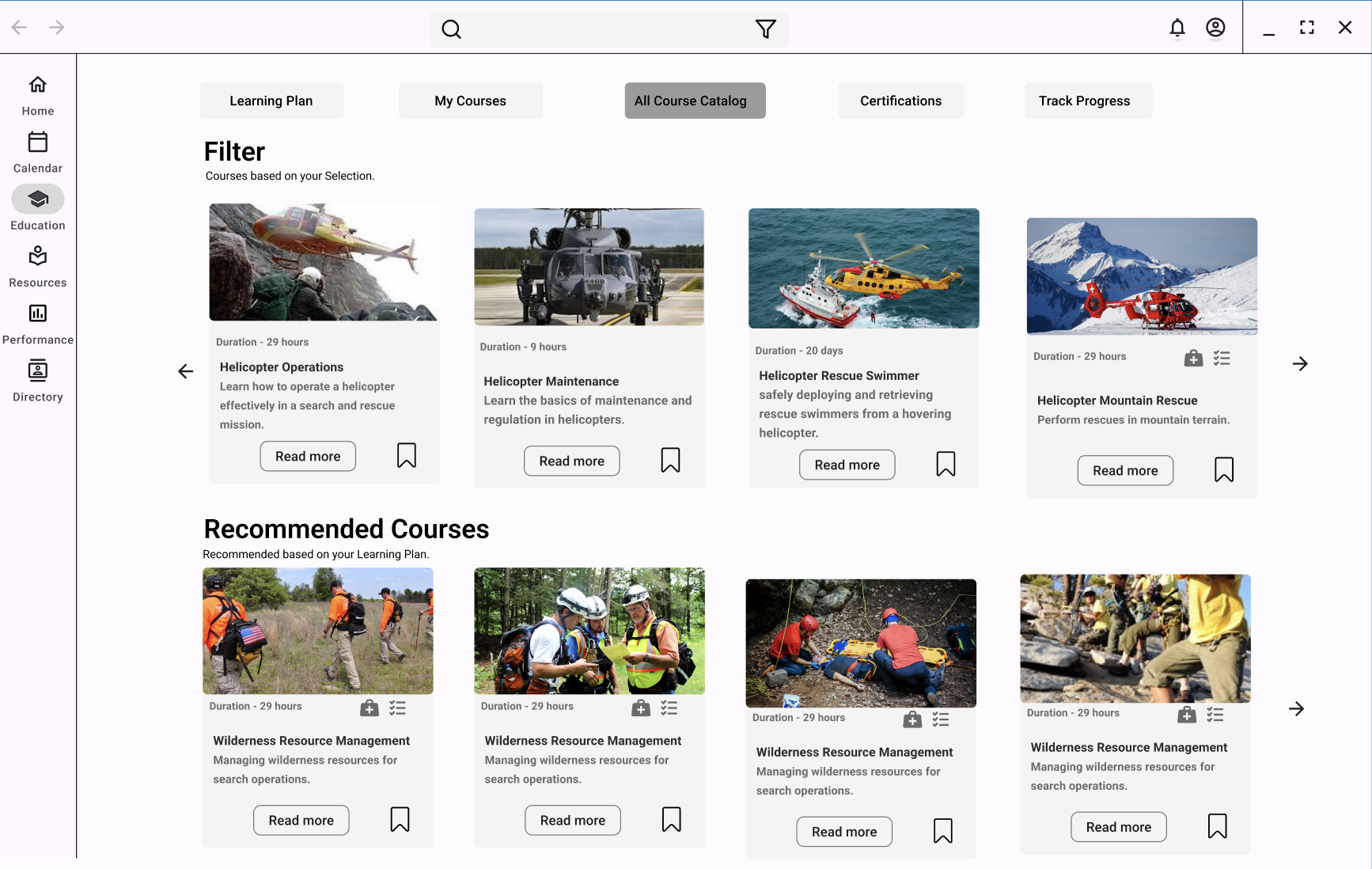
Course Catalog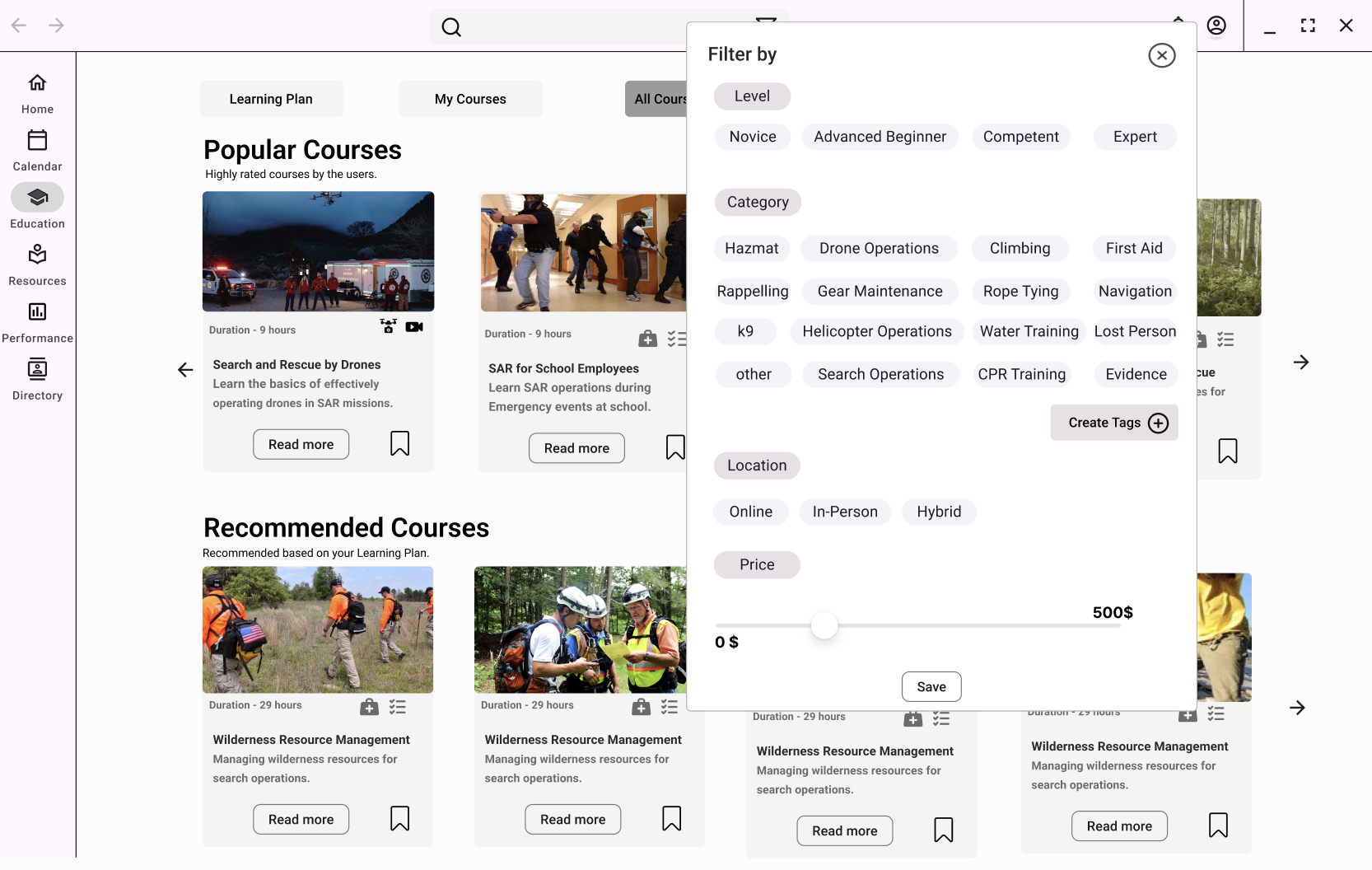
Course Filter Feature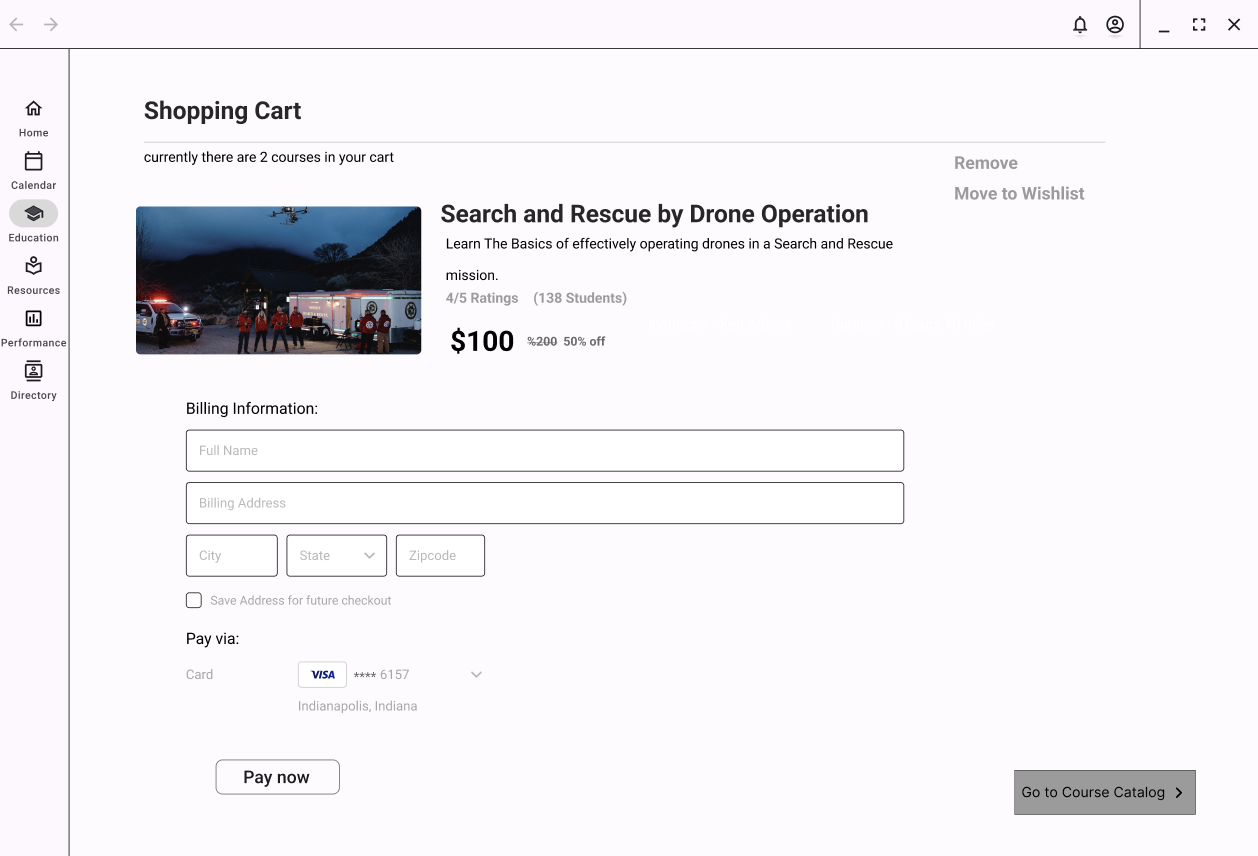
Shopping Cart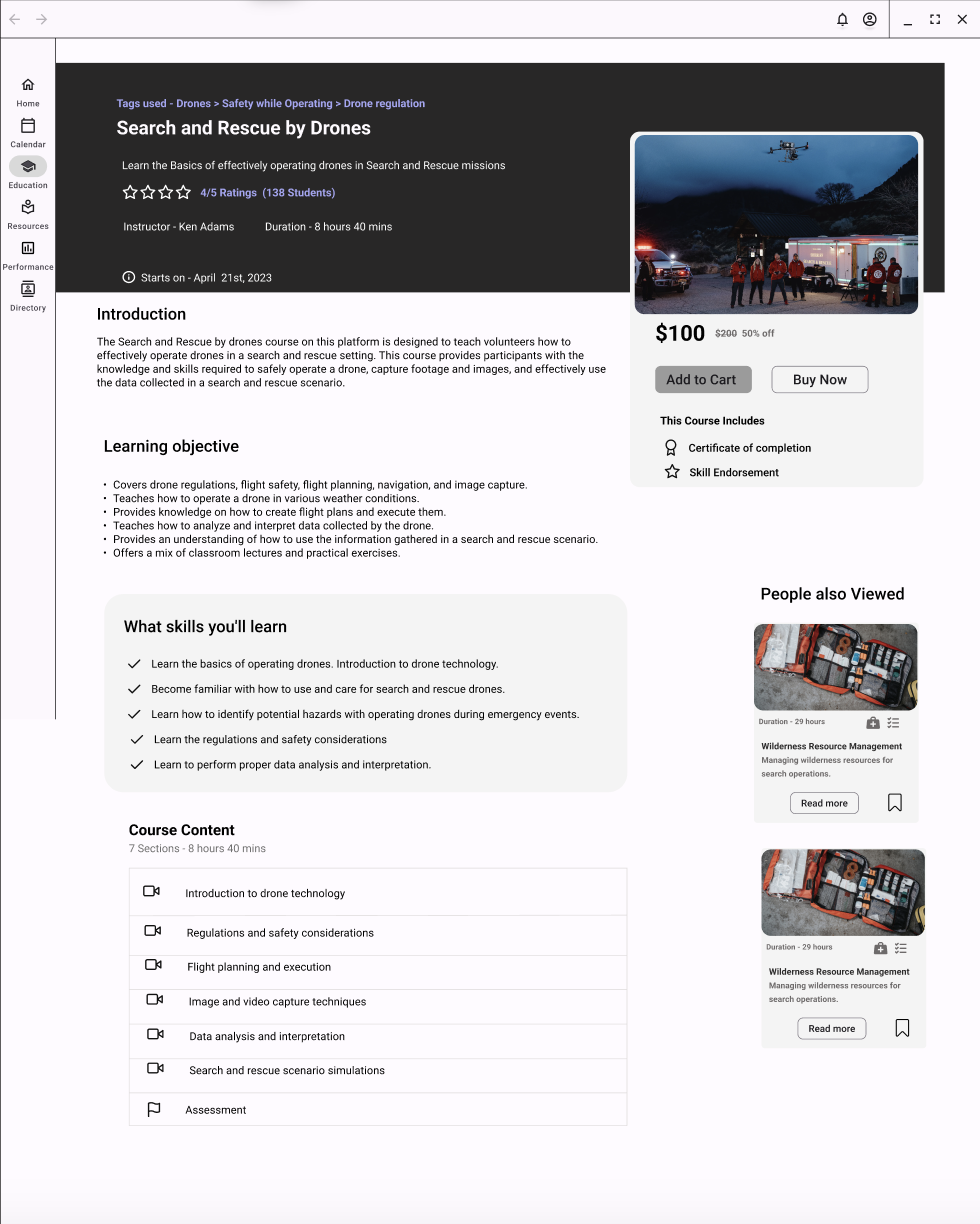
Course Details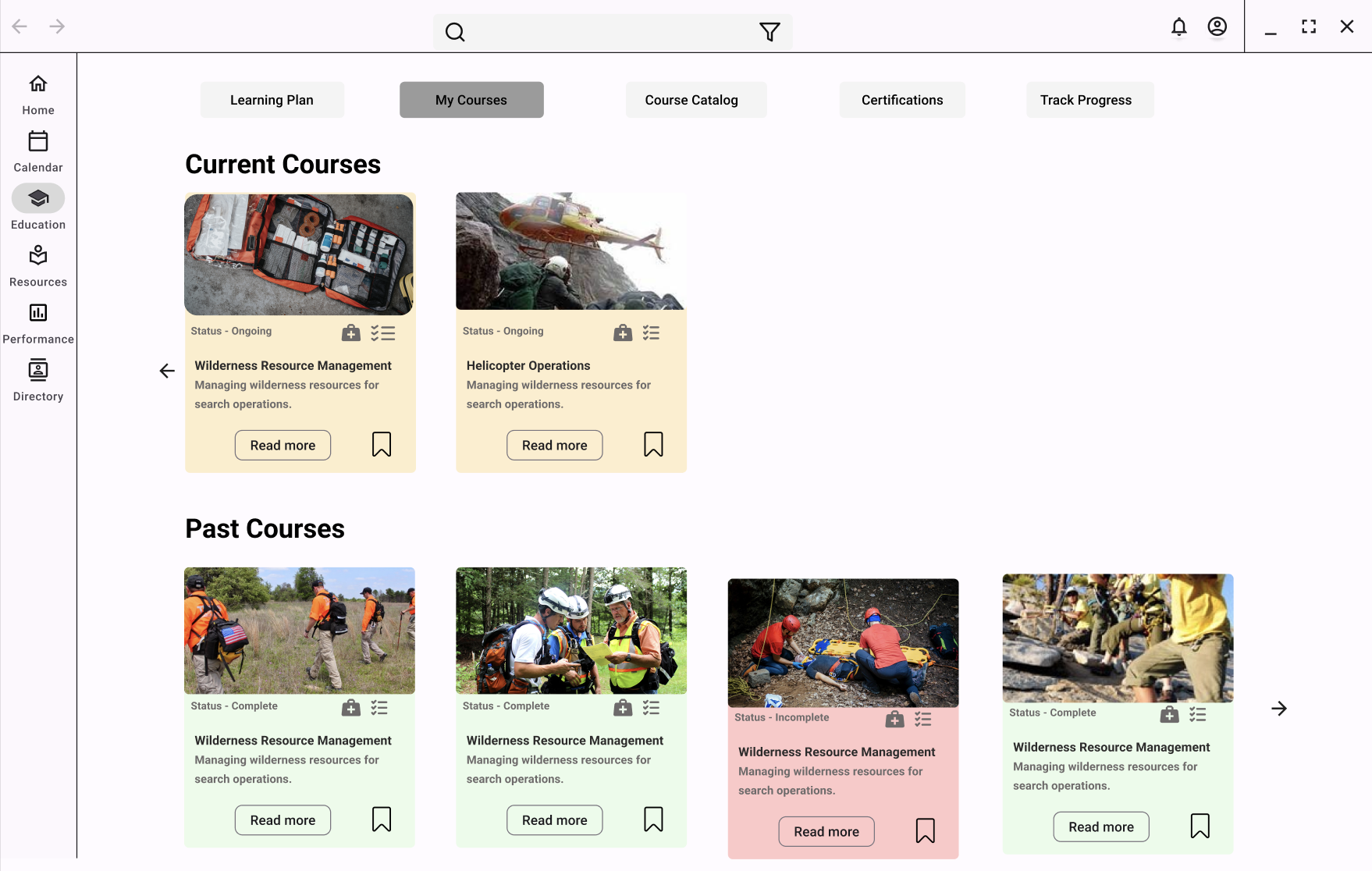
My CoursesLearning Plan | Nimisha Thakur
On the Learning Plan page of this platform, users can view their current courses and certifications, as well as a graphical representation of their learning path. This allows the users to track their progress and stay informed about their learning achievements in a visually engaging manner.
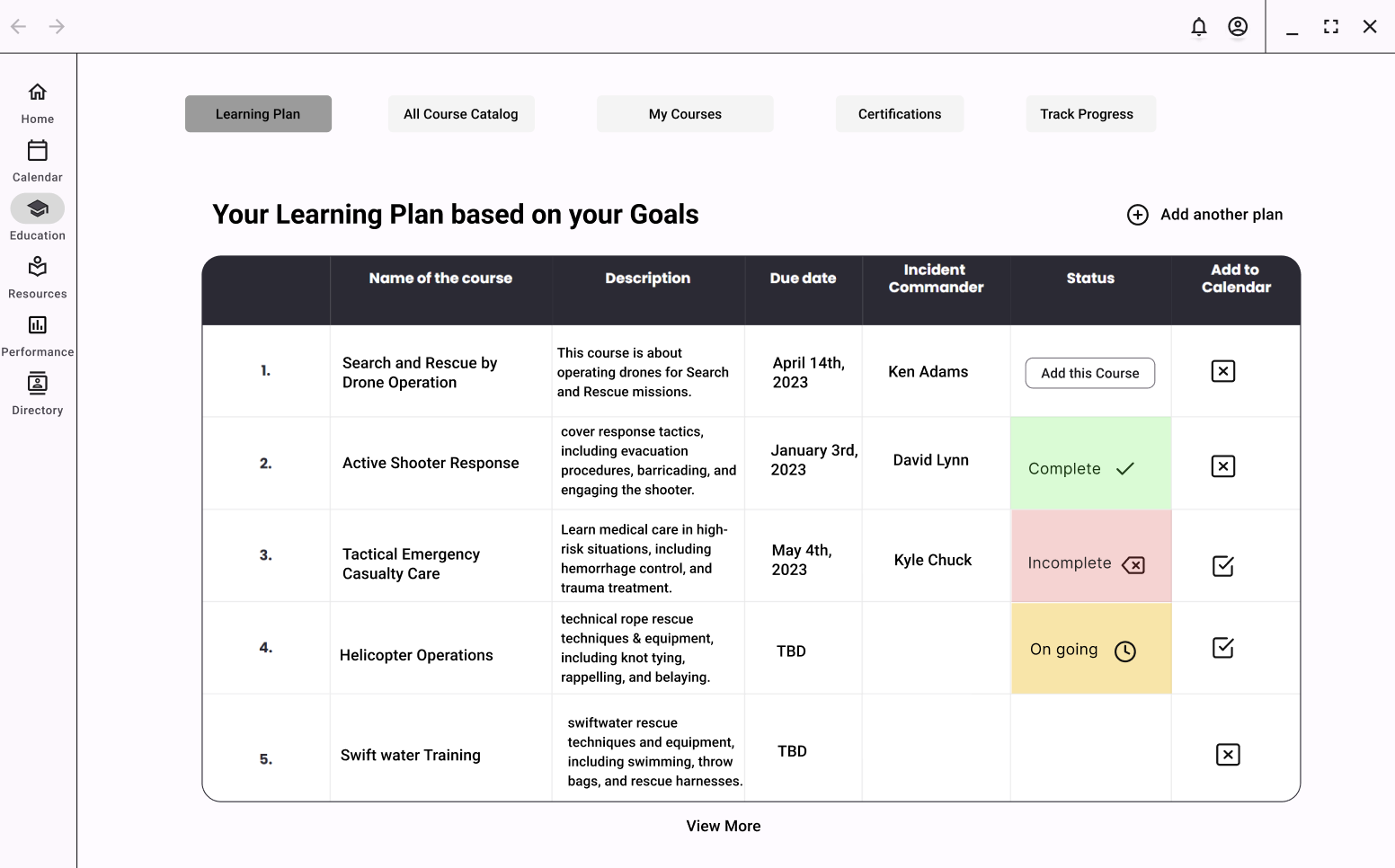
Learning Plan Page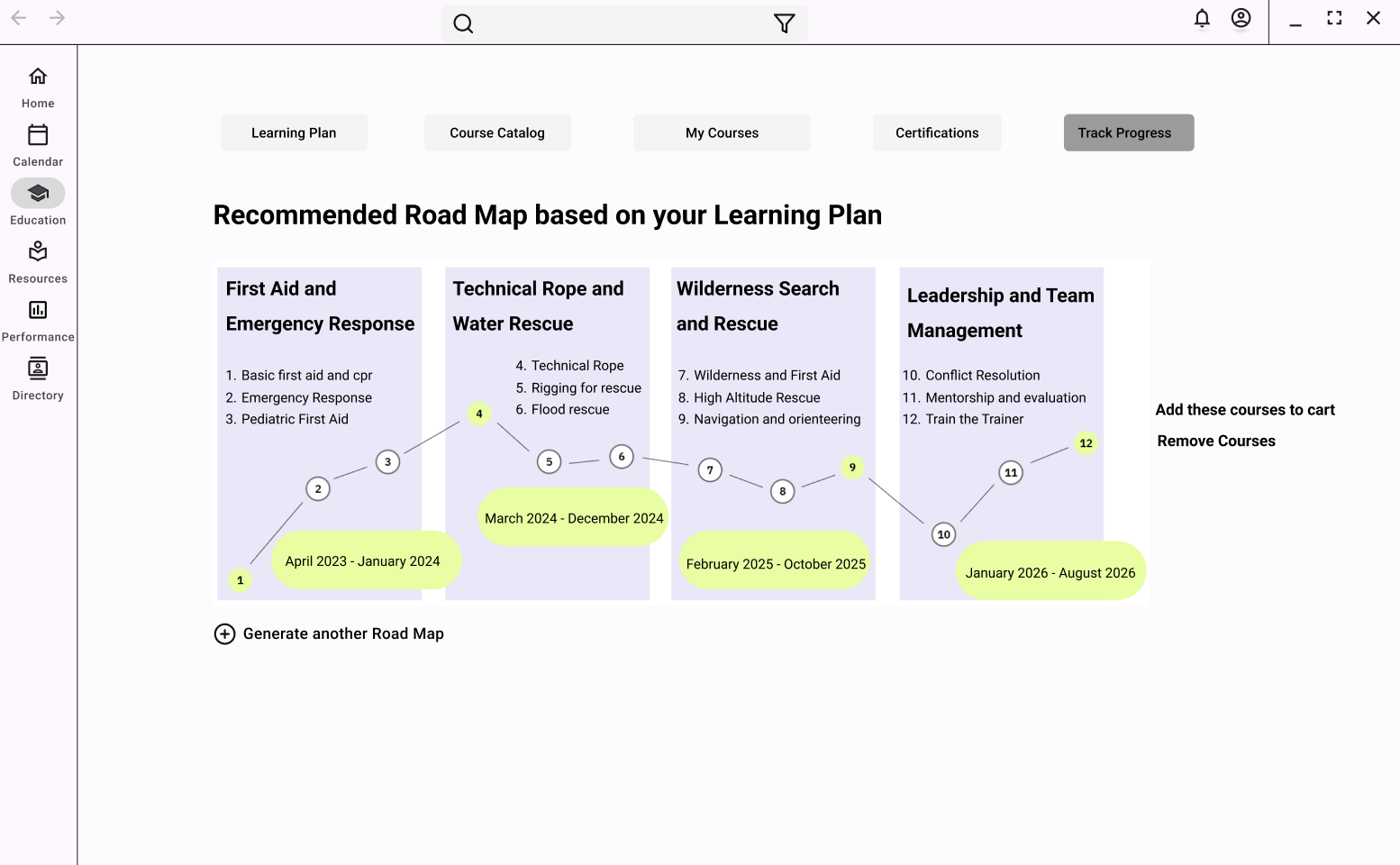
Roadmap PageCertifications | Nimisha Thakur
The Certifications page plays a crucial role in maintaining accurate records of the qualifications and credentials of search and rescue volunteers. It serves as a centralized platform to upload and store their earned certificates from the courses they have taken, including the initial courses required for certification. Volunteers can easily access and download their certificates from the page, and the system sends automated notifications when the certificates approach expiration dates. This feature helps volunteers remain aware of the status of their qualifications and take necessary steps to renew their certifications in a timely manner.
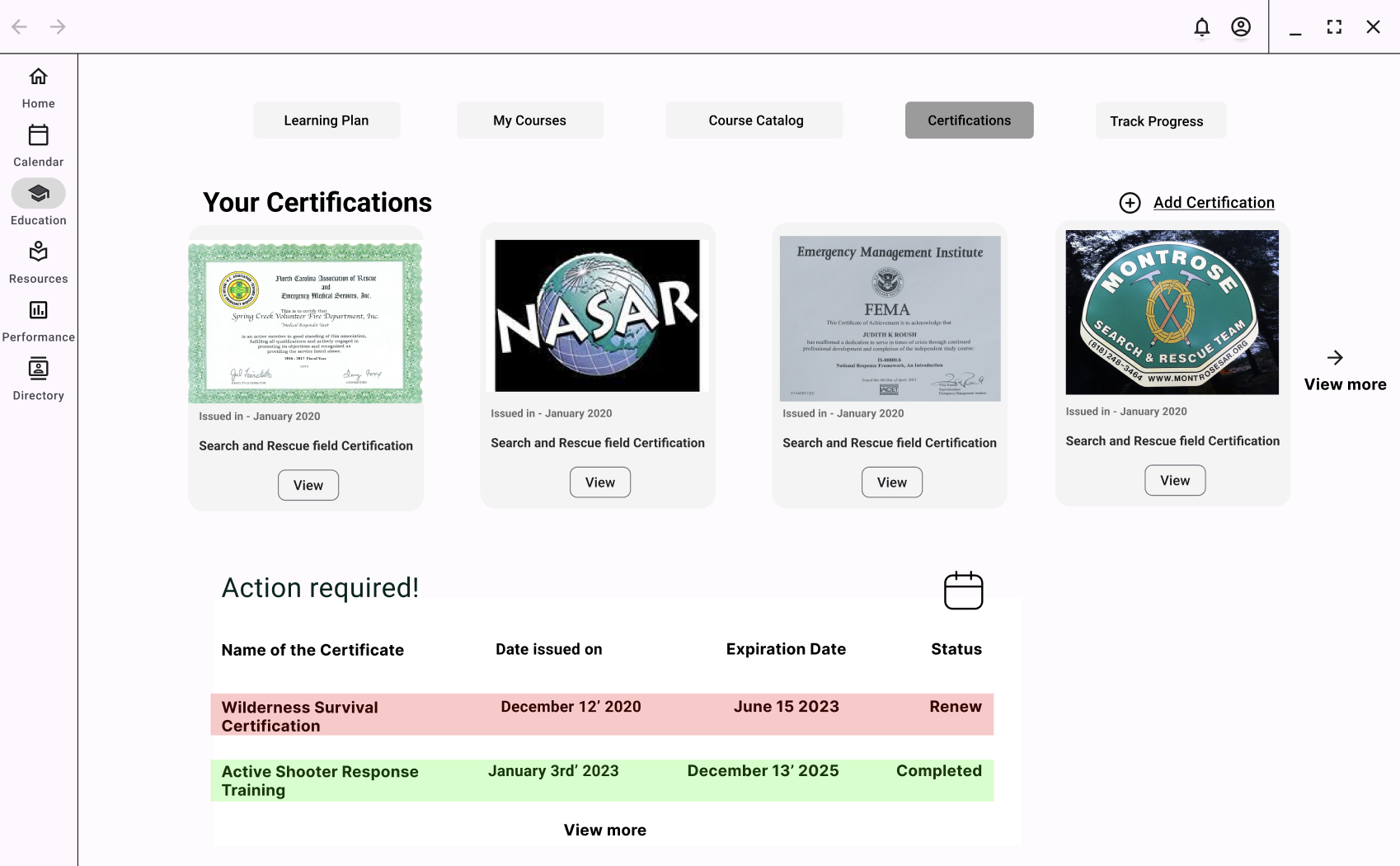
Certifications Home PageHome Dashboard | Mateusz Kosciuk
This is the home dashboard for a user. It is meant to be a place where users can get quick access/view to their most important information within the app. It shows what upcoming courses, expirations, and evaluations the user has. It also shows whether there is an active mission going on. The plus buttons allow the user to add on more items related to the card.
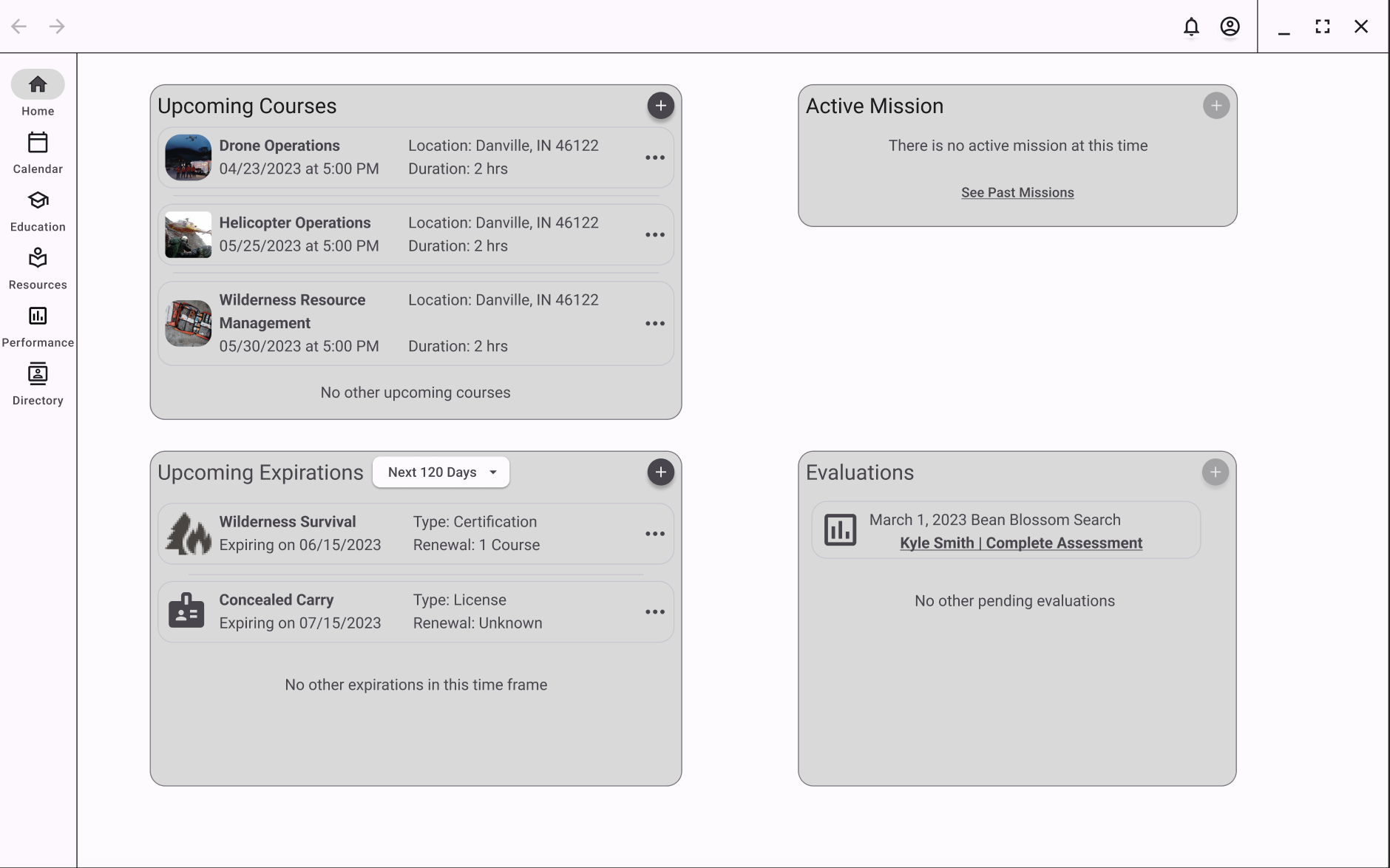
Home Dashboard - Volunteer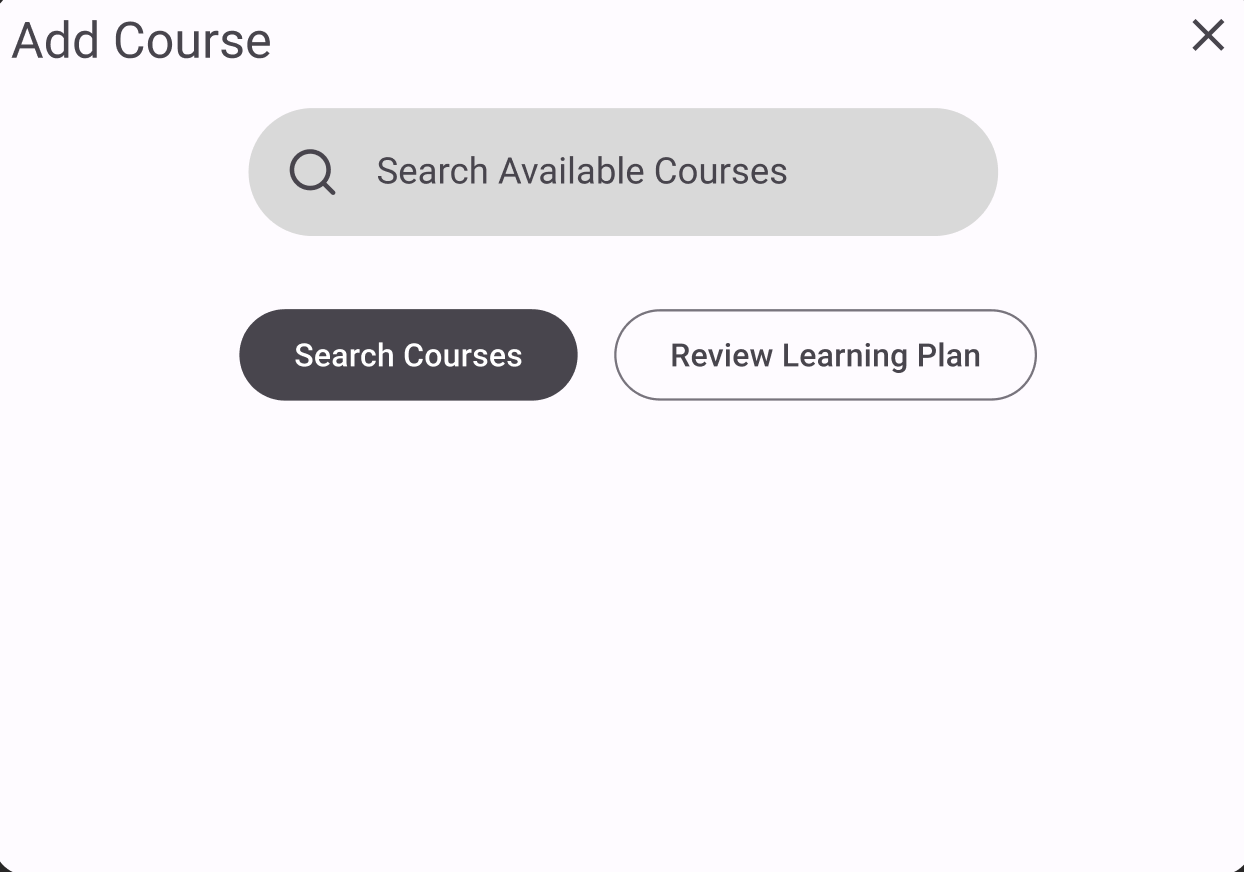
Add Course Pop Up (1)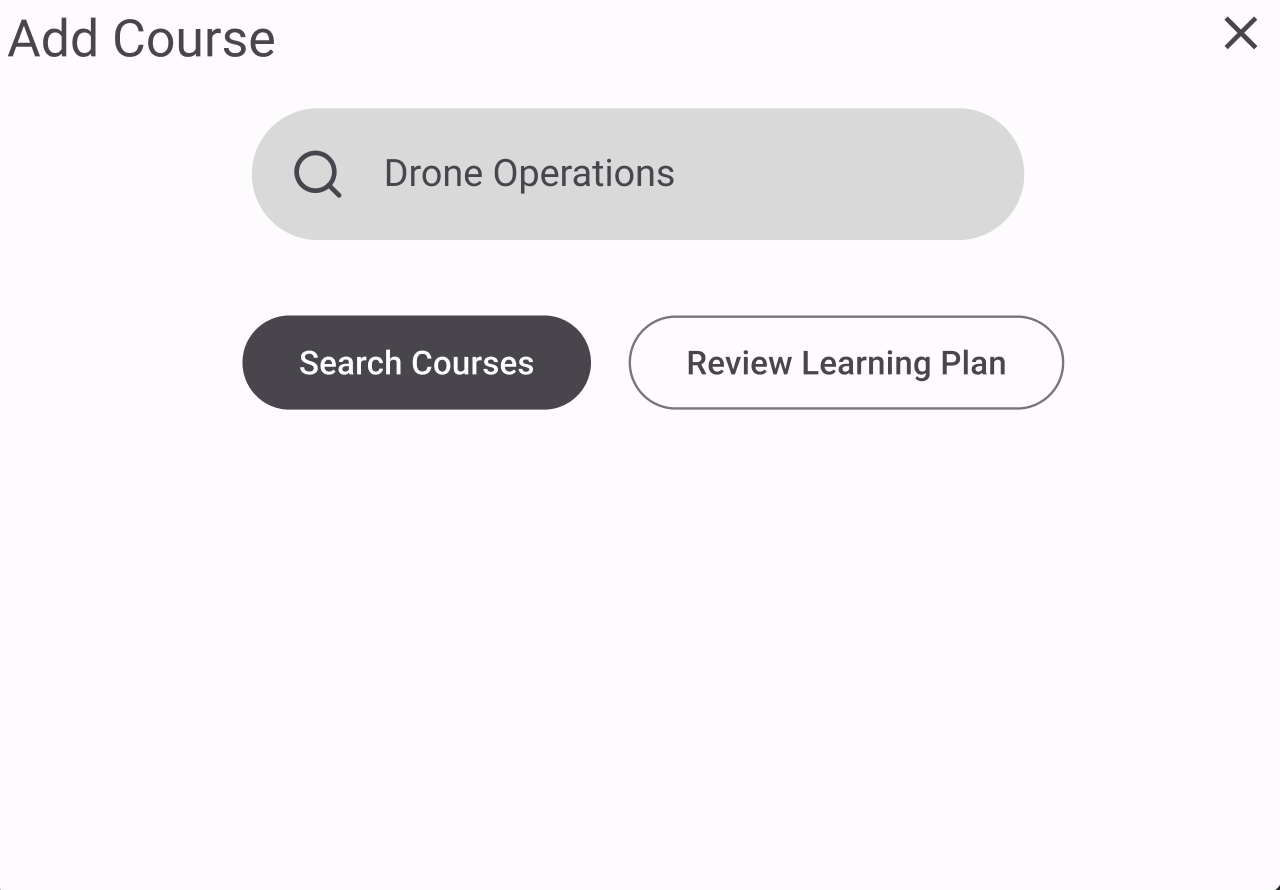
Add Course Pop Up (2)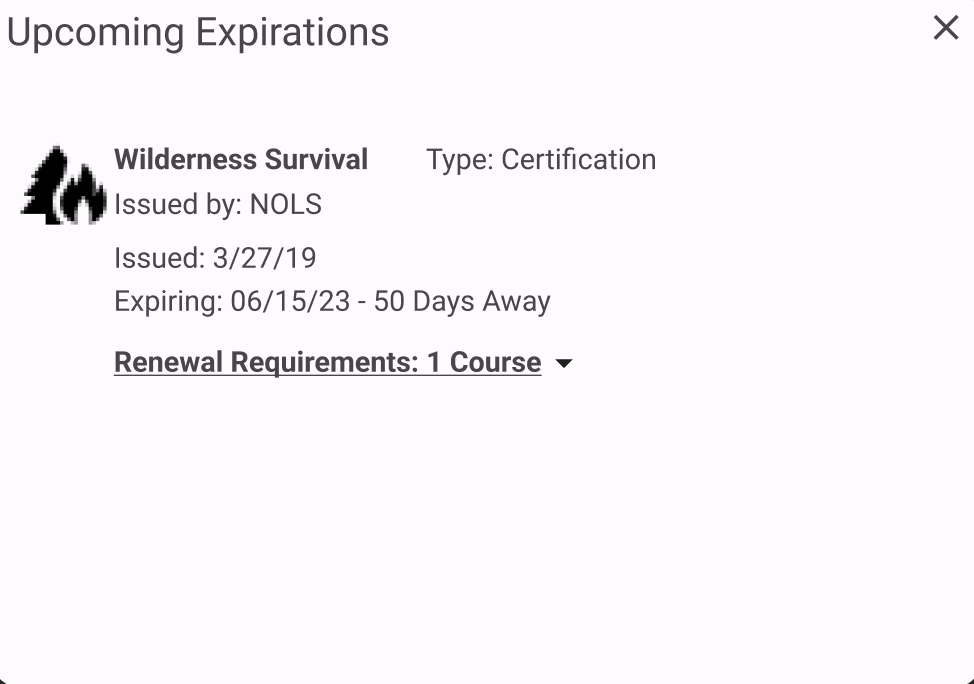
Upcoming Expiration Pop Up (1)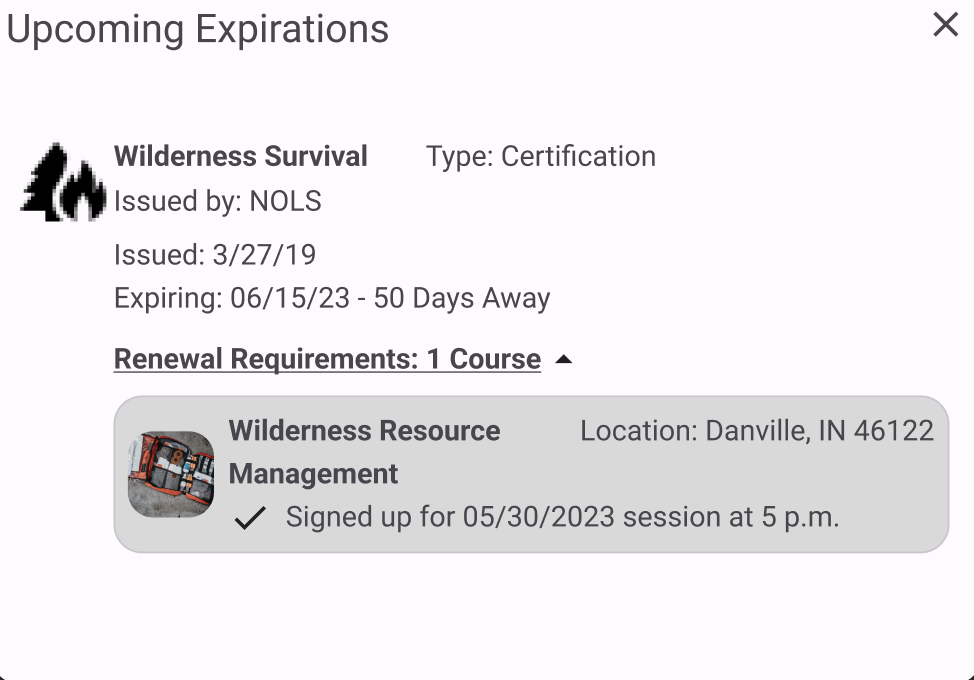
Upcoming Expiration Pop Up (2)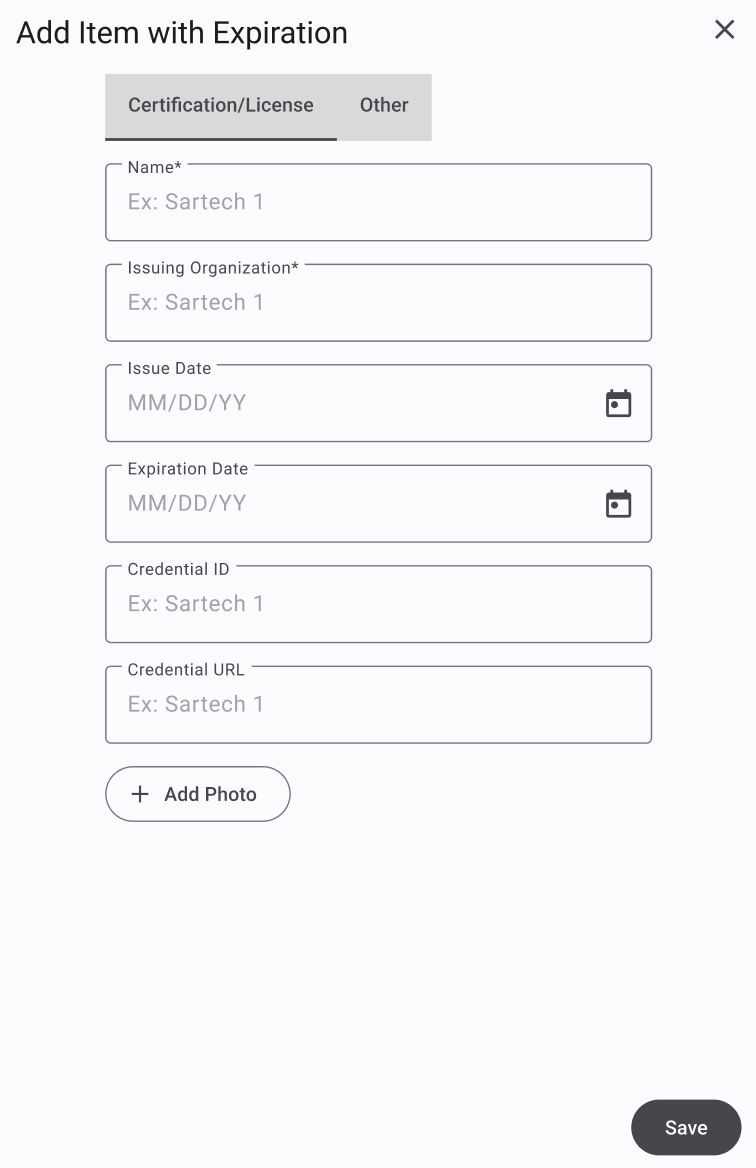
Add Item with ExpirationUser Profile Page | Mateusz Kosciuk
This is the own user profile page for the user, as well as the ability to add new certifications for yourself. It also includes a User Profile of someone else, which has the endorsing of skills enabled as well.
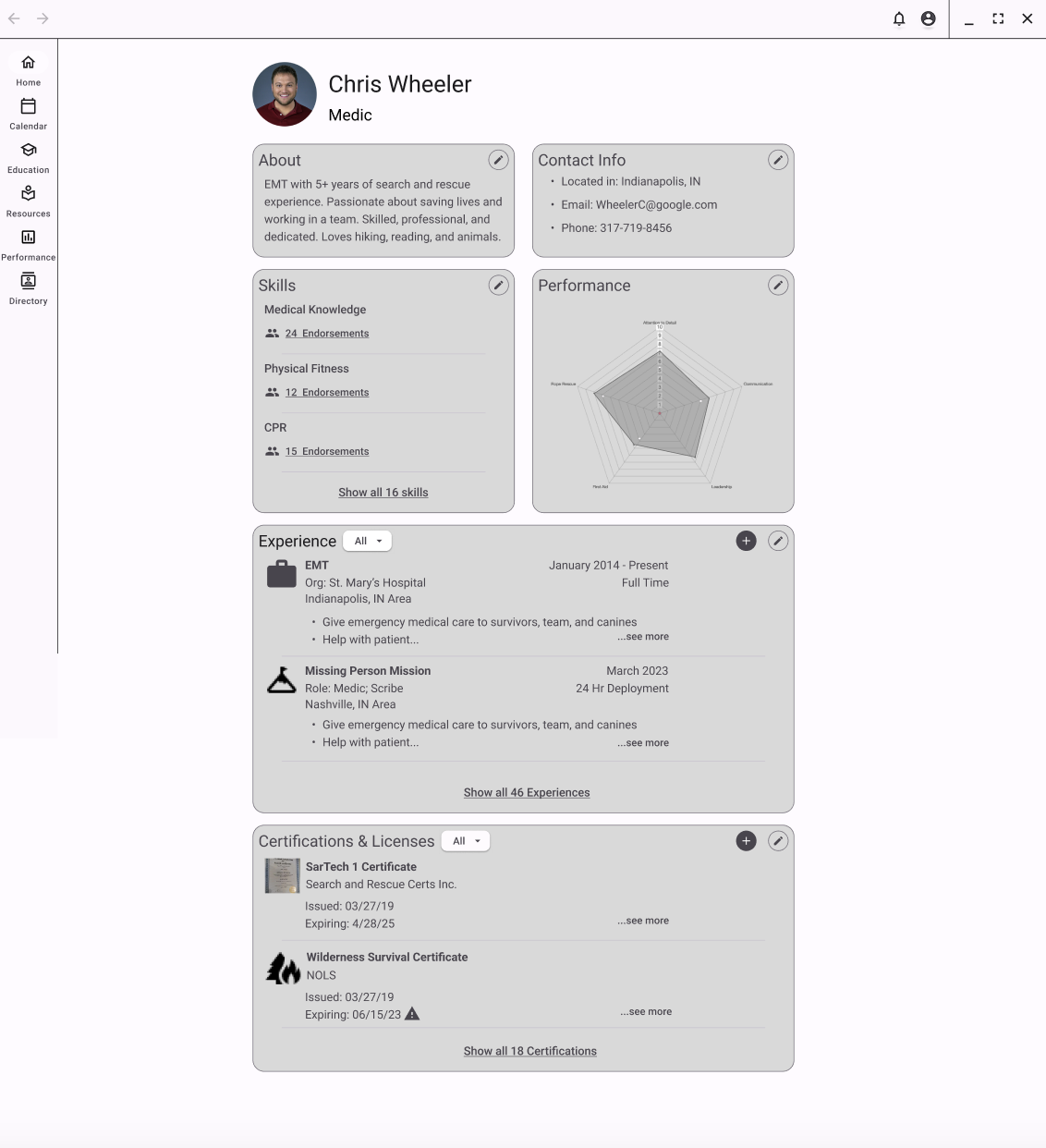
User Profile Page - User View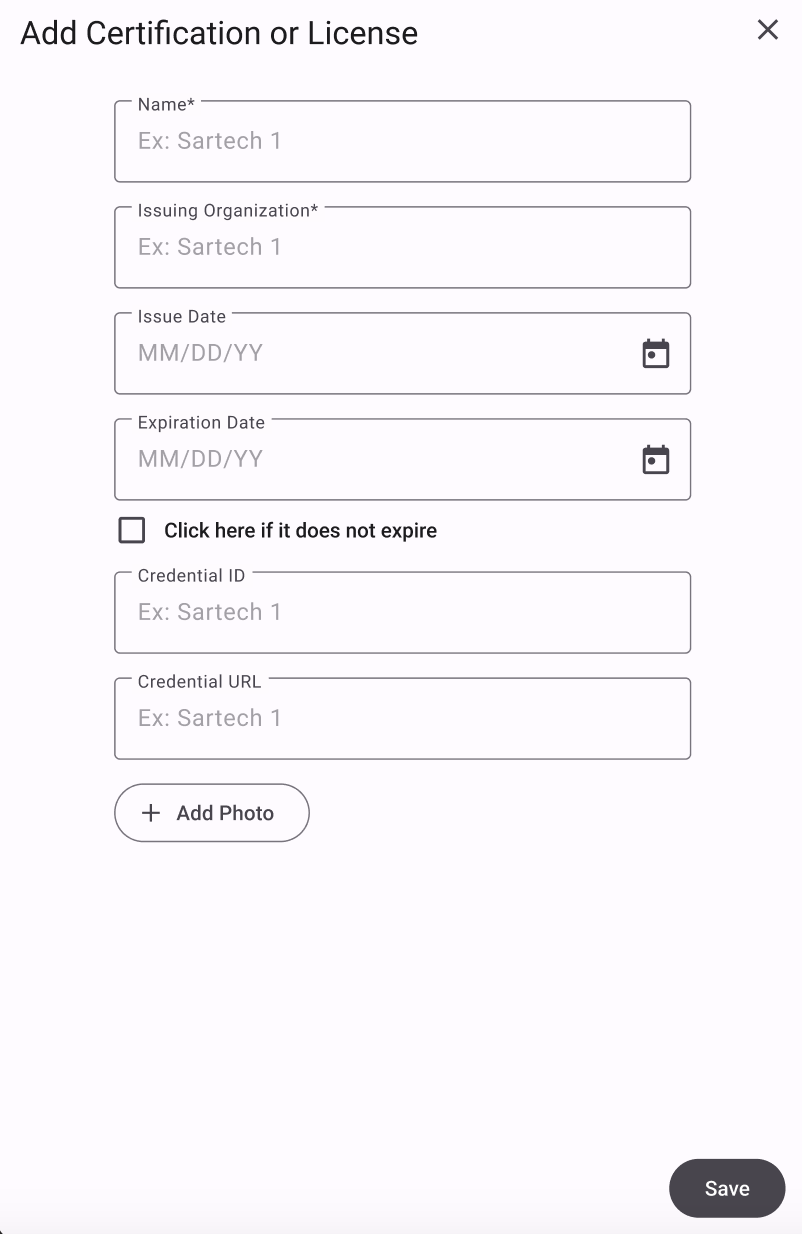
Add Certification (1)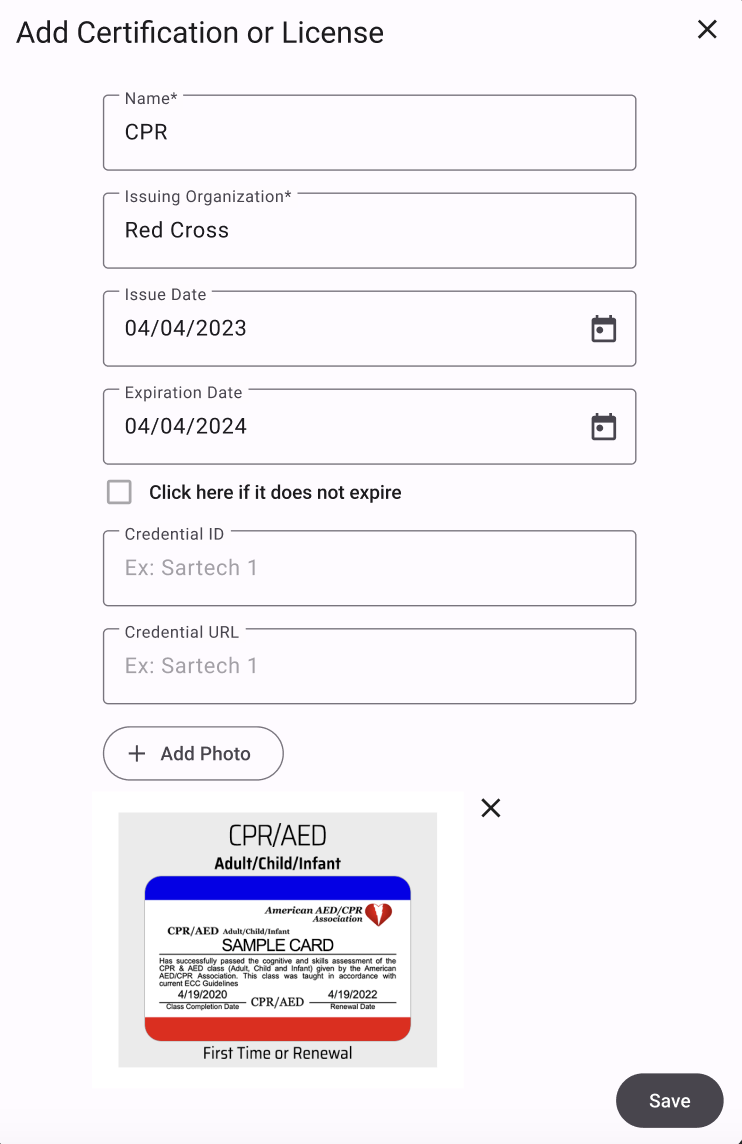
Add Certification (2)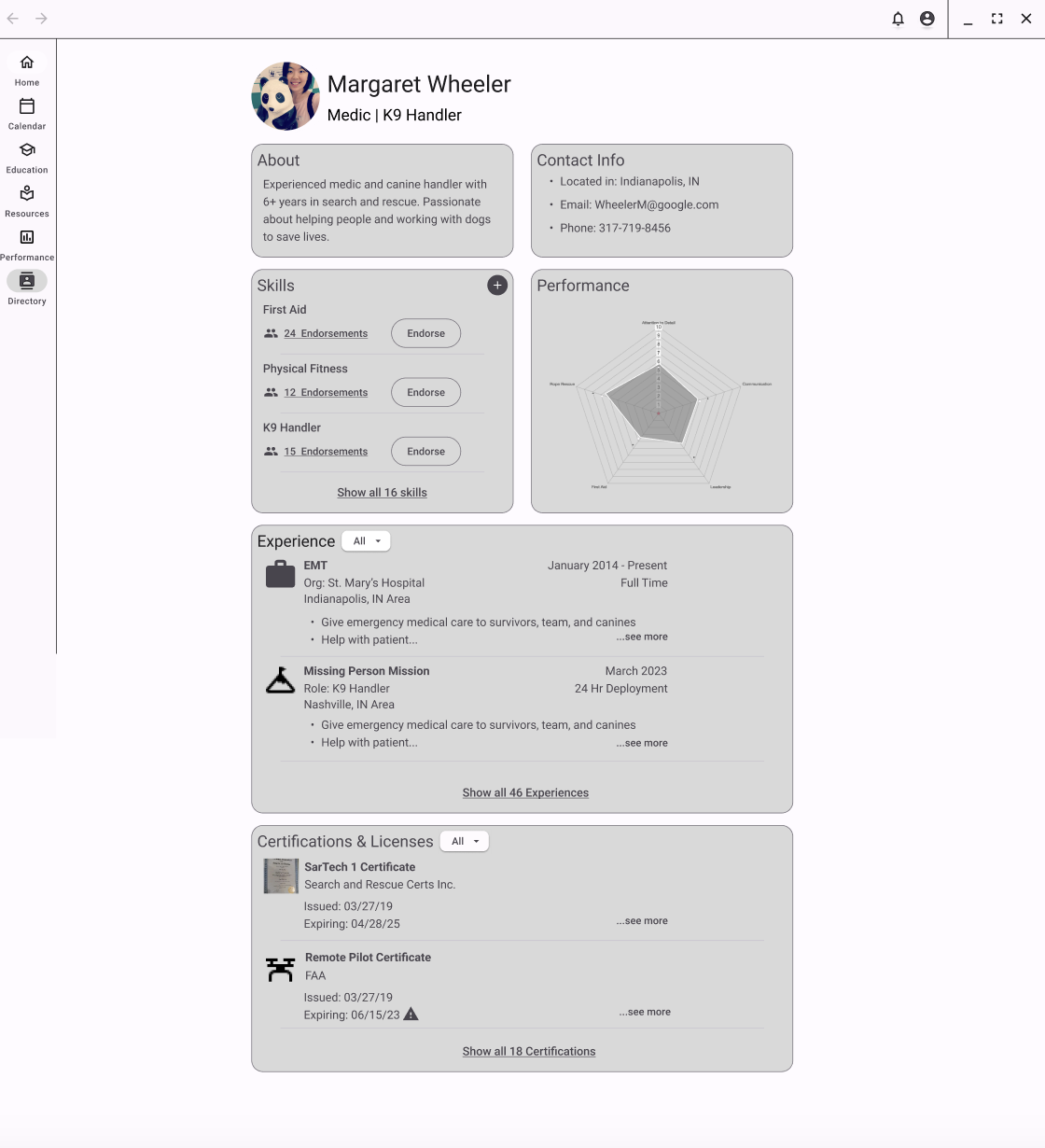
User Profile Page - Member View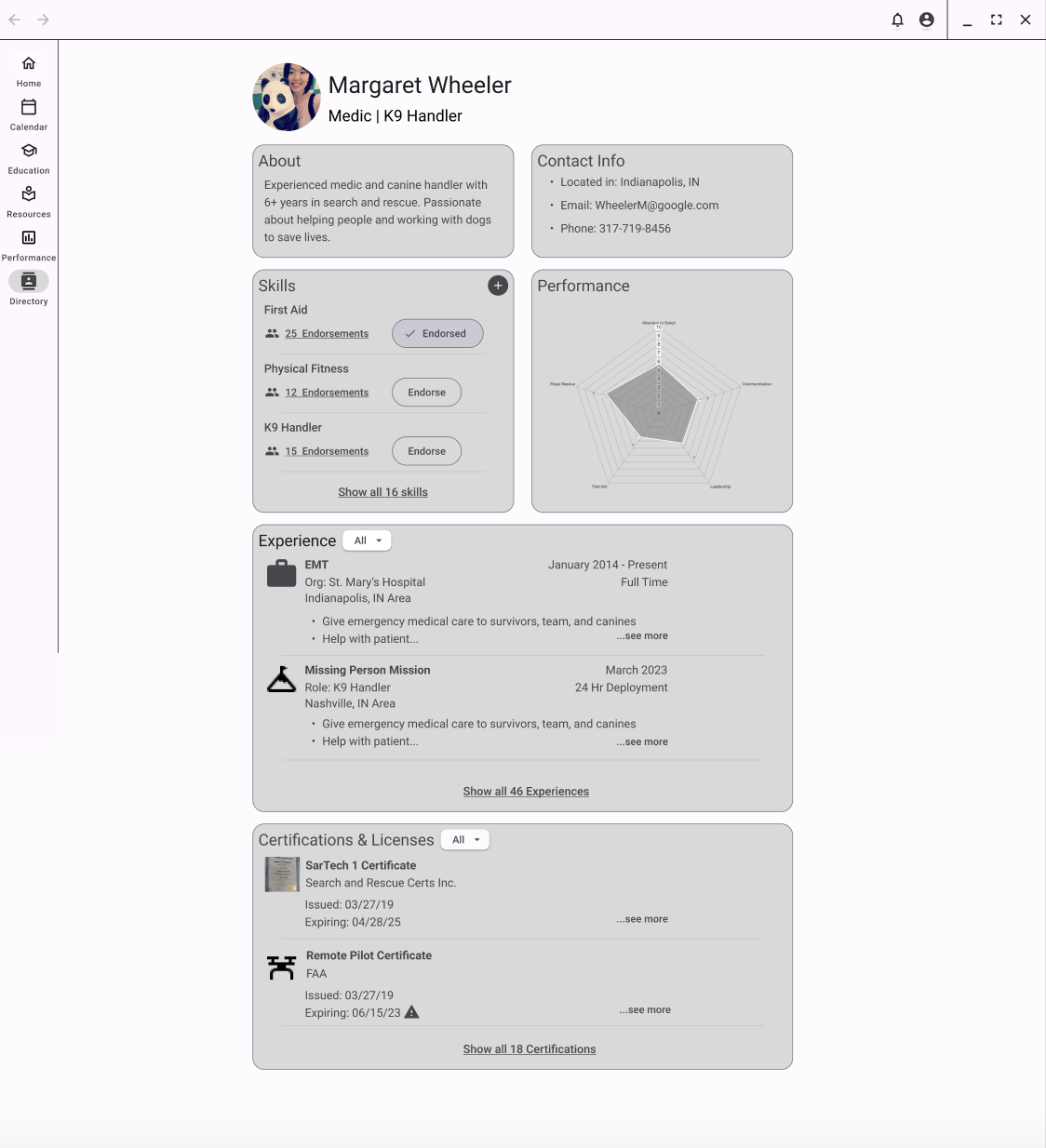
User Profile Page - Member View (After Endorsement)Incident Commander | Mateusz Kosciuk
This is the home dashboard for an Incident Commander. It is similar to a standard user home dashboard, but it also has the unit health section added in as well. This allows the incident commander to look at their unit as a whole, in this case having to do with their expirations for the unit. Once they click on it they get a pop up with the ability to see more specific details on who the members are that are having upcoming expirations and send notifications to them.
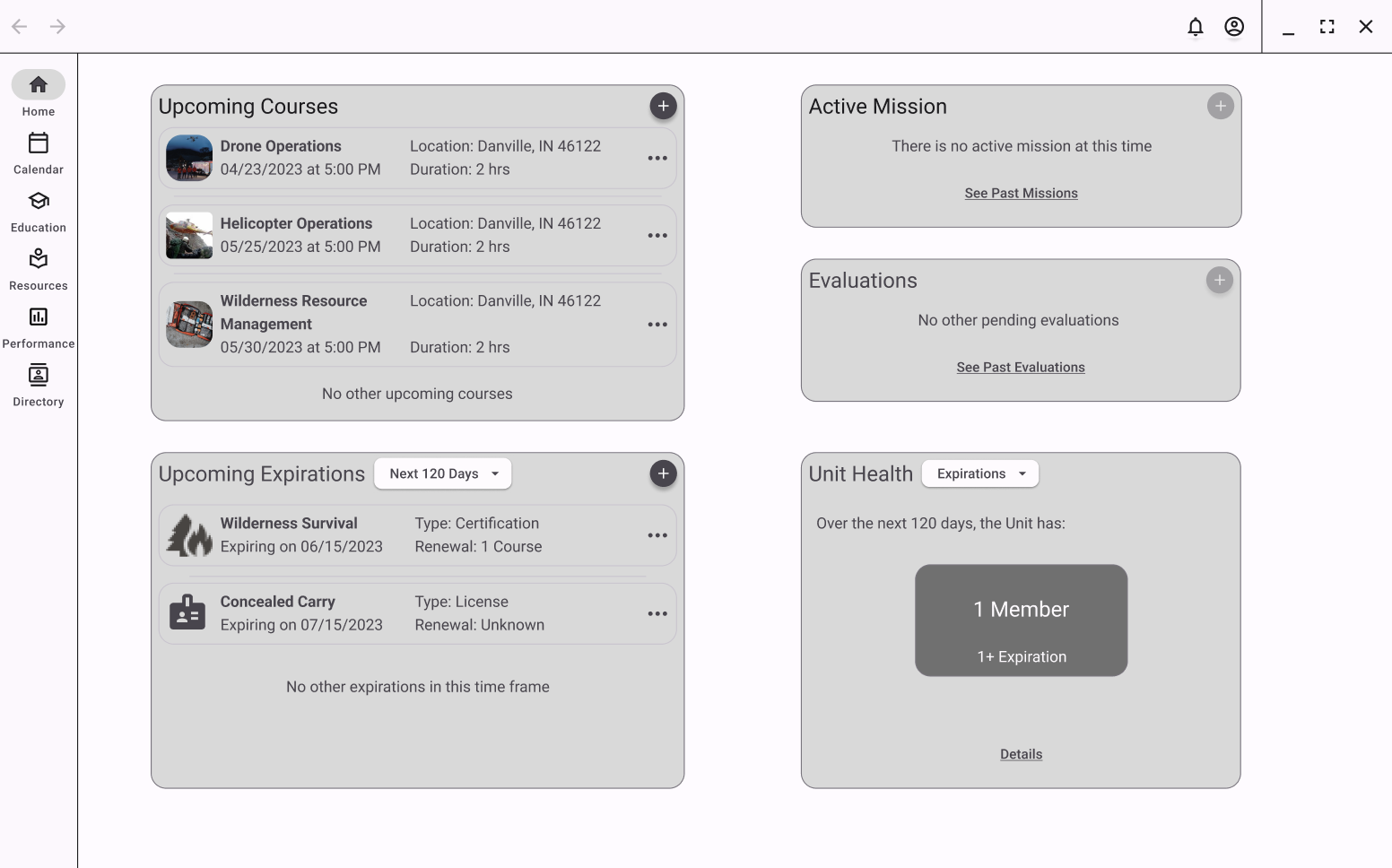
Home Dashboard - Incident Commander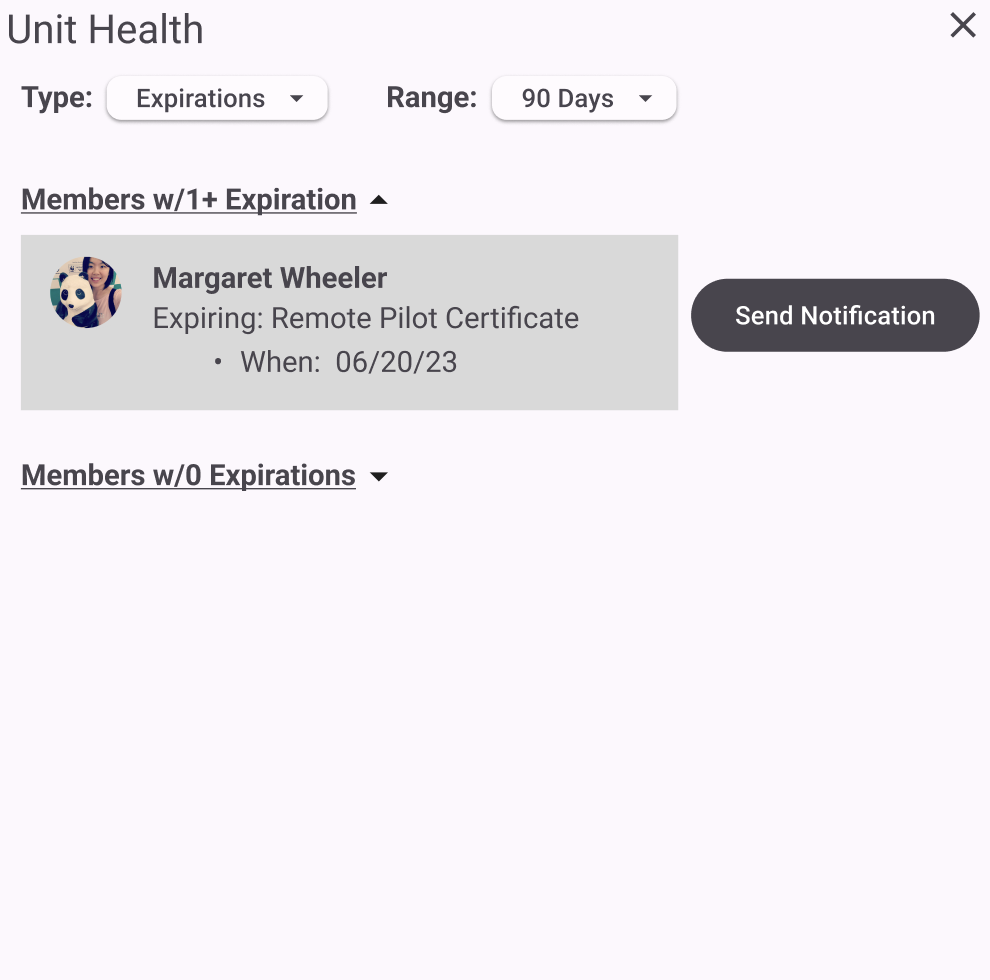
Unit Health Pop Up (1)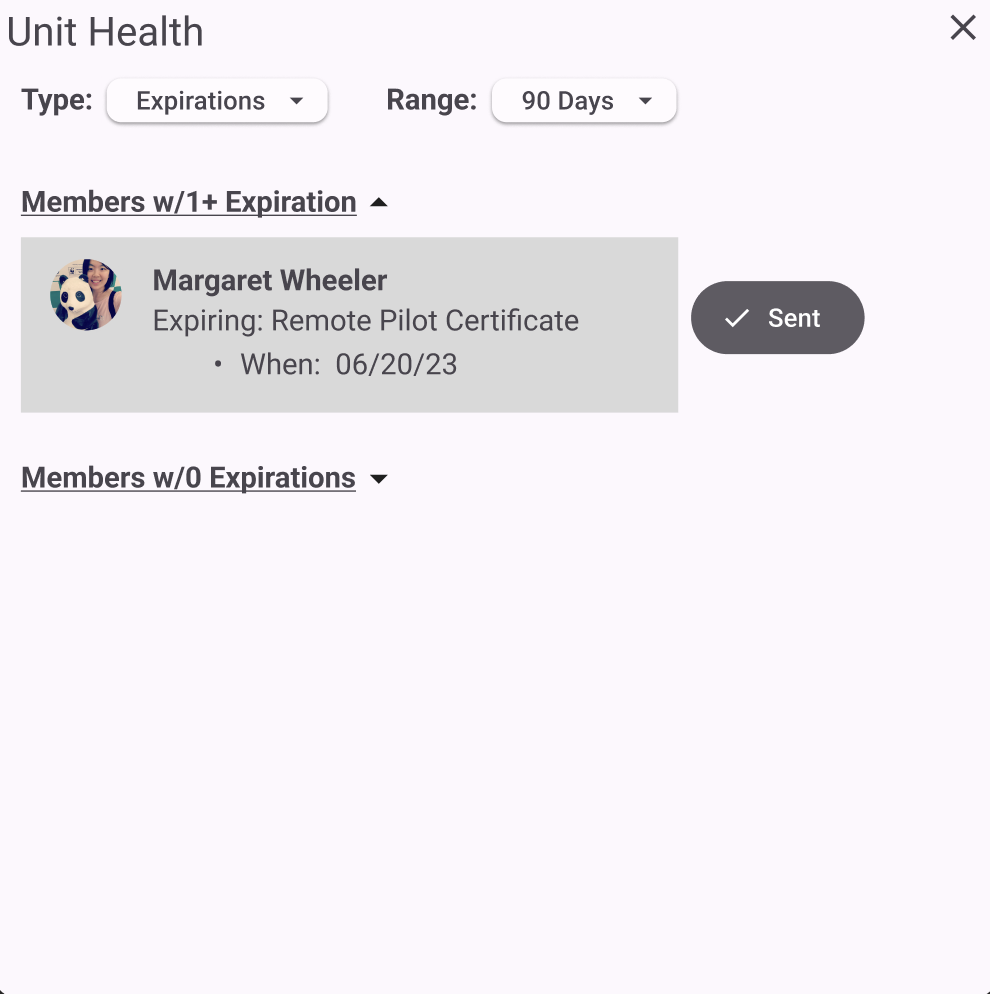
Unit Health Pop Up (2)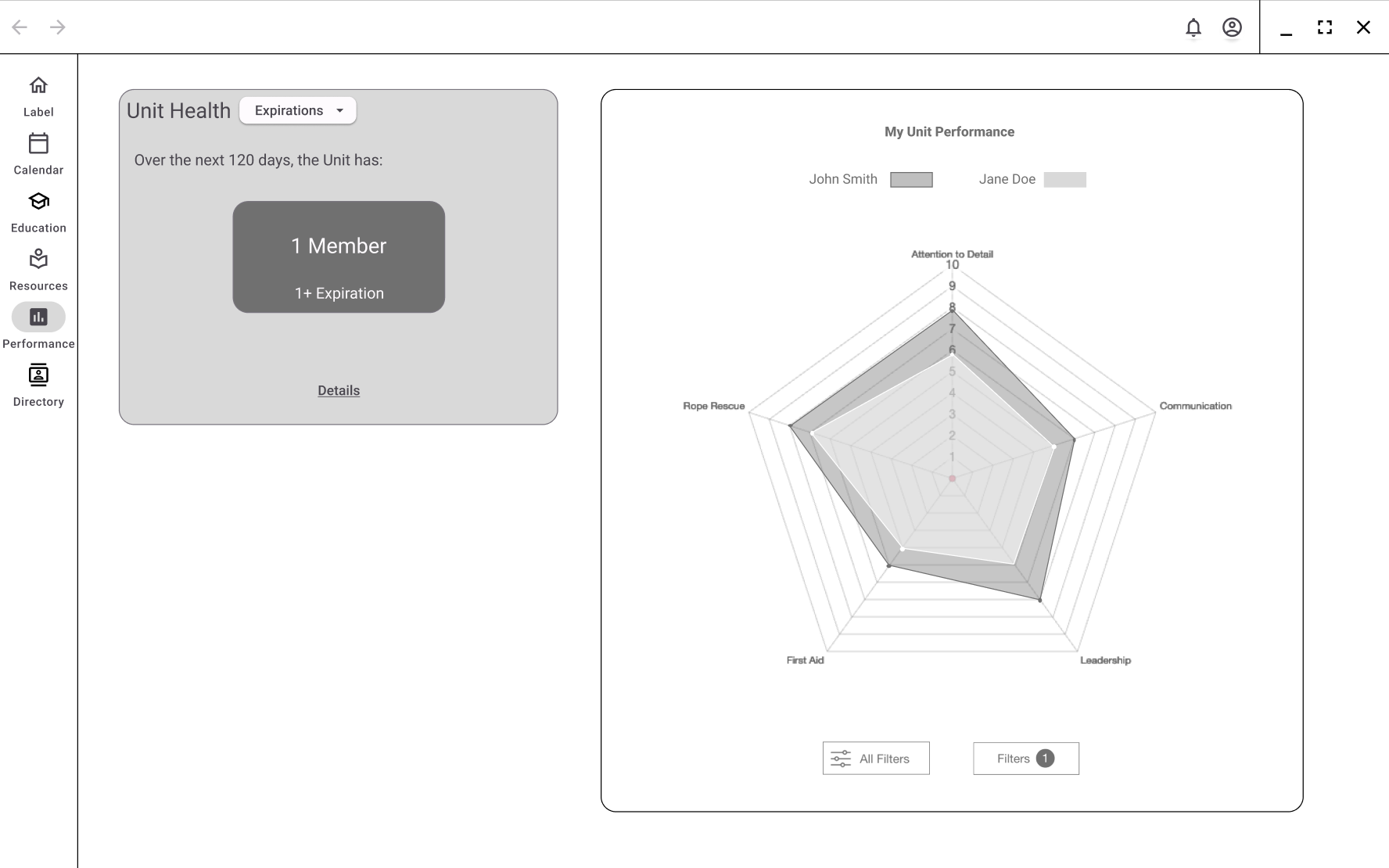
Performance Page - Incident CommanderCalendar | Ryan Neal
The Calendar page will allow users to set reminders, tasks, and events on the platform. Along with the ability to share their calendars with other members within the organization. They will also be able to export calendar notification to external calendars outside of the platform to allow easier access to all their schedules on a single platform.
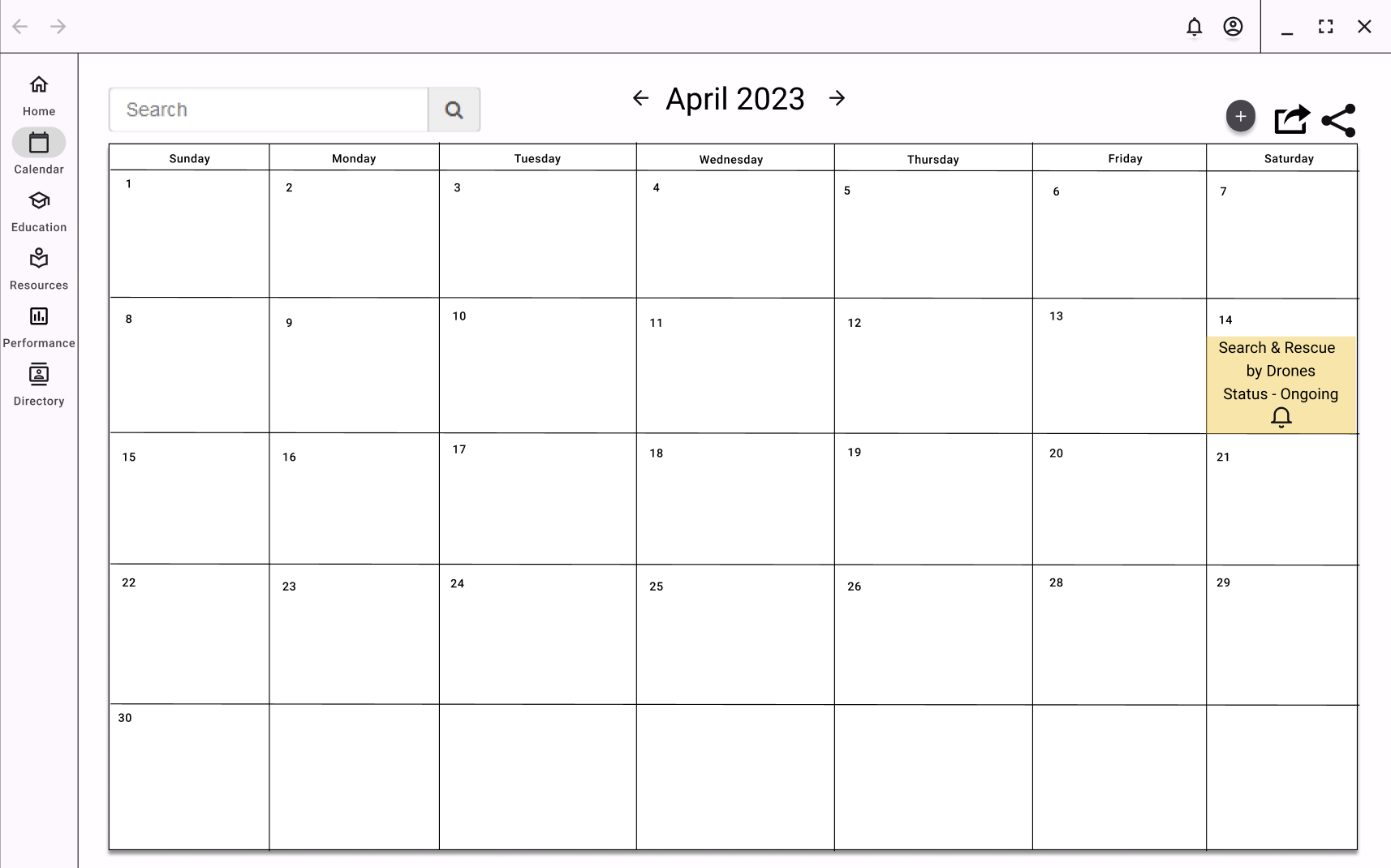
Main Calendar Page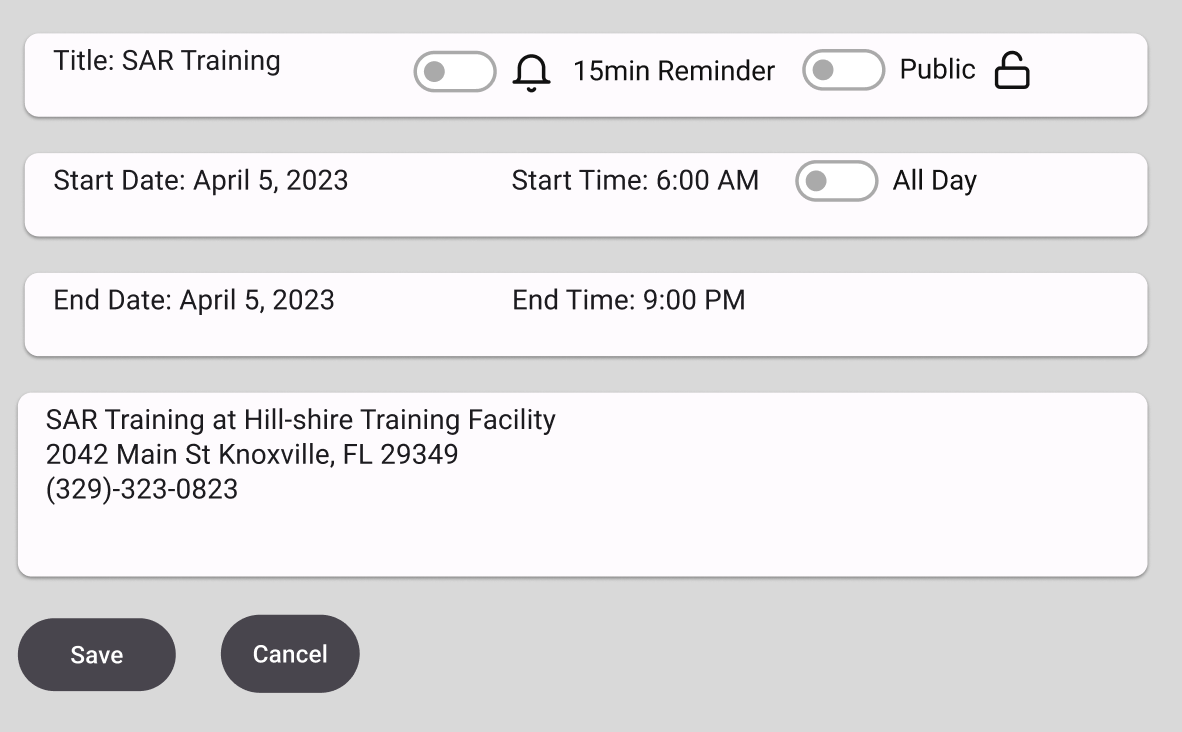
Creating an Event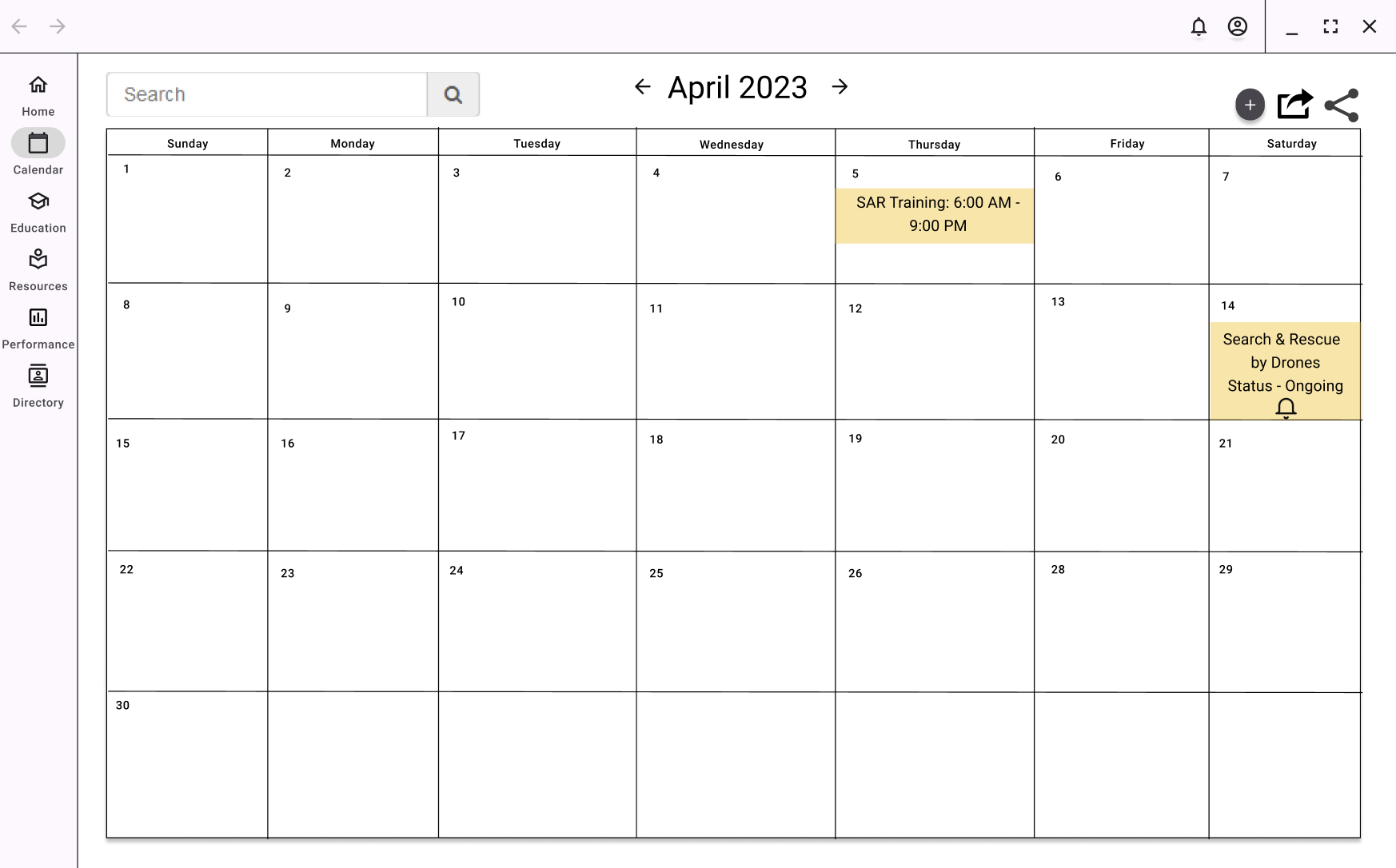
Updated CalendarDirectory | Ryan Neal
The Directory page will allow users to access all members within the organization and allow them to see their primary roles and the years of service they have dedicated to the organization. Users and Incident commanders will also be able to filter out users by roles, but only incident commanders will have the ability to select users to compare skills between members to see how they compare based on their primary roles and their performances.
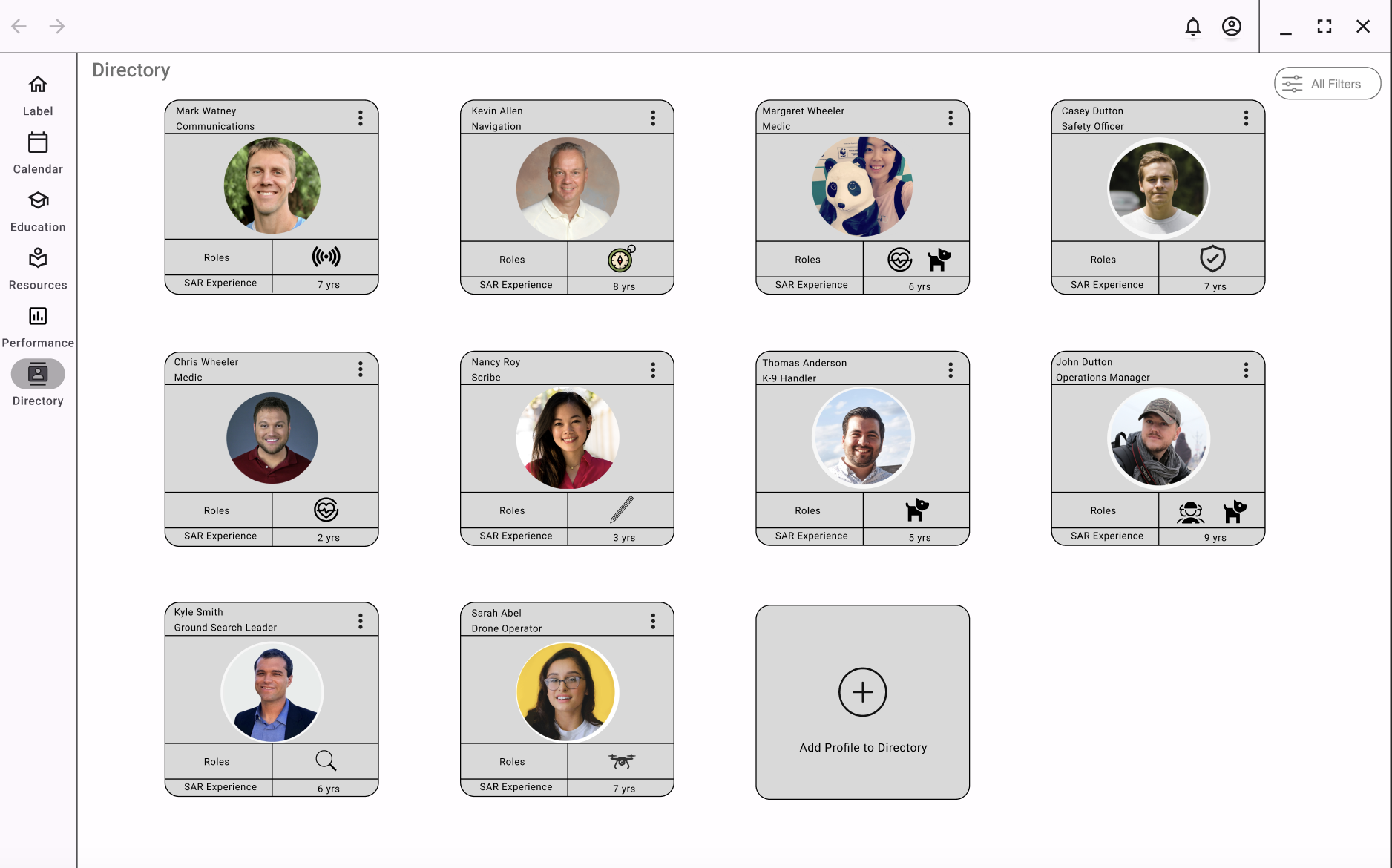
Directory Home Page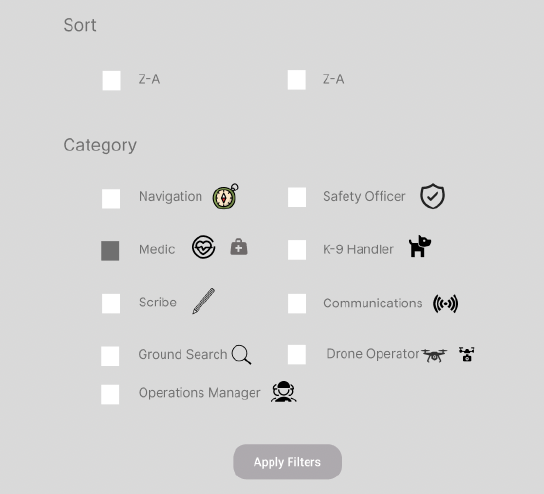
Filter Pop Up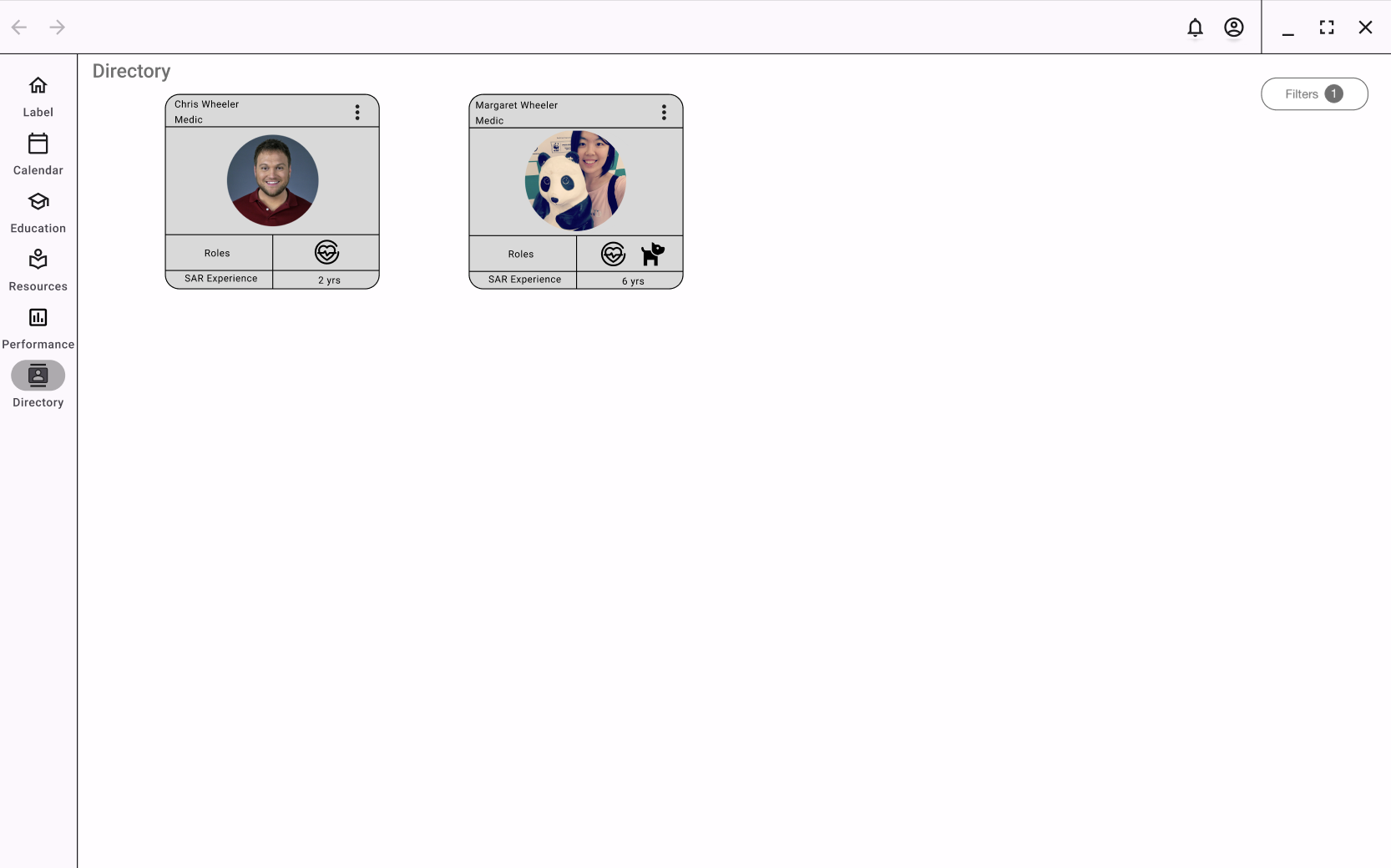
Directory Filtered by MedicsPrototype Evaluation
Our team completed five usability tests with our low-fidelity prototype to discover our platform’s convenience, usefulness, and clarity. An additional two participants completed a cognitive walkthrough as they could not access a computer. Due to the lack of computer access, their feedback is excluded from the summary of the results found in Appendix C. The email request template can be found here.
All participants had experience with search and rescue, with three being from last semester’s initial research interviews. If a participant was not from a previous interview, we asked them a series of questions to understand their search and rescue background.
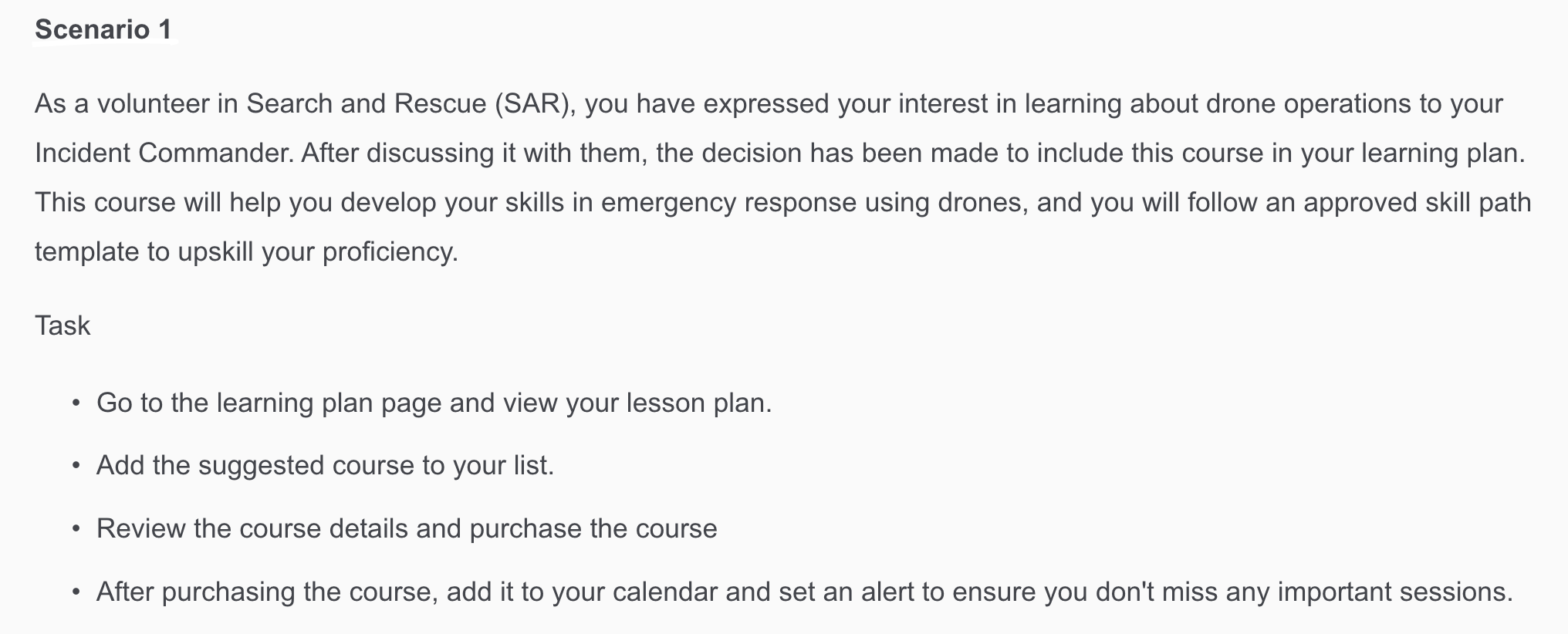
Scenario 1 from the Usability Testing ScriptOur team created five scenarios to ensure that the participants interacted with the key features of the prototype. For example, scenario 1 focused on interactions with the Education and Calendar page. The scenario moved the user through the Lesson Plan, purchasing a class, adding the class date to their Calendar, and setting a one-day reminder before the class.
After the participants completed the scenarios, they were asked to rate the screens on a Likert scale with 1 being strongly dissatisfied and 5 being strongly satisfied. After participants rated the screen, they were asked to share additional comments and suggestions.
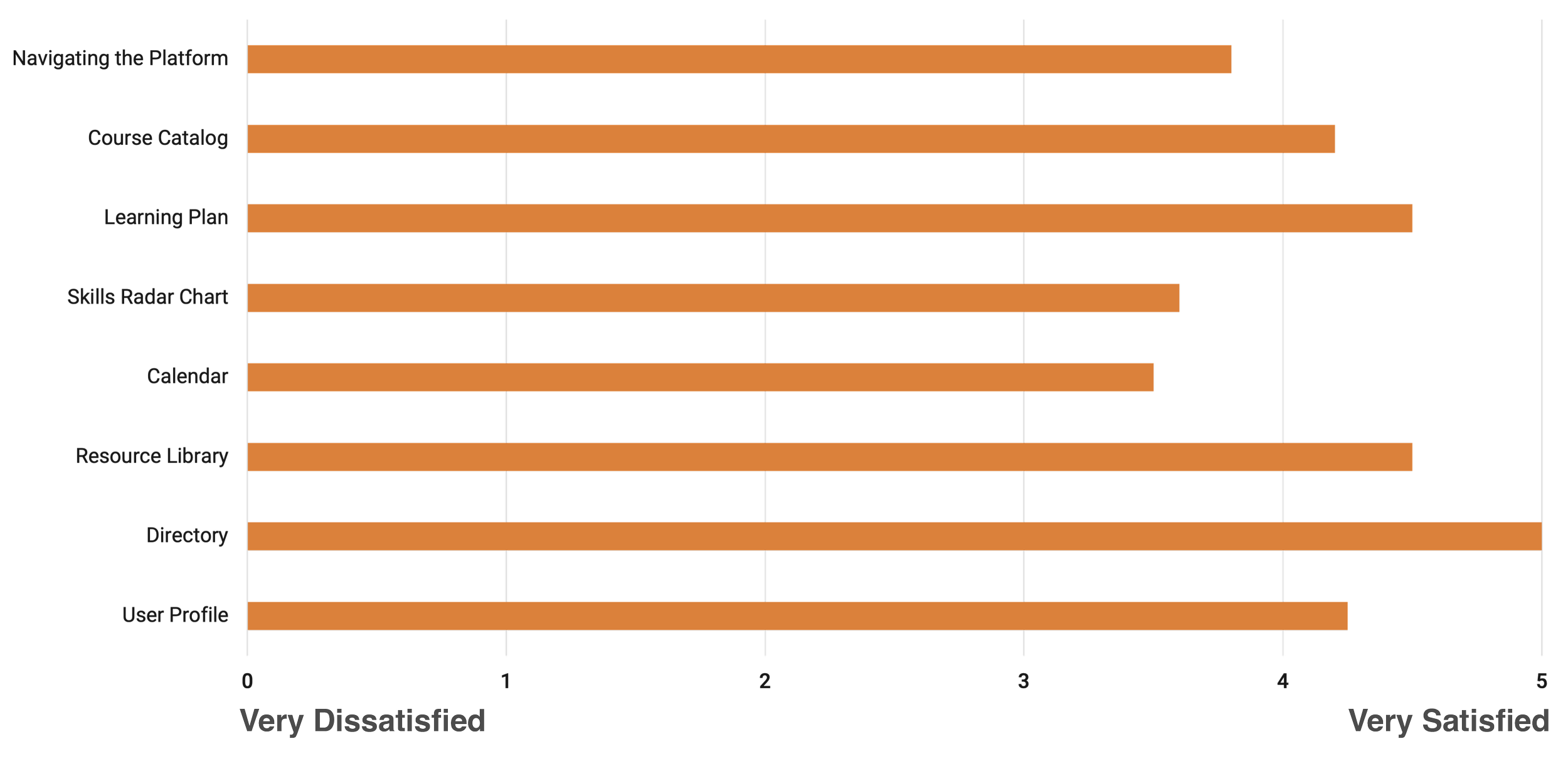
Combined Ratings of Platform Navigation and ScreensKey Suggestions from Usability Testing
Update platform to have consistent navigation and search functionality across all screens.
Do not push the cognitive load. Remove unnecessary level of filtering. Make information straightforward.
Typeface on platform could be larger across entire platform.
Identify that the Upcoming Courses on the Homepage are courses that the user has signed up for.
Users struggled to find the Filter icon, Add Certification button, Add Resource button, and All Filters button.
There’s an opportunity to gamify education and learning.
Allow for all resources to be searchable under the Education page (combine resources and education).
The Resource Library star rating was confusing. Add this to the All Filters page.
The Directory needs additional classifications (Are the people shown part of my unit?). Profiles need to be in alphabetical order.
The Profile page needs to use up more of the white space, so the user doesn’t need to scroll. Things that could be added: availability for missions, address, constraints on things like health risks, skills, role on team, previous missions, and past employment.
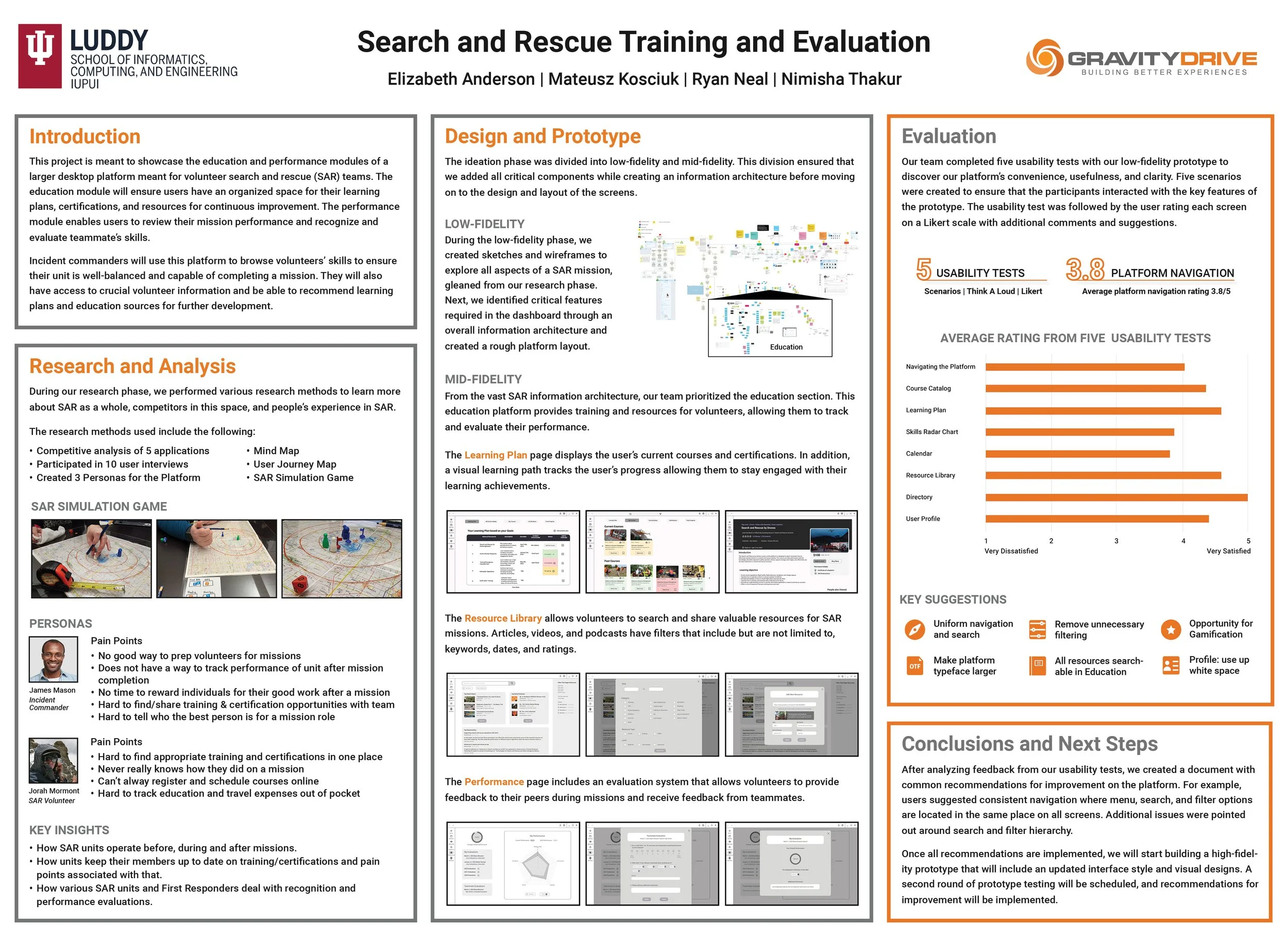
Capstone Poster